Productivity
Confluence Knowledge Search
Search Confluence for supplied text and return the first result’s title, article link, and excerpt.
Download workflow
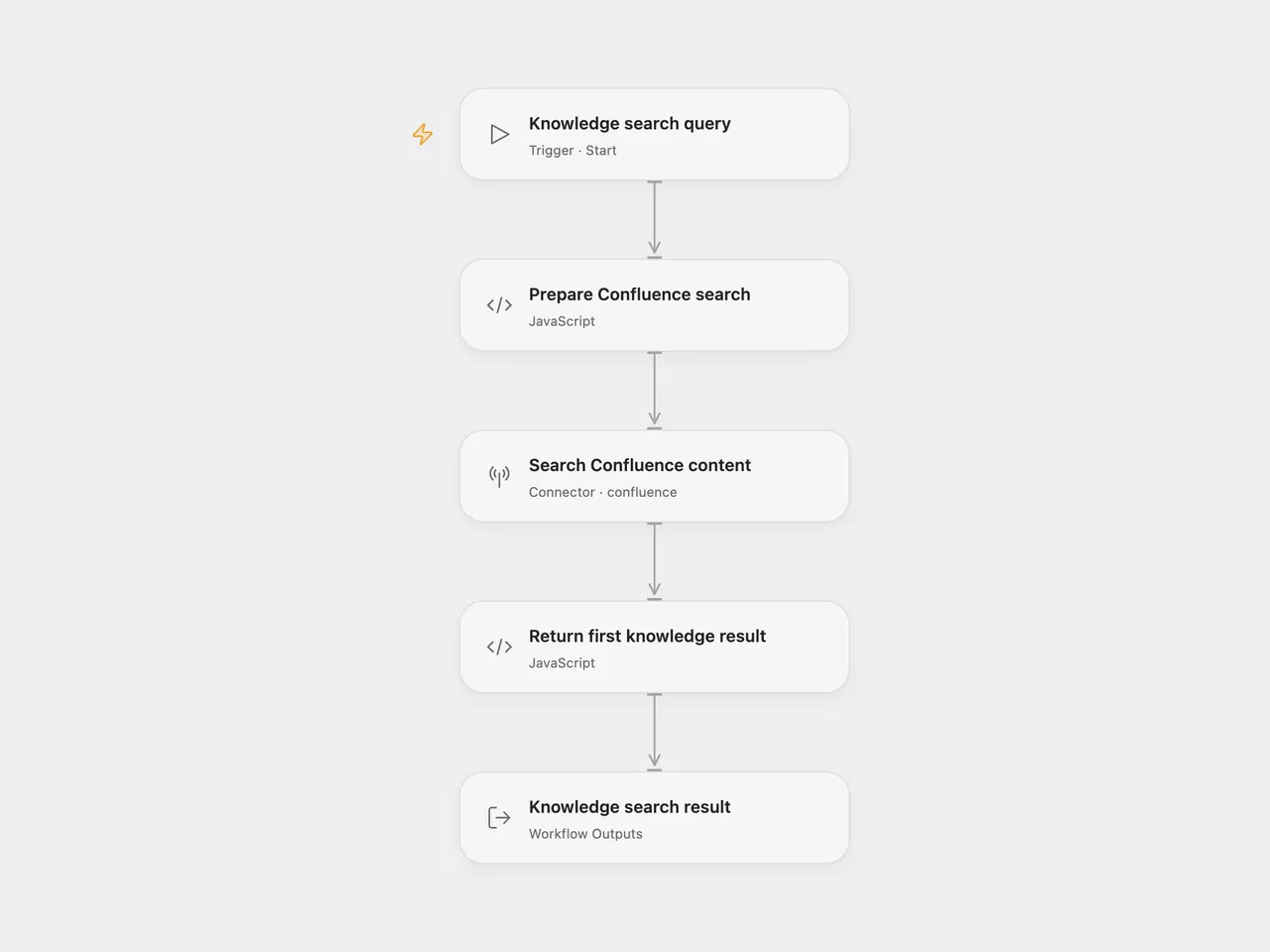
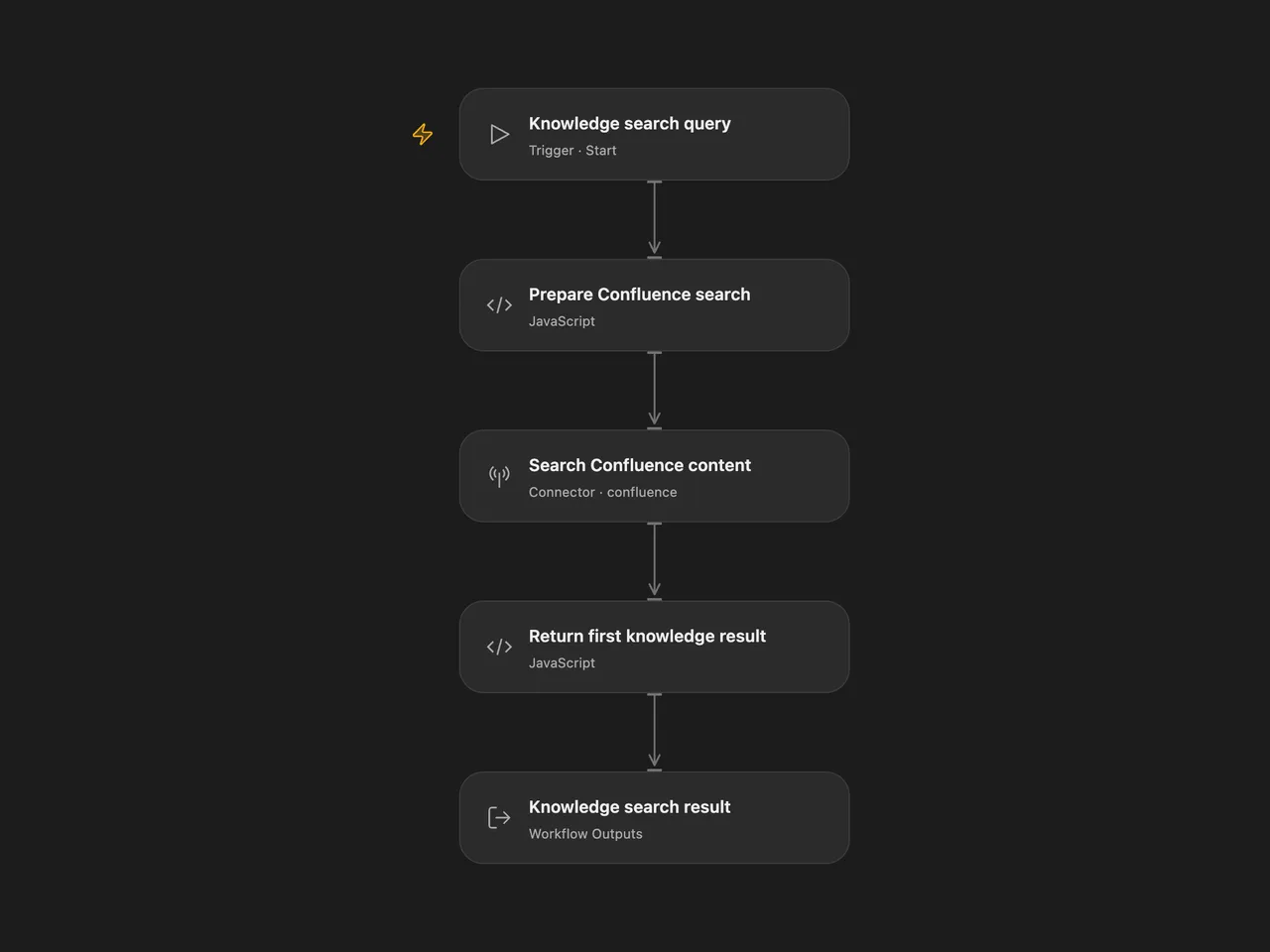
Search a Confluence knowledge base and return the first matching result’s title, article link, and excerpt.
Setup and use
In Open Flow, connect Confluence in Search Confluence content. The account needs permission to search and view the relevant content. Replace wikiBaseUrl in Prepare Confluence search with the same site’s HTTPS wiki URL, ending in /wiki, such as https://your-site.atlassian.net/wiki. This URL provides the base for article links returned by the search.
Use Run and supply:
{"query":"password reset"}For n8n, replace the tenant in Query Confluence while keeping /wiki/rest/api/search. Select an HTTP Basic credential using your Atlassian email as the username and an API token as the password. Edit Search Query, then run Run Search. Another workflow can call Execute Workflow Trigger with a query string.
Behavior
The workflow issues one Confluence CQL search with text ~ "your query" and a page limit of 25. It returns the first hit and does not fetch later pages. Confluence controls search ranking and visibility. Text search syntax still applies inside the search text; quotes and backslashes are escaped for the surrounding CQL string. Blank queries and control characters are rejected before searching.
The result has found and response. A match returns a text block with Title, Link, and Content. The excerpt is kept as supplied, including any highlight markup. As in the source, the response ends with a consumer hint about sharing the article link for password-reset questions. Its action is document search and link retrieval.
No matches return found: false with a short message. A failed search or malformed first result stops the run. The workflow uses a 30-second request limit and has no workflow-level retry or persistent state. Repeating a run performs another search.
Changes to the source
- Replace the source tenant with configuration placeholders and use the platform’s Confluence connector in Open Flow.
- Escape the query’s CQL string and return an explicit empty result instead of indexing a missing first hit.
- Quote titles and links safely in the response text, and make timeout and redirect handling explicit.
- Add a manual n8n entry while preserving the callable workflow entry, and document the actual search steps.
Adapted from KB Tool - Confluence Knowledge Base in enescingoz/awesome-n8n-templates.
Source collection notice: © 2024–2026 Enes Cingoz, CC BY 4.0. The source export does not identify a separate template author or license. This adaptation includes the changes above; see repository licensing for OOMOL contributions and third-party material.