Operations
Dropbox Public Image Archive
Create a Dropbox folder, save a public image into it, and list the folder after the file is saved.
Download workflow
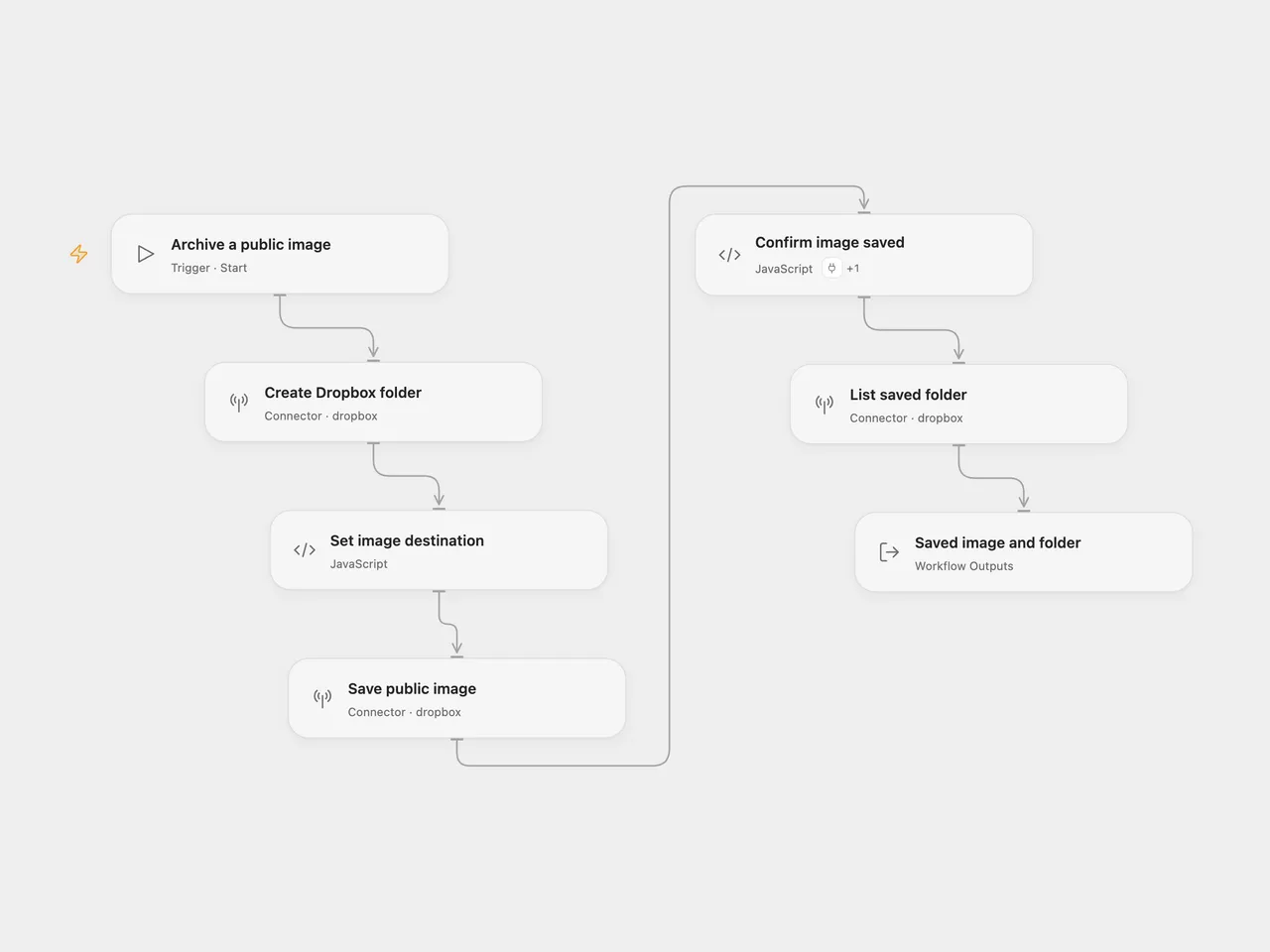
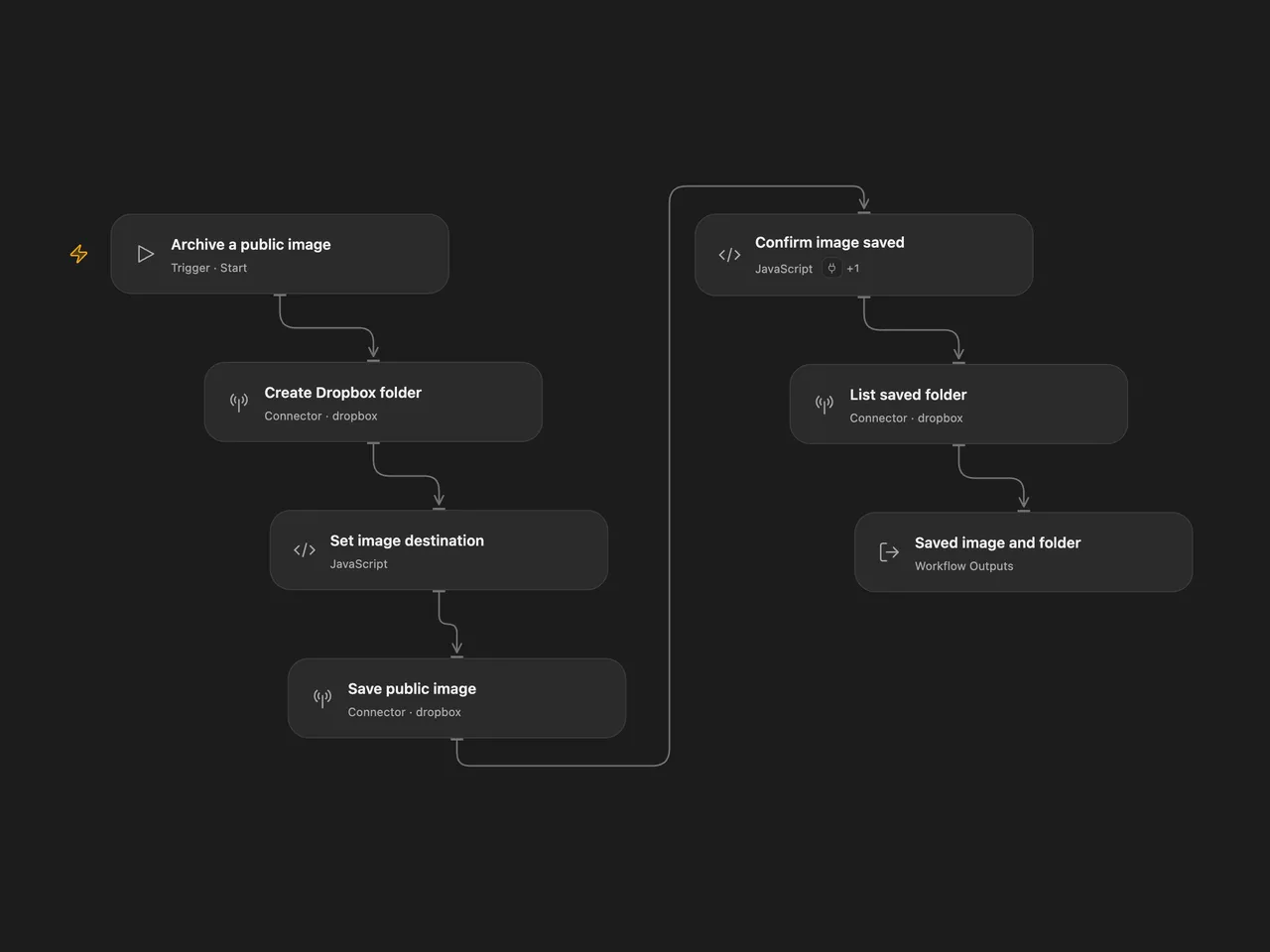
Create a new Dropbox folder, save an image from a public URL as file.png, and list the folder after the save completes.
Setup
In Open Flow, connect the same Dropbox account in Create Dropbox folder, Save public image, List saved folder, and the Actions settings of Confirm image saved. Set the new folder path in Create Dropbox folder. Edit the public image URL in Save public image. To change the saved filename, edit Set image destination.
In n8n, connect the same Dropbox OAuth2 account in all Dropbox nodes. Set the new folder path in Dropbox, the image URL in HTTP Request, and the filename in Dropbox1. The upload and folder listing read the folder path from Dropbox. The HTTP response is a binary file in the data field consumed by the upload.
Run manually. The defaults create /n8n and save https://n8n.io/n8n-logo.png as /n8n/file.png. The folder must not already exist; a creation conflict stops the run. Each successful run returns up to 100 folder entries. Open Flow also returns the completed file metadata and the listing cursor and hasMore flag.
Open Flow asks Dropbox to fetch the public URL directly. If Dropbox starts a background job, Confirm image saved checks it once per second for up to 60 seconds. Only a completed file proceeds to the listing. A failed save, request error, unknown status, or timeout stops the run without submitting the save again. After a timeout, the job may still finish in Dropbox; inspect the job ID in Save public image and the destination before retrying. n8n downloads the bytes and uploads them before listing.
Changes to the source
- Make the Dropbox OAuth2 connection and binary-field settings explicit in n8n.
- Derive upload and listing paths from the folder configuration.
- Use Dropbox’s public-URL save action in Open Flow, with completion checks for asynchronous jobs.
- Expose completed file metadata and folder-list pagination information in Open Flow.
Adapted from Dropbox image download, upload, and folder listing in Zie619/n8n-workflows. The source export does not identify a separate template author or license.
The collection’s MIT notice is pinned at a later revision. This is the collection notice at that revision; it does not establish a separate original template author’s license. Our changes are listed above; see repository licensing.
MIT License
Copyright (c) 2025 Zie619
Permission is hereby granted, free of charge, to any person obtaining a copy of this software and associated documentation files (the “Software”), to deal in the Software without restriction, including without limitation the rights to use, copy, modify, merge, publish, distribute, sublicense, and/or sell copies of the Software, and to permit persons to whom the Software is furnished to do so, subject to the following conditions:
The above copyright notice and this permission notice shall be included in all copies or substantial portions of the Software.
THE SOFTWARE IS PROVIDED “AS IS”, WITHOUT WARRANTY OF ANY KIND, EXPRESS OR IMPLIED, INCLUDING BUT NOT LIMITED TO THE WARRANTIES OF MERCHANTABILITY, FITNESS FOR A PARTICULAR PURPOSE AND NONINFRINGEMENT. IN NO EVENT SHALL THE AUTHORS OR COPYRIGHT HOLDERS BE LIABLE FOR ANY CLAIM, DAMAGES OR OTHER LIABILITY, WHETHER IN AN ACTION OF CONTRACT, TORT OR OTHERWISE, ARISING FROM, OUT OF OR IN CONNECTION WITH THE SOFTWARE OR THE USE OR OTHER DEALINGS IN THE SOFTWARE.