Productivity
Shortcut Text Transformer
Translate, correct grammar, shorten, or expand text from an Apple Shortcut and return the result as plain text.
Download workflow
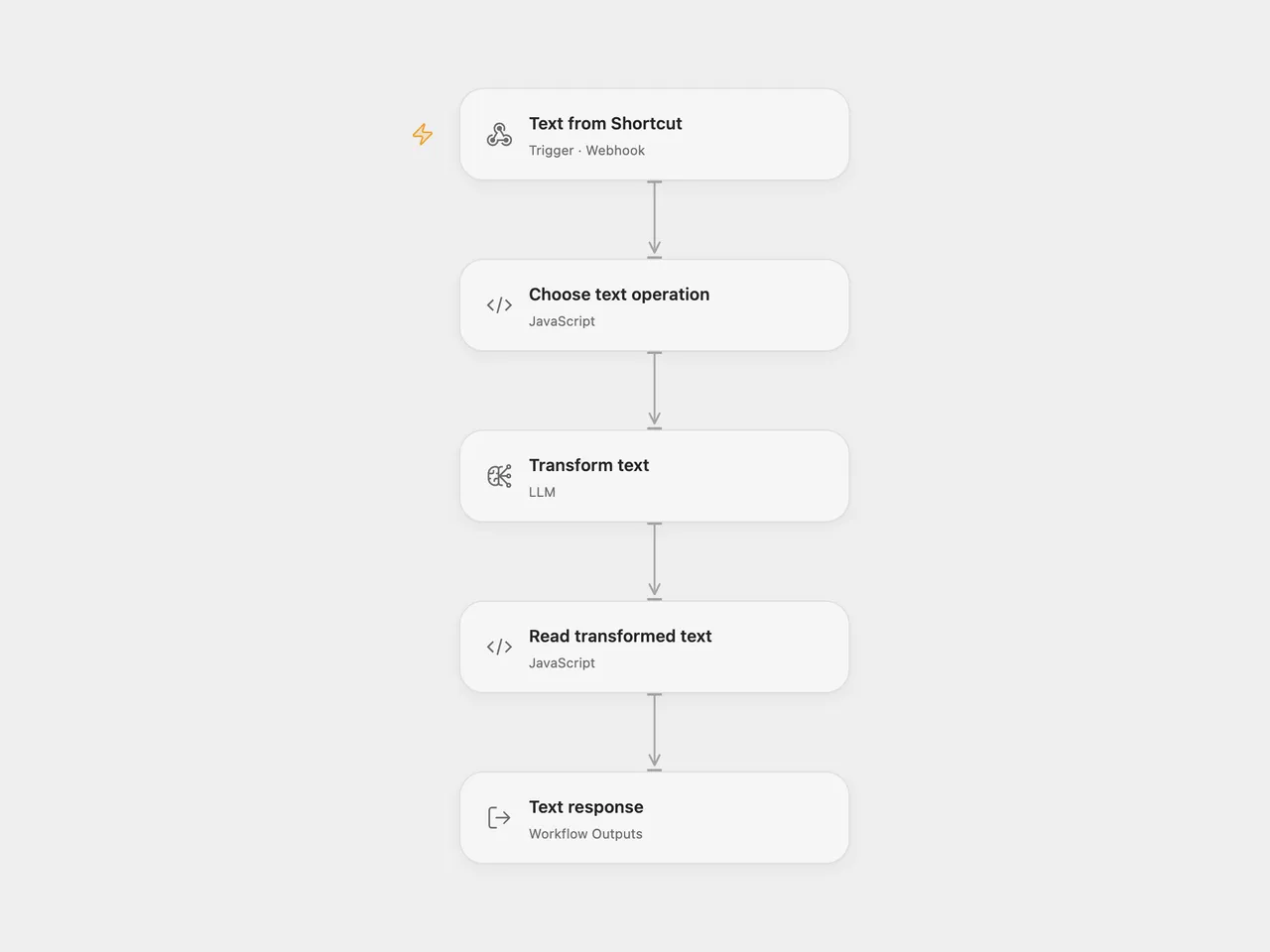
Send selected text from an Apple Shortcut to translate it into English or Spanish, correct its grammar, or ask for a slightly shorter or longer version. The webhook returns the transformed text.
Setup
Import the JSON. In Open Flow, select a configured gpt-4o-mini model in Transform text. In n8n, select your OpenAI credential on each of the five OpenAI nodes. Publish and enable the configured workflow and copy its production webhook URL.
Create an Apple Shortcut that receives text from the share sheet or clipboard. Add Get Contents of URL, set the URL to the webhook, choose POST, and set its request body to JSON with type and content. Pass the selected text as content. Show or copy the response using the Shortcut’s normal text actions.
type |
Requested edit |
|---|---|
spanish |
Translate into Spanish. |
english |
Translate into English. |
grammar |
Correct grammar while retaining the content. |
shorter |
Make the text about 5% shorter. |
longer |
Make the text about 5% longer. |
Any JSON HTTP client can make the same request:
{
  "type": "grammar",
  "content": "We was ready for the meeting."
}
Each valid request makes one model call. A successful response is HTTP 200 with a plain-text body. Letter case matters for type; missing or empty text and unknown operations fail before the model runs. An empty or incorrectly shaped model result also fails. Error status and body follow the hosting platform’s error handling. No automatic retry is configured.
The length requests are prompts, so the result may differ from 5%. Review wording before replacing your original text. Open Flow waits up to 60 seconds for the response; an HTTP timeout does not cancel an already running model call. Submitted text is sent to your configured model provider.
Changes to the source
- Validate requests before routing so unknown operations do not disappear into an unconnected switch branch.
- Check that the model returns a nonempty
outputstring. - Return plain text and retain its line breaks without inserting HTML.
- In Open Flow, select a prompt before one shared model node. n8n retains the five prompt branches. Both use the source prompts and
gpt-4o-mini. - Describe the Shortcut setup directly rather than depending on a third-party Shortcut download.
Adapted from Text automations using Apple Shortcuts in enescingoz/awesome-n8n-templates.
Source collection notice: © 2024–2026 Enes Cingoz, CC BY 4.0. The source export does not identify a separate template author or license. This adaptation includes the changes listed above; see repository licensing for the scope of OOMOL contributions and third-party material.