Sales
Website Lead Capture
Save website leads to Google Sheets, notify your team on Telegram, and acknowledge the enquiry by Gmail.
Download workflow
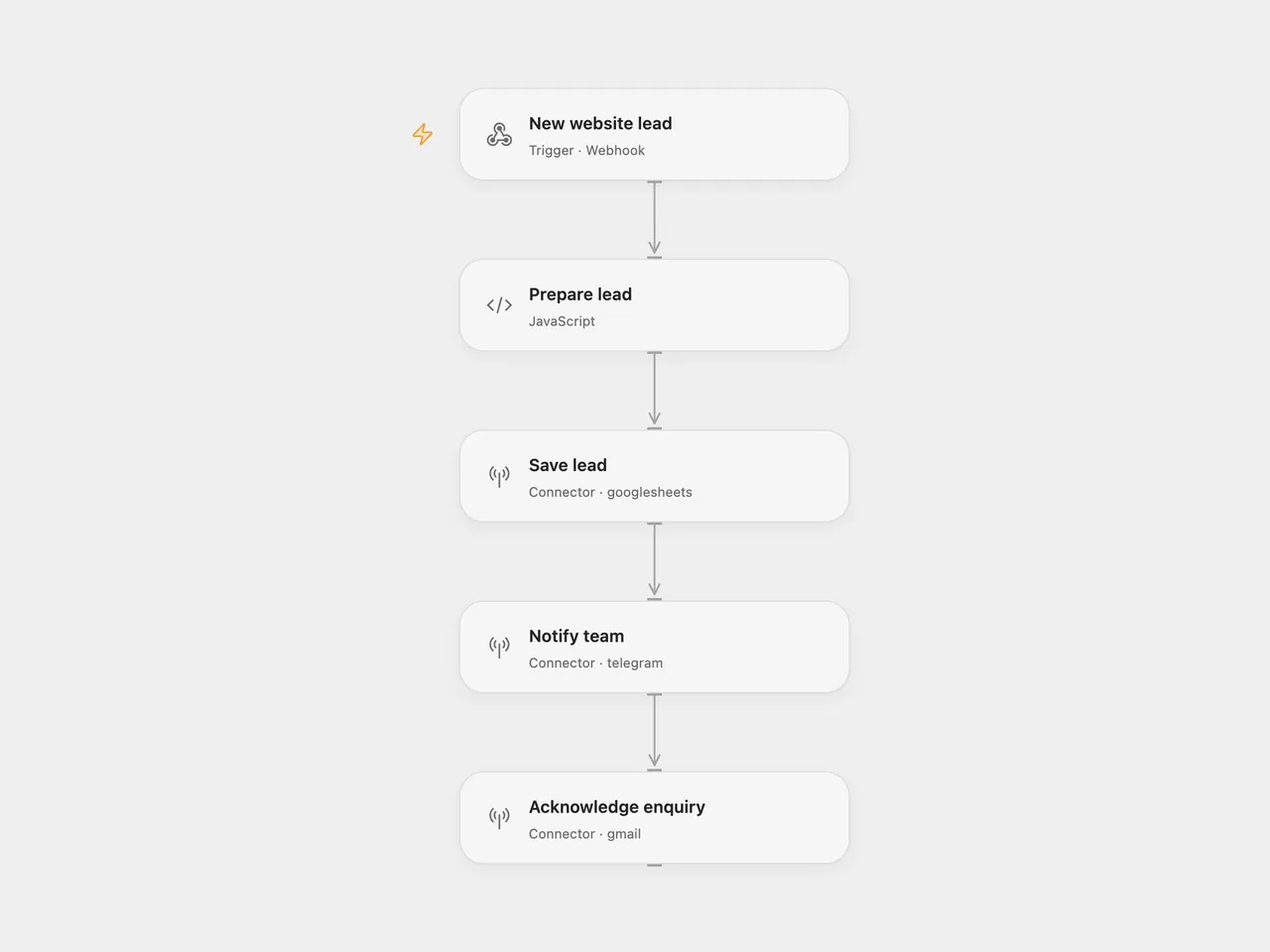
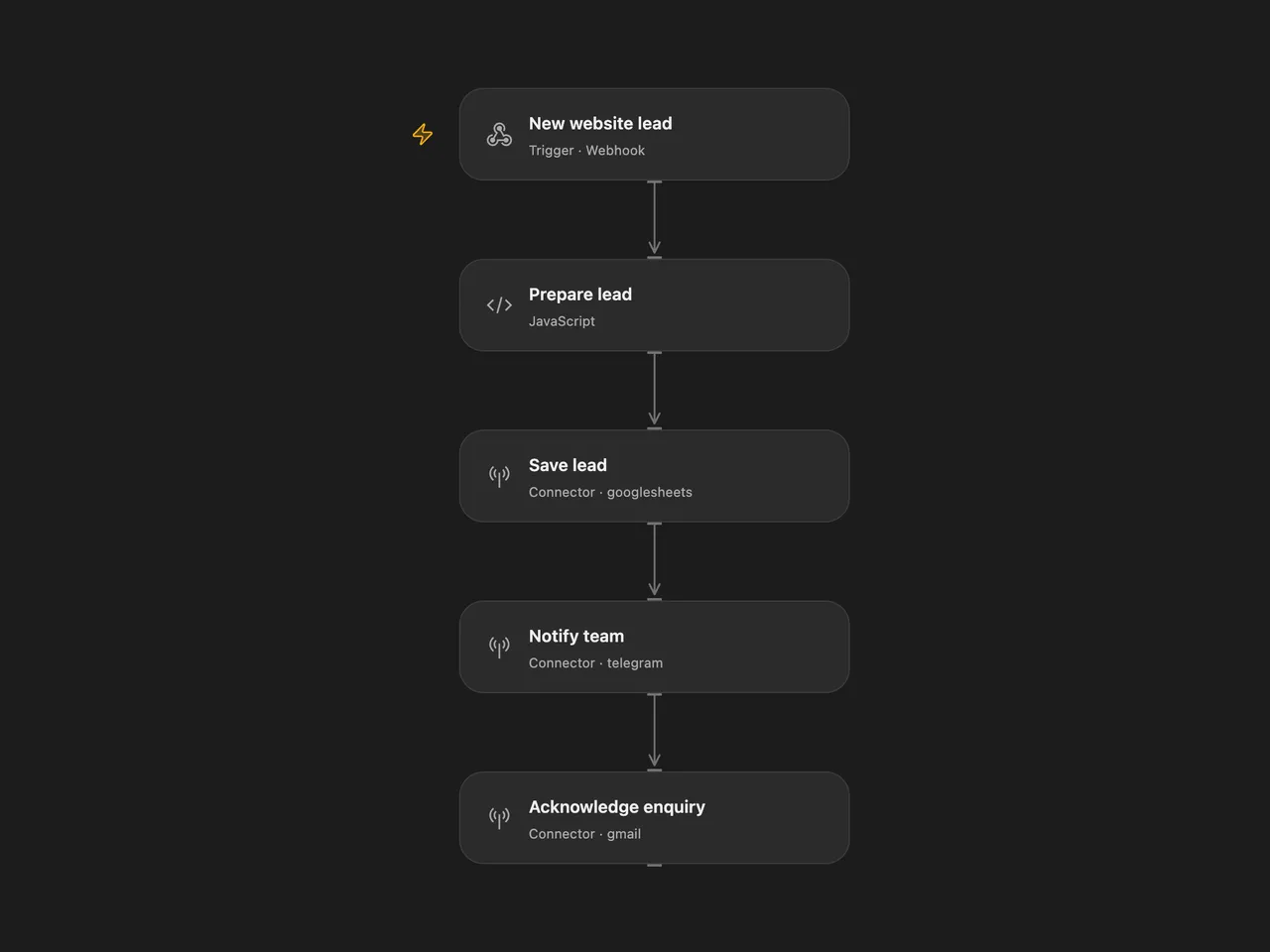
Capture a website enquiry, save it to Google Sheets, notify your team on Telegram, and send a courtesy email through Gmail. The messages retain the original Italian copy.
Setup
Create a sheet named Lead with these headers in columns A–F:
| Data | Nome | Telefono | Messaggio | Stato |
|---|
For Open Flow, import the JSON and configure:
| Node | Configuration |
|---|---|
| Save lead | Connect Google Sheets; replace YOUR_SPREADSHEET_ID. The default range is 'Lead'!A:F. |
| Notify team | Connect your Telegram bot; replace @YOUR_TELEGRAM_CHANNEL with your chat ID or channel username. |
| Acknowledge enquiry | Connect the Gmail account that will send acknowledgments. |
| Prepare lead | Set timezone for timestamps and signature for the email. The timezone starts at UTC. |
For n8n, import the JSON, connect the same three services, and configure the sheet, Telegram destination, and email signature in the corresponding nodes. Change the workflow timezone if needed; the exported template uses UTC.
Publish and enable the workflow when configured, then use the webhook URL shown by your platform. Send a POST request with a JSON body such as:
{
  "name": "Ada",
  "email": "ada@example.com",
  "phone": "+39 000 000 0000",
  "message": "Please contact me about your service."
}
The aliases nome, telefono, and messaggio are also accepted and take precedence over their English counterparts.
The webhook acknowledges receipt immediately with {"message":"Workflow was started"}. Acknowledgment does not confirm that the sheet write or notifications have completed. A valid email address is required.
If your form sends extra fields, add them to the Open Flow webhook body schema before use.
Improvements to the source
- Validate the email address before any sheet write or notification.
- Escape submitted text in Telegram Markdown and send the email as plain text, preserving paragraphs.
- Write literal cell values with
RAWformatting so submitted text is not interpreted as a spreadsheet formula. - Make the execution order explicit: save the row, send the Telegram alert, then send the email. A failure stops later steps.
- Bind notification and reply data to the prepared lead, preserving it even when the sheet returns only a write confirmation.
- Provide a column schema, clear setup placeholders, and an explicit UTC timezone.
Repeated requests create additional rows and messages. Telegram text must fit its 4,096-character message limit.
Adapted from Website leads to Google Sheets with Telegram alert and auto-reply (Italian) in enescingoz/awesome-n8n-templates.
Source collection notice: © 2024–2026 Enes Cingoz, CC BY 4.0. The source export does not identify a separate template author or license. This adaptation includes the changes listed above; see repository licensing for the scope of OOMOL contributions and third-party material.