営業
Client Onboarding
Welcome a new client by Gmail, record their project in Google Sheets, and return the client ID to your form or CRM.
ワークフローをダウンロード
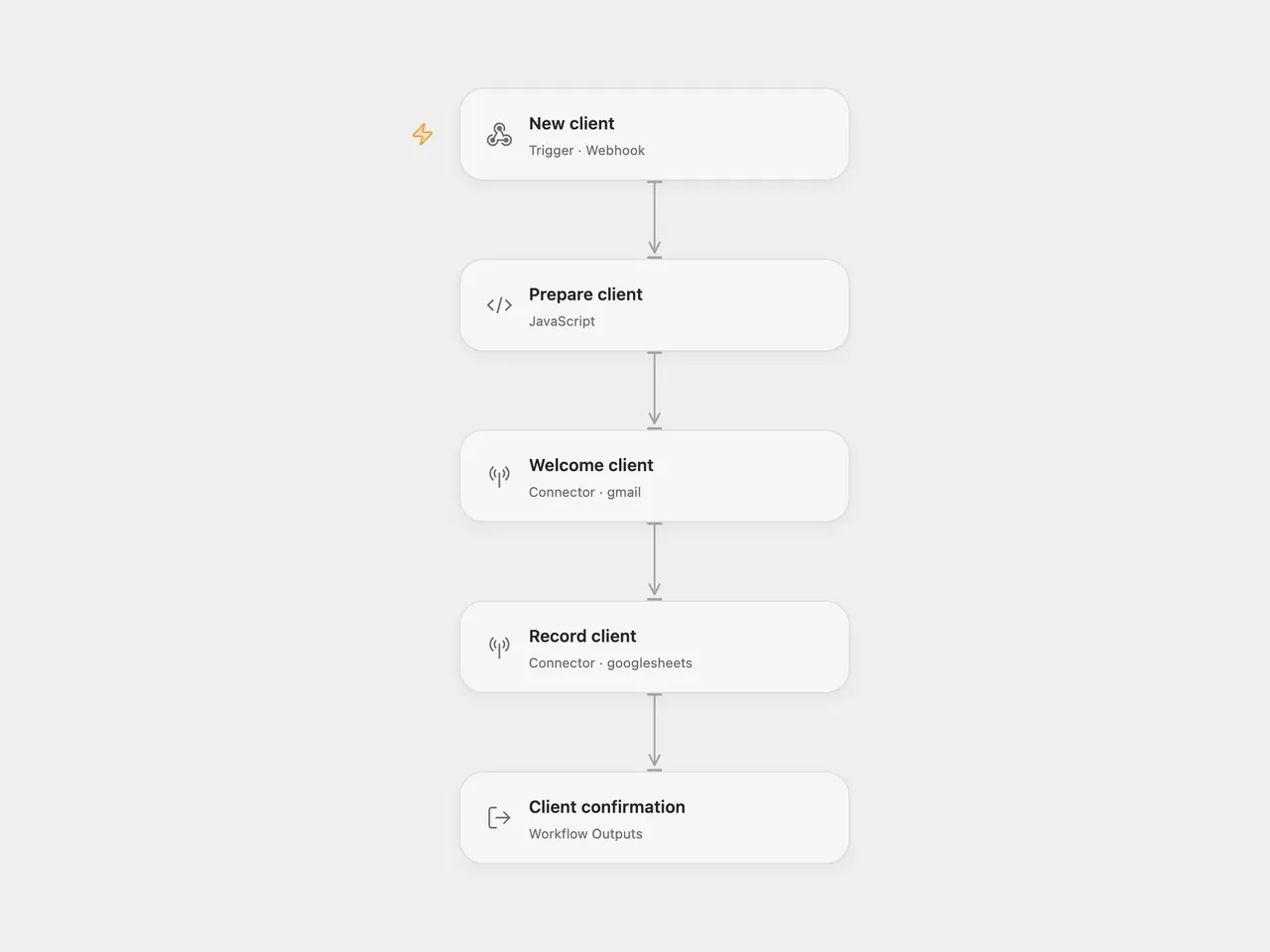
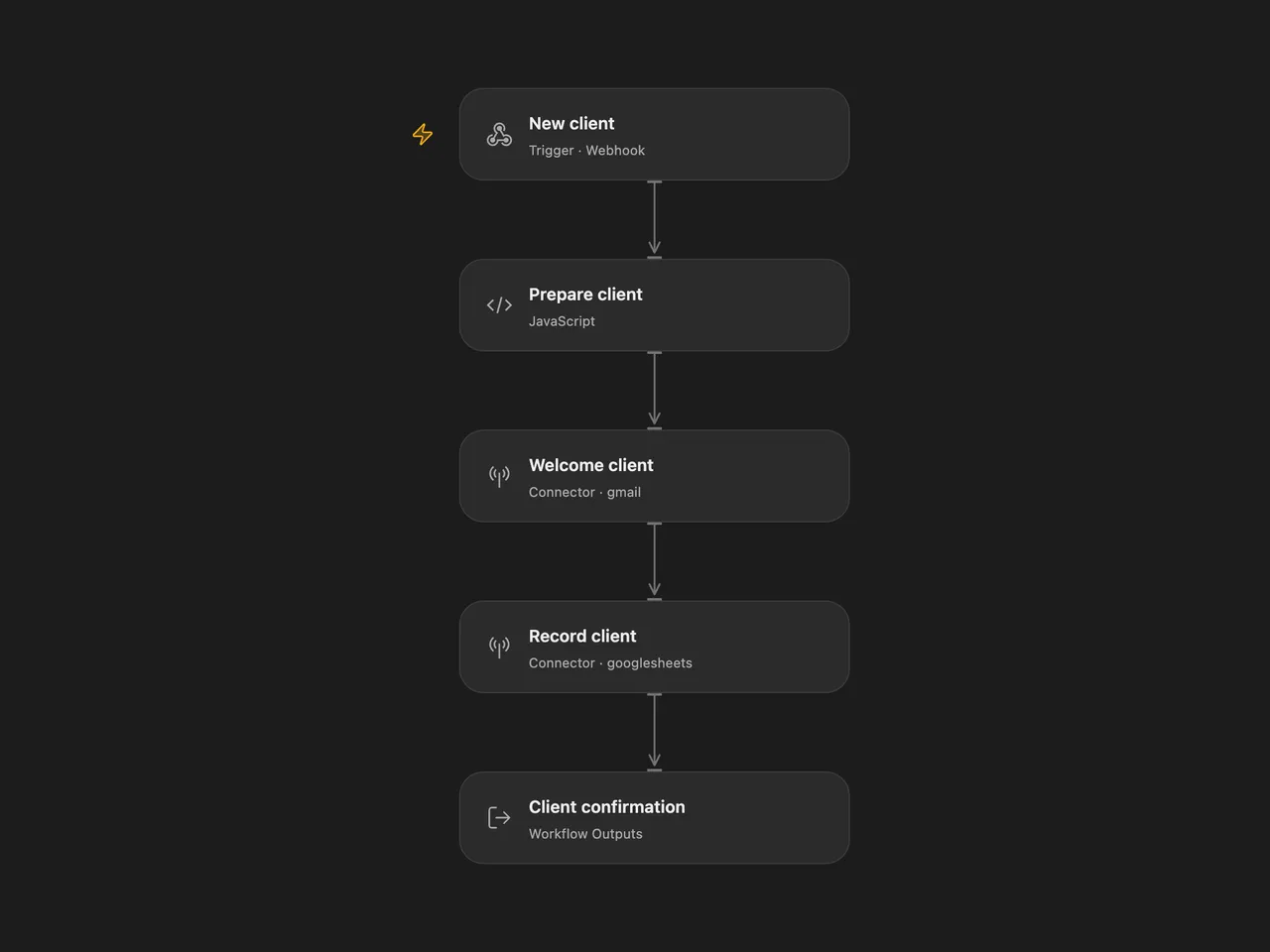
Welcome a new client by Gmail and save their project in Google Sheets. A successful webhook response includes the client ID and name after the email and sheet write complete.
Setup
Create a sheet named Clients with these headers in columns A–F:
| Client ID | Name | Company | Project | Onboarded |
|---|
For Open Flow, import the JSON and configure:
| Node | Configuration |
|---|---|
| Prepare client | Set senderName for the email signature. |
| Welcome client | Connect the Gmail account that sends welcome emails. |
| Record client | Connect Google Sheets and replace YOUR_SPREADSHEET_ID. The default range is 'Clients'!A:F. |
For n8n, configure the same signature, Gmail account, and spreadsheet in Validate, Gmail: Welcome Email, and Log to Sheets.
The n8n Code node uses the crypto built-in to create client IDs. It is available in n8n Cloud. Self-hosted n8n must allow the crypto module.
Publish and enable the configured workflow and POST to its webhook URL:
{
  "name": "Ada",
  "email": "ada@example.com",
  "company": "Example Studio",
  "project_type": "Website design"
}
The aliases client_name, client_email, and company_name take precedence over name, email, and company. Name and a valid email are required. The project defaults to General.
The success body is {"success":true,"clientId":"CF-…","name":"Ada"}. The welcome email runs before the sheet write. An email failure prevents the sheet write; a sheet failure does not undo a sent email. Both write steps retain the source’s two-attempt limit with a one-second retry interval. Open Flow retries only failures the platform identifies as safe to retry and stops when a write’s result is unknown; n8n retries any node error. Retrying a request can create another email and row. The webhook waits up to 30 seconds in Open Flow; a timeout does not cancel work already running.
Changes to the source
- Validate the recipient before sending email or writing a row.
- Use a unique client ID instead of a millisecond timestamp.
- Keep the email-before-sheet order explicit and bind the saved fields and success response to the prepared client.
- Write literal sheet values with RAW formatting, including names or project text starting with
=. - Replace server environment variables with editable template configuration.
Adapted from ClientFlow Lite - Client Onboarding Automation in enescingoz/awesome-n8n-templates.
Source collection notice: © 2024–2026 Enes Cingoz, CC BY 4.0. The source export does not identify a separate template author or license. See repository licensing for the scope of OOMOL contributions and third-party material.