運用
Communication Record Extractor
Extract a communication record from supplied text, validate its fields, and allow one model correction when the output format is invalid.
ワークフローをダウンロード
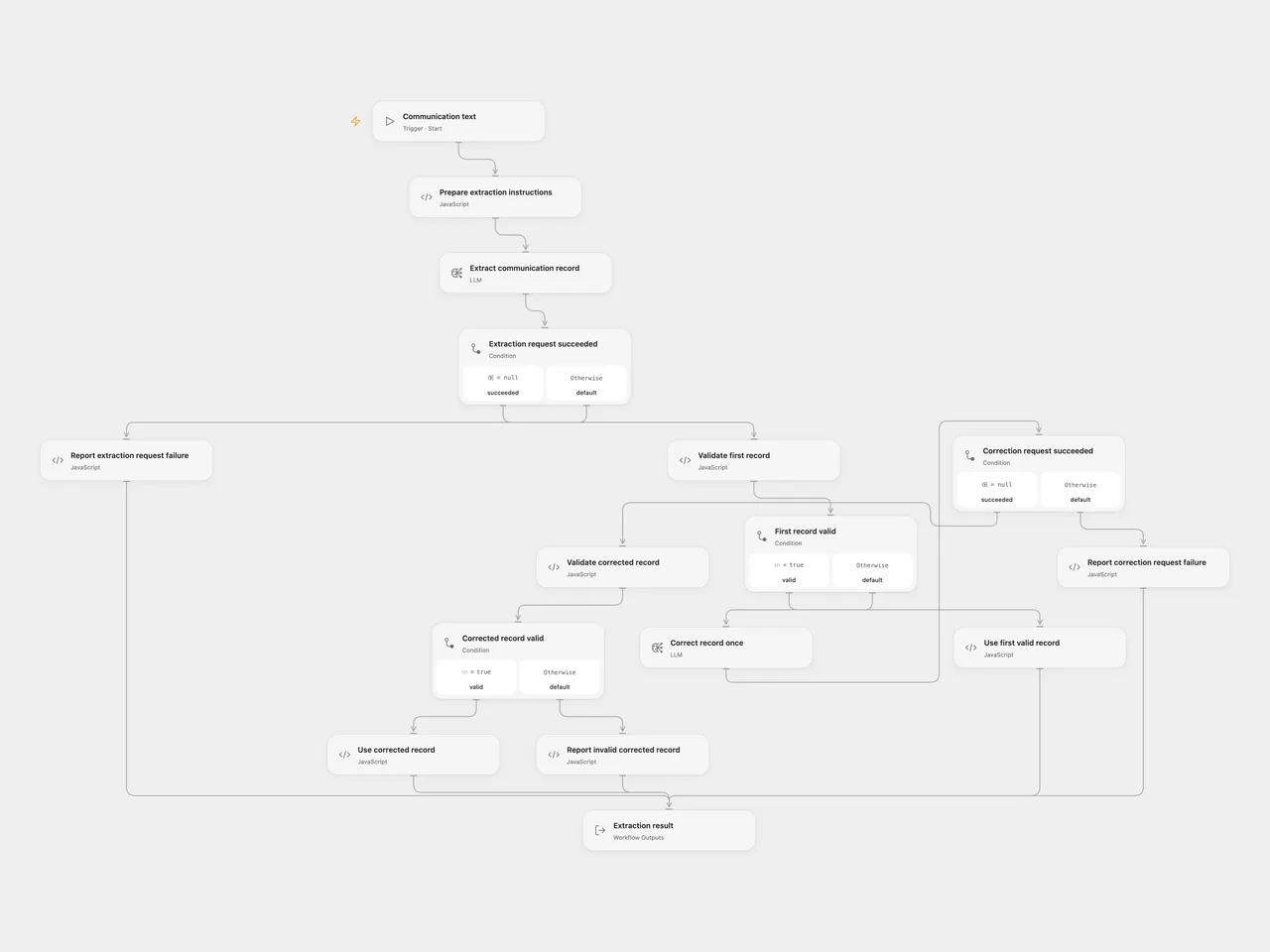
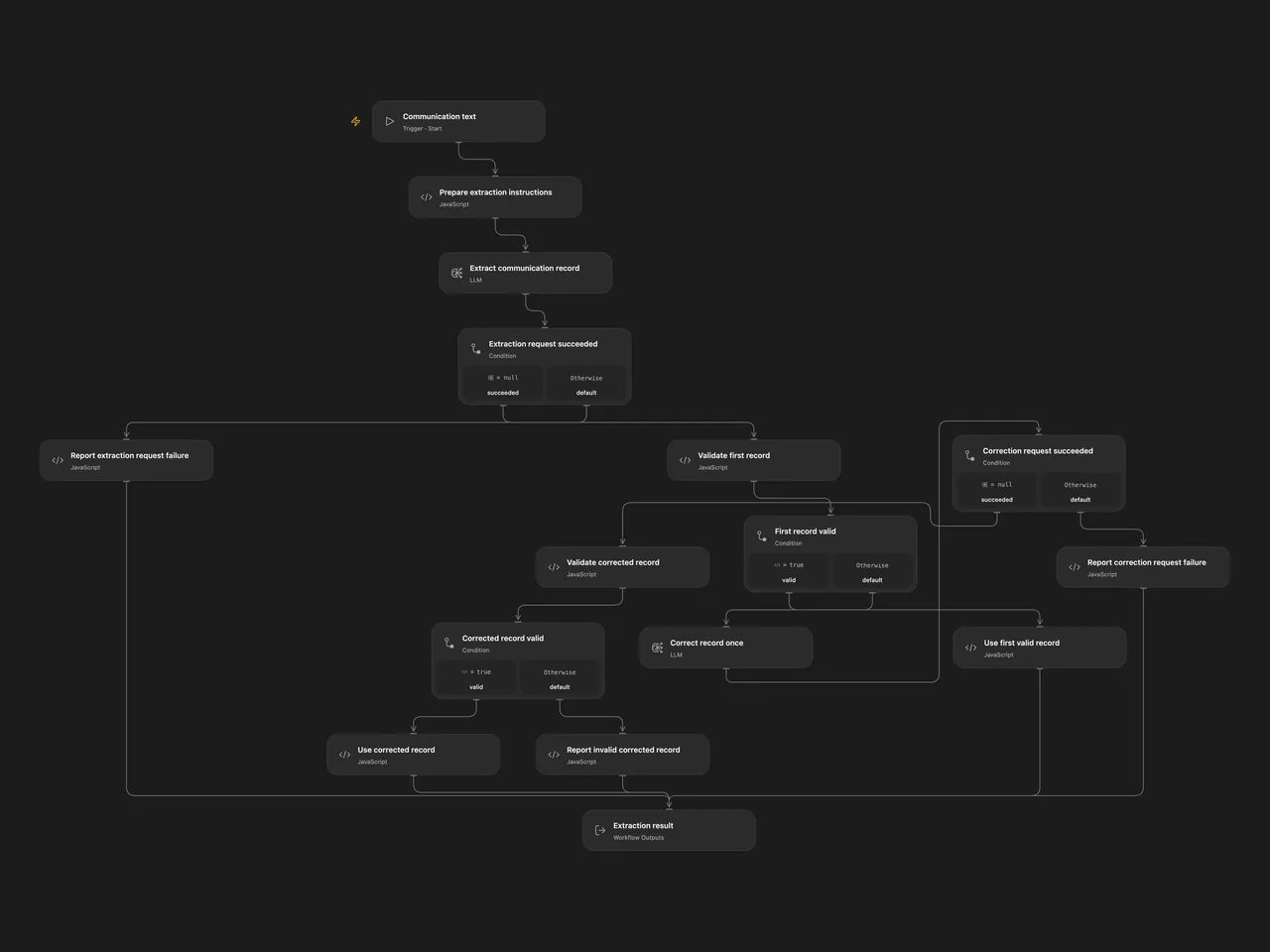
Turn a text description of an email, phone call, or other communication into a structured record. Validate the model output and allow one correction step when its format is invalid.
Setup and use
For Open Flow, select your configured mistral-nemo:latest model in Extract communication record and Correct record once. Use a service appropriate for the contact information you submit. Use Run with:
{
  "text": "Ada Lovelace emailed about an invoice. Her contact address is ada@example.com."
}
For n8n, edit Set Communication Text, connect Ollama Chat Model to an Ollama service reachable from n8n, and use Execute Workflow. Both model steps use that connection and temperature 0.1. You can choose another available model in both formats; extraction quality may differ.
The result has status, record, repaired, and error. A successful record requires string name and commtype, with communication type email, phone, or other. Optional string fields are surname, contacts, timestamp, and subject. A supplied timestamp must be a date-time with timezone. Current UTC time is included in the extraction instructions.
A valid first result uses one extraction step with repaired: false. Invalid JSON or fields trigger one correction step. A second invalid result returns status: failed and no record. Model request failures do not trigger a format correction without a completion; handled failures return a failed result, and fatal platform failures stop the run. n8n’s model adapter can retry transient requests with backoff within a step. No workflow-level retries are configured.
Submitted text and any correction completion are sent to the selected model service. The workflow returns the record and does not save it to a contact system. Check extracted values against the original text; the instruction to include contacts only when provided is model guidance.
Changes to the source
- Replace the hosted chat input with ordinary single-text input in both formats.
- Keep schema validation and at most one correction visible as separate steps.
- Read actual Basic LLM Chain text output, accept the source’s optional output wrapper, and return known record fields with explicit failure status.
- Preserve the original record schema and make the current-time context UTC.
Adapted from Extract personal data with self-hosted LLM Mistral NeMo in enescingoz/awesome-n8n-templates.
Source collection notice: © 2024–2026 Enes Cingoz, CC BY 4.0. The source export does not identify a separate template author or license. See repository licensing for the scope of OOMOL contributions and third-party material.