運用
Negative Feedback Alert
Analyze a Typeform feedback submission and post its text and score to Mattermost only when the score is negative.
ワークフローをダウンロード
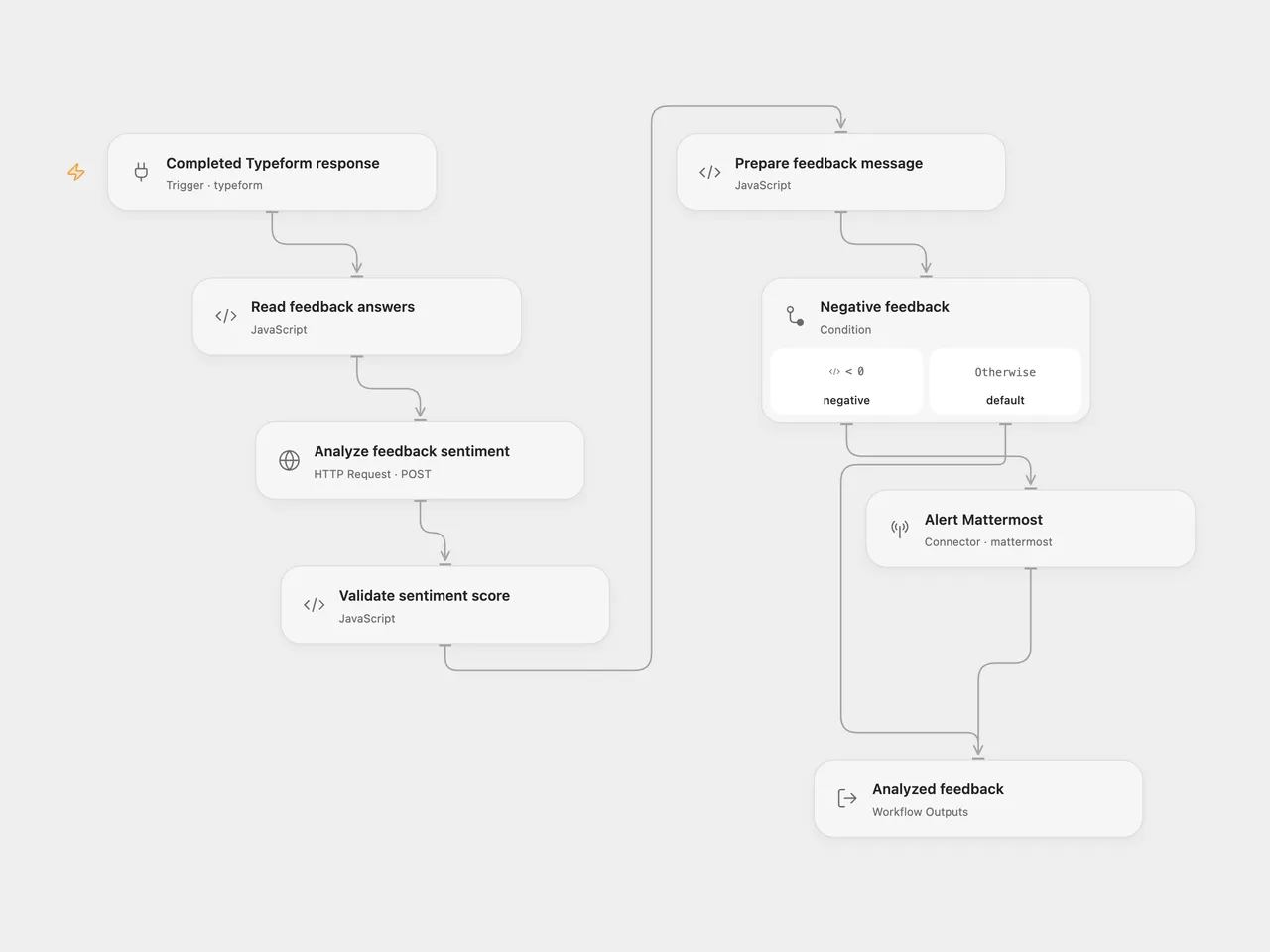
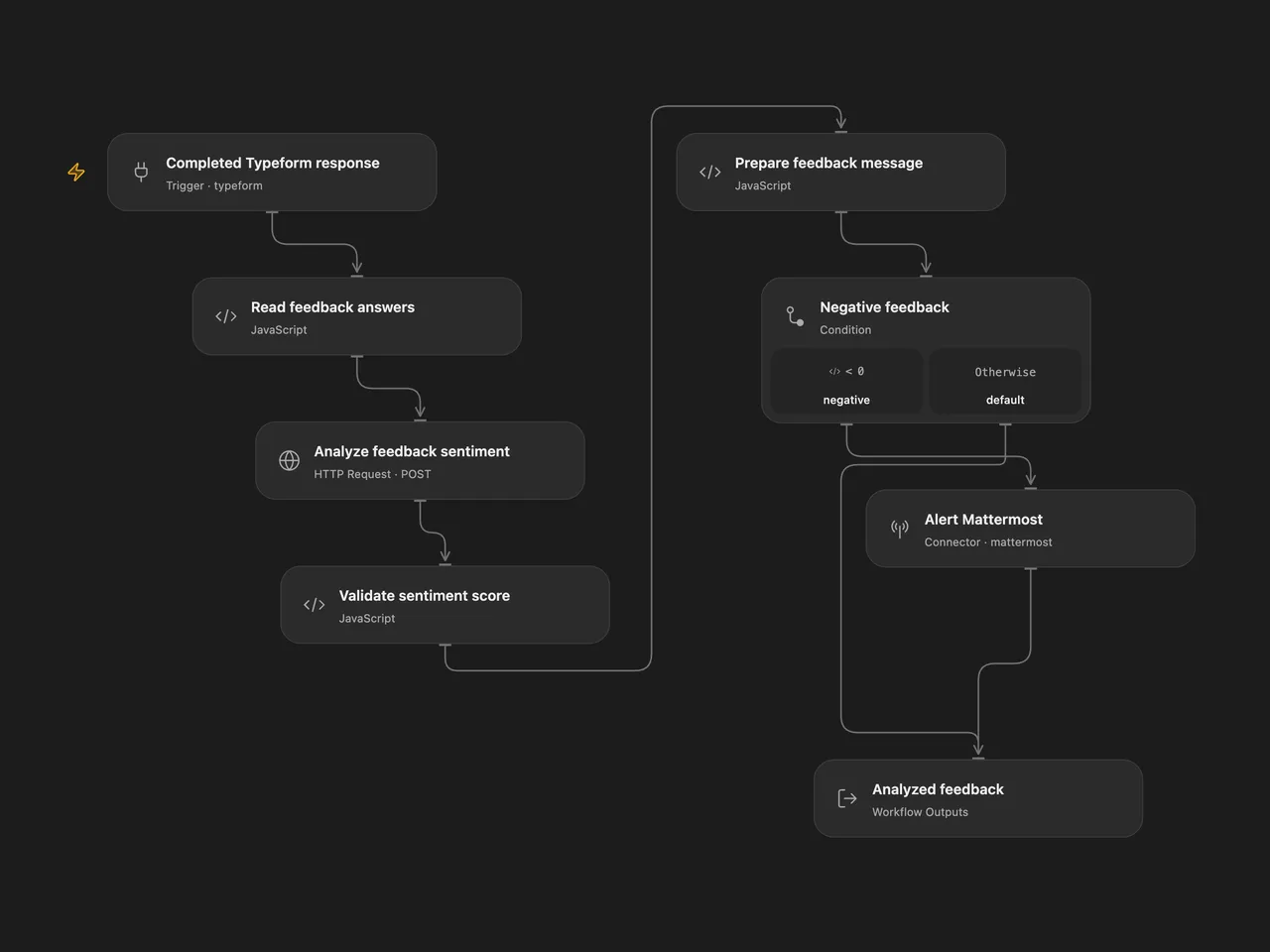
Analyze a Typeform feedback submission and post its text and score to Mattermost only when the score is negative.
Setup
Connect Completed Typeform response to Typeform and set your form ID. Select a secret Variable containing a Google Cloud API key on the Analyze feedback sentiment authentication input. Enable the Cloud Natural Language API and billing in that key’s Google Cloud project, and restrict the key to that API. The key is sent in the x-goog-api-key header.
For n8n, choose a Typeform credential and form in Typeform Trigger, and a Google Cloud Natural Language OAuth2 credential in Google Cloud Natural Language. The n8n trigger keeps the full submission so the question definitions and answers can be matched by field ID.
Use a text question titled What did you think about the event?. Select a Mattermost account and channel on Alert Mattermost. In n8n, select that account and channel on Mattermost.
Behavior
A score below zero posts one message containing the feedback and score to Mattermost. Zero and positive scores return the analyzed feedback without sending a message.
Each completed form runs one sentiment analysis step against Google Cloud Natural Language v1, using plain text, automatic language detection, and UTF-16 sentence offsets. Blank answers, ambiguous question titles, or an invalid service response stop the run before a destination write. No workflow-level retries or delivery deduplication are configured. A later failed write can leave an earlier write completed; inspect the destination before rerunning the same submission.
Feedback text is sent to Google for sentiment analysis. Negative feedback is sent to the chosen Mattermost channel.
Changes to the source
- Replace the original private form and destination identifiers with configuration placeholders.
- Match full Typeform answers to question definitions by field ID and reject missing or ambiguous required text answers. Leading or trailing whitespace in question titles is ignored.
- Make the original numeric threshold explicit and validate the service’s score before choosing a branch.
- Use a secret Google API key in Open Flow; the n8n version keeps its native Google OAuth2 credential. Both call the same v1 sentiment endpoint.
Adapted from Analyze feedback and send a message on Mattermost in enescingoz/awesome-n8n-templates.
Source collection notice: © 2024–2026 Enes Cingoz, CC BY 4.0. The source export does not identify a separate template author or license. See repository licensing for the scope of OOMOL contributions and third-party material.