営業
Summarize New Pipedrive Organizations to Slack
Summarize a new organization’s website, save a CRM note and notify Slack.
ワークフローをダウンロード
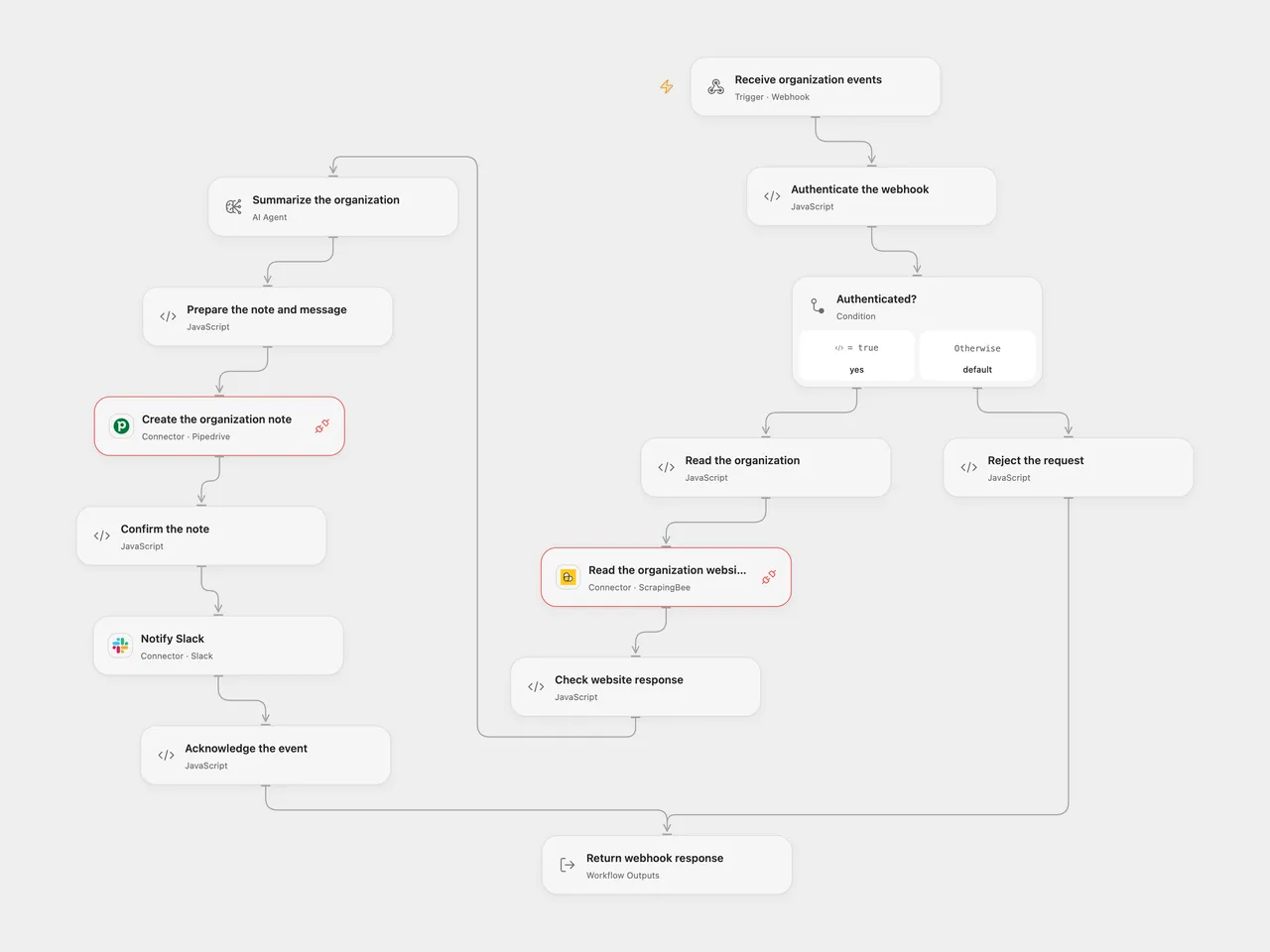
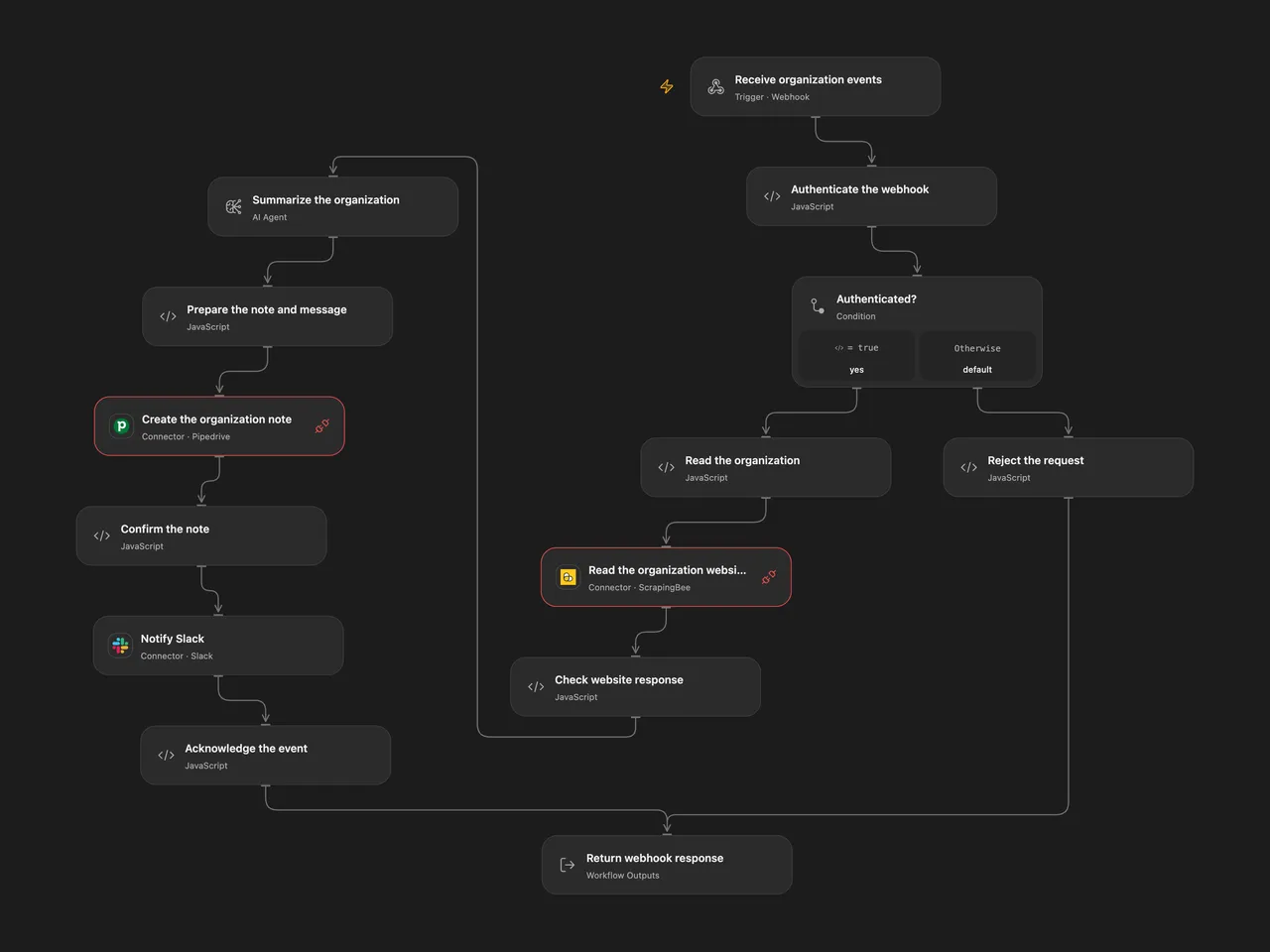
Summarize a new organization’s website, save a CRM note and notify Slack.
Setup
Create an organization website custom field in Pipedrive. Deploy the workflow, then register a Pipedrive v2 organization-create webhook with HTTP Basic authentication pointing to its webhook URL. Set your numeric company ID and website custom-field key in Read the organization. In Open Flow create a secret Variable containing the word Basic, one space, and the Base64 encoding of username:password and bind it to Authenticate the webhook. Connect ScrapingBee in Read the organization website, Pipedrive in Create the organization note, an AI model in Summarize the organization, and Slack in Notify Slack; set the Slack channel ID. Grant Provider API Request permission for ScrapingBee and Pipedrive.
In n8n, configure the webhook Basic credential, company ID and custom-field key in Read the organization, ScrapingBee Query Auth with name api_key, Pipedrive and Slack credentials, and an OpenAI model. Register the n8n webhook separately and enable one format.
Behavior
For each authenticated organization-create event, the workflow reads the website URL from the selected custom field, retrieves the page without JavaScript rendering, summarizes the content, creates a note on the same organization and posts the summary to Slack. Missing website data or a failed read/model/note stops before the Slack message. The site content is sent to ScrapingBee and the selected model; review summaries for accuracy and restrict access to execution data.
A note or Slack message may have been created when a response is lost. Check Pipedrive and Slack before replaying; redelivery or overlapping requests can create duplicates. Open Flow waits up to 60 seconds for the webhook response; n8n acknowledges on receipt. A later n8n failure appears in its execution history. Website query credentials may appear in service or network logs.
Inspiration & credits
Changes to the source
- Use an authenticated Pipedrive v2 organization-create webhook and configure the website field key. Fix the source’s placeholder field and keep organization association through the note and Slack message.
- Reuse one plain-text summary for the note and message, escaping it for the CRM note. The source’s note output was sent to a Markdown converter as if it still contained the model’s HTML.
Adapted from Enrich Pipedrive organization and notify Slack in enescingoz/awesome-n8n-templates.
Source collection notice: © 2024–2026 Enes Cingoz, CC BY 4.0. The source export does not identify a separate template author or license. See repository licensing for the scope of OOMOL contributions and third-party material.