Media
Generate Speech with ElevenLabs
Generate speech from text and return the audio bytes.
下载工作流
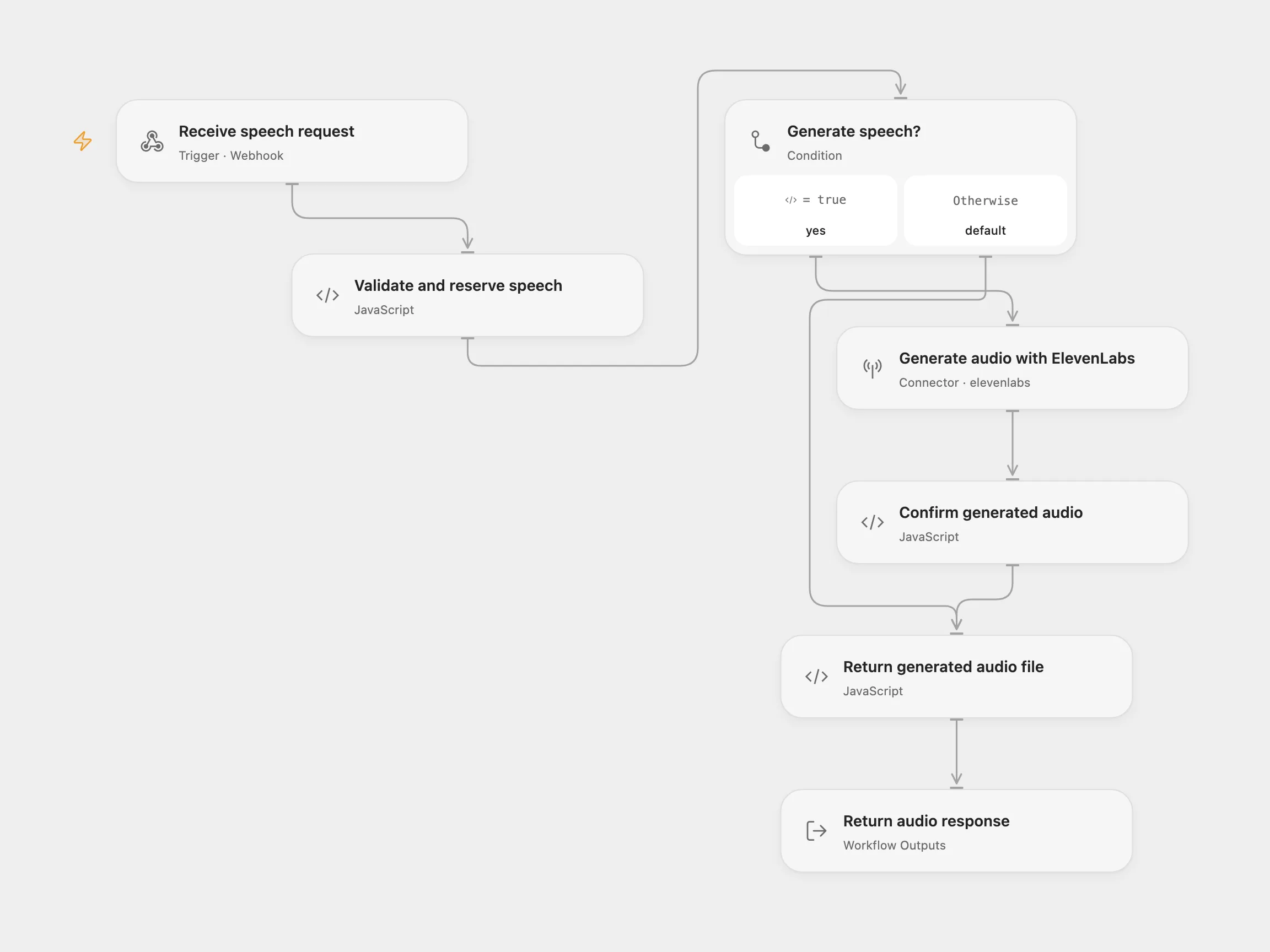
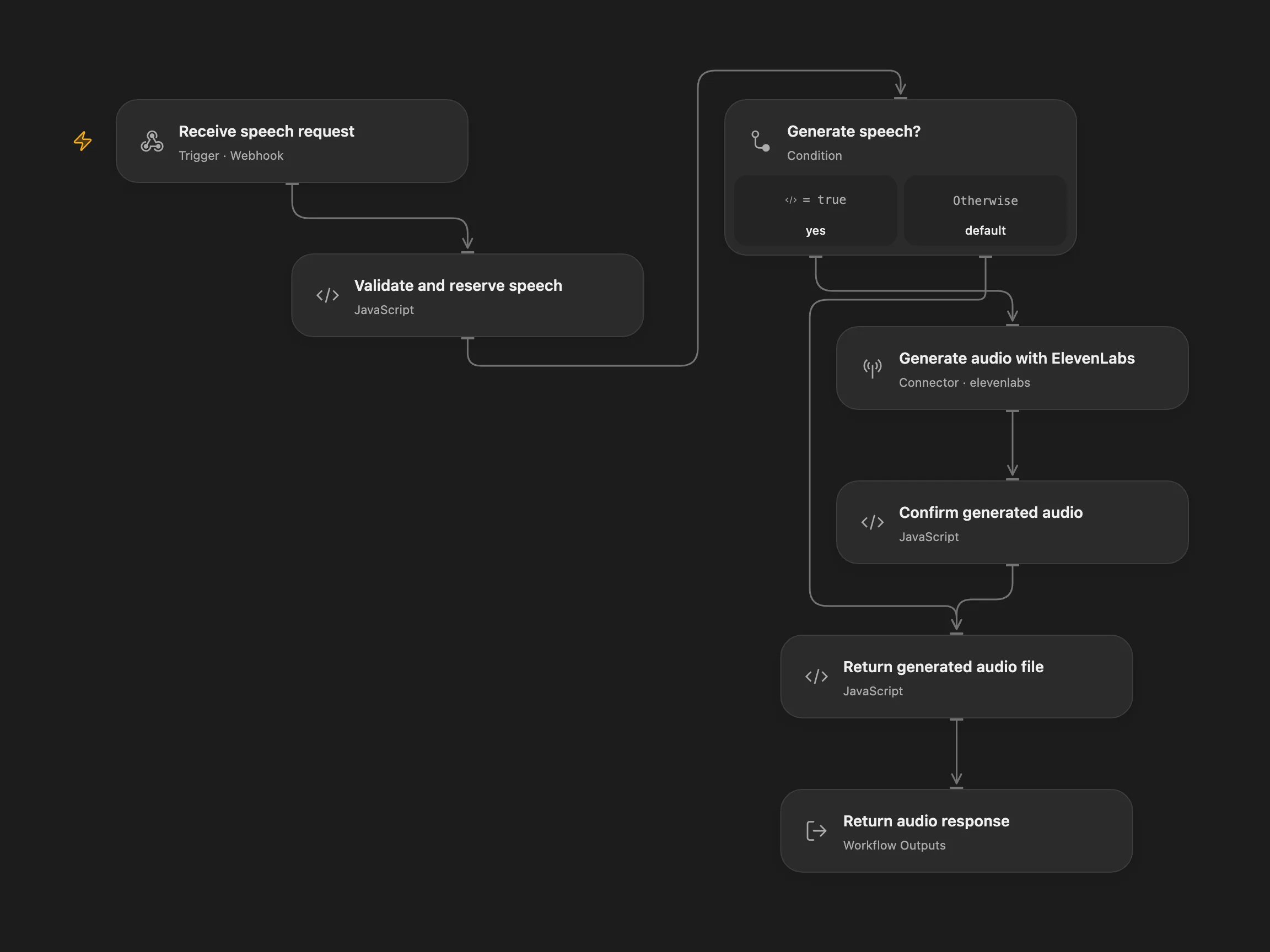
Generate speech from text and return the audio bytes.
Setup
Configure an ElevenLabs connection with access to eleven_multilingual_v2 and the selected voice. Restrict webhook access; requests use your ElevenLabs account.
Use
POST JSON with voice_id, text and a unique request_id. Open Flow transit URLs are public to anyone with the link; use only content suitable for that exposure. Text is sent to ElevenLabs. The model supports up to 10,000 characters per request.
Open Flow returns the same recorded transit file for the same ID and inputs after success while that URL remains valid. Prevent overlapping requests with the same ID.
In n8n
In n8n configure Header Auth with xi-api-key, choose n8n or Open Flow mode and set its webhook URL. Configure a Data Table with item_key and status columns and enable persistent State for Open Flow. The n8n endpoint returns MP3 audio bytes. Open Flow synthesizes the audio and n8n downloads its transit file for the response. A pending generation may have succeeded; inspect ElevenLabs and the pending State or Data Table row before retrying.
Inspiration & credits
Original workflow by The n8Ninja.
Adapted from Generate Text-to-Speech Using Elevenlabs via API in enescingoz/awesome-n8n-templates.
Source collection notice: © 2024–2026 Enes Cingoz, CC BY 4.0. The source export does not identify a separate template author or license. See repository licensing for the scope of OOMOL contributions and third-party material.