效率
Gmail AI Labeler
Poll incoming Gmail messages, classify each body into existing Inquiry, Partnership and Notification labels, and add each message’s own label IDs.
下载工作流
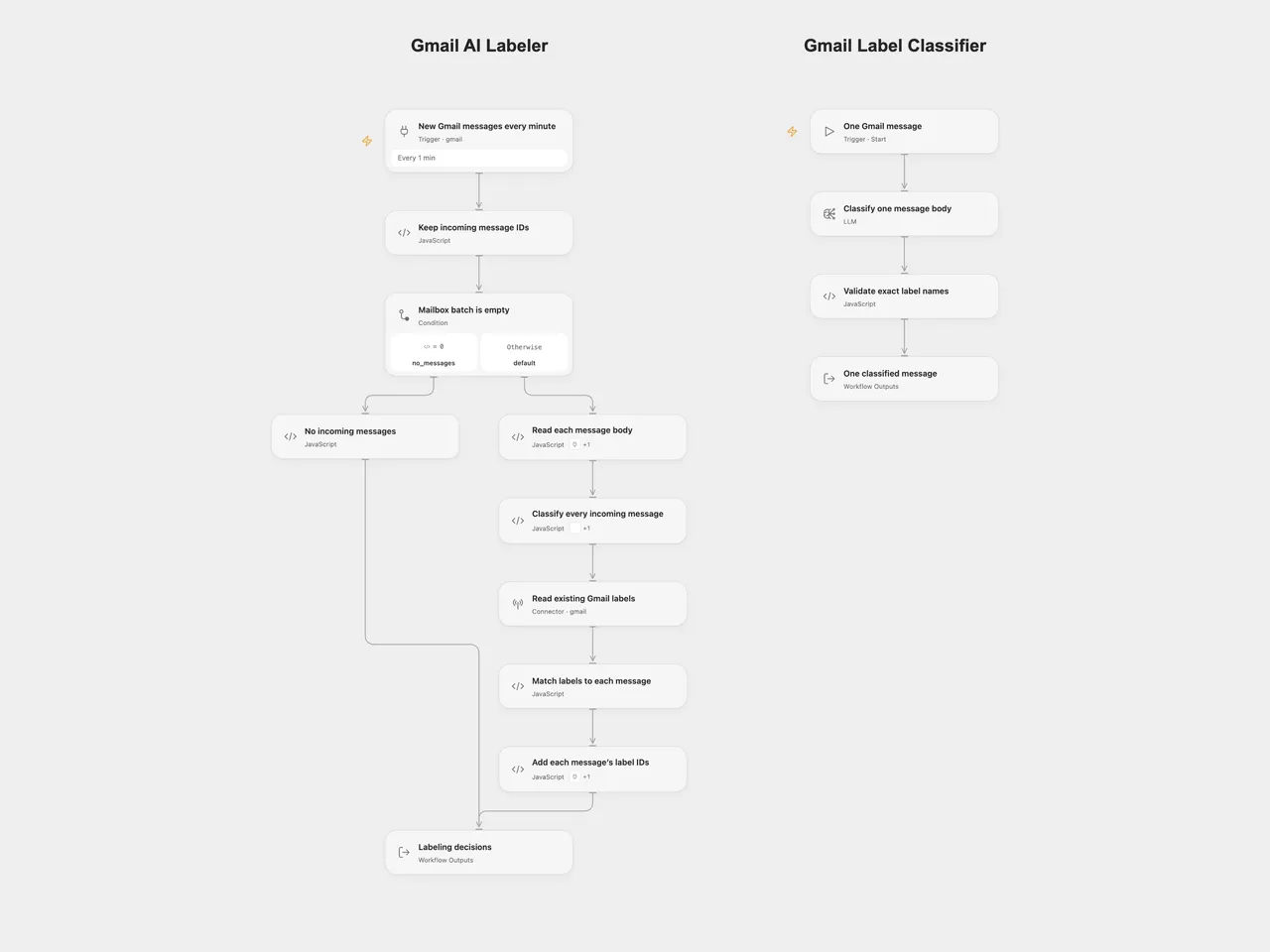
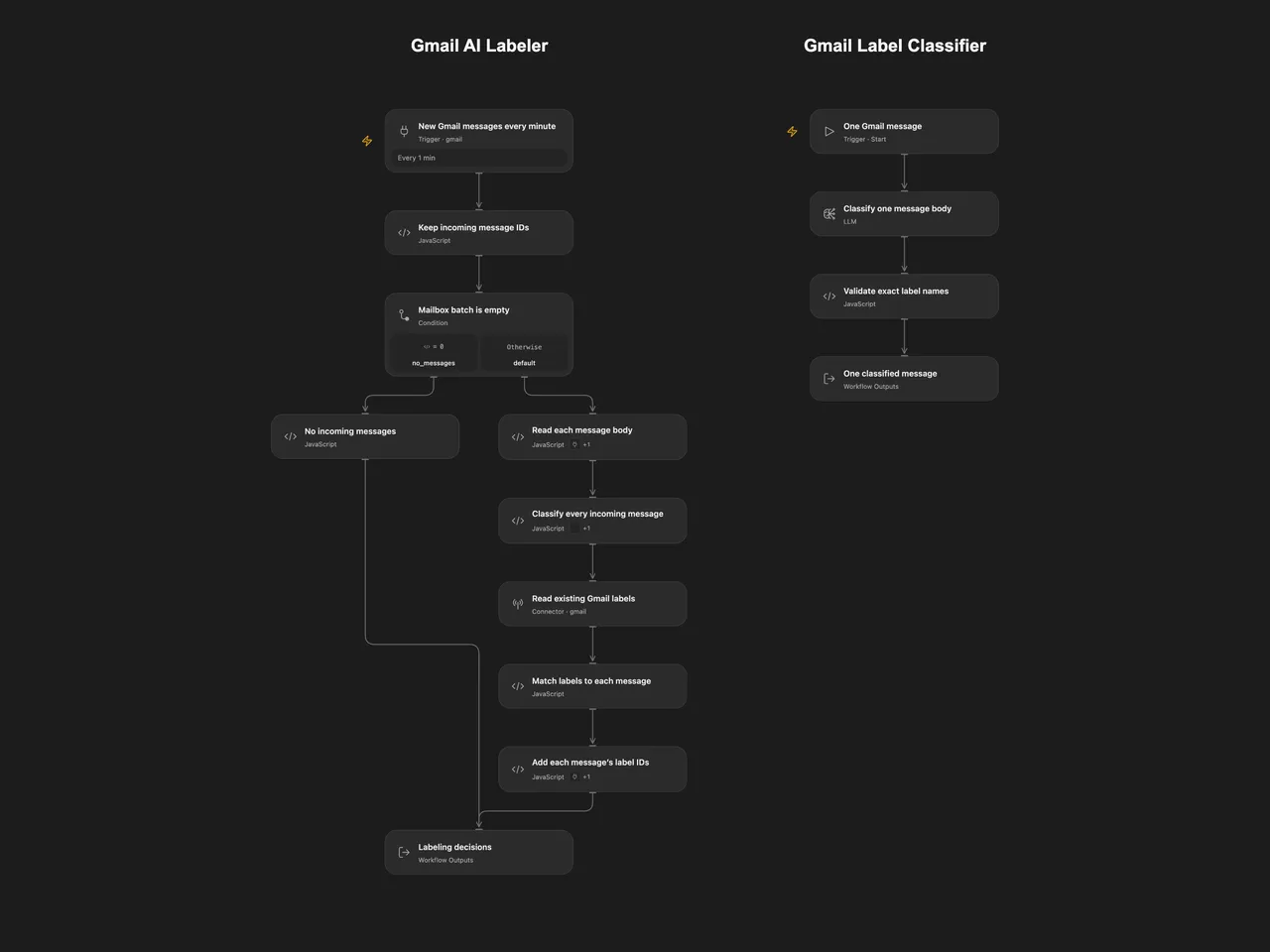
Classify incoming Gmail message bodies and add existing Inquiry, Partnership and Notification labels. Each email keeps its own classification and label IDs.
Setup
Create Gmail labels named exactly Inquiry, Partnership and Notification. Select the same mailbox on every Gmail trigger, body read, label catalog and label update. The account needs permission to read messages and labels and modify message labels. No labels are created automatically.
The Open Flow JSON imports two workflows, Gmail AI Labeler and Gmail Label Classifier. Configure the classifier’s model service, publish that workflow, then refresh the Classify every incoming message workflow capability in the main workflow to select the published interface. Select the Gmail account on the poll, on the body-read Code node’s Actions and on the label-update Code node’s Actions, as well as the label catalog Connector. Enable the main one-minute poll after setup. The shared worker revision is intentionally unconfigured until you publish it.
In n8n, select the Gmail credential on Gmail trigger, Get message content, Get all labels and Add labels to message, then select the OpenAI credential on OpenAI Chat. Activate the workflow after checking those settings and labels.
Both formats use gpt-4o-mini-2024-07-18, temperature 0 and JSON output. OpenAI lists January 14, 2027 as its shutdown date. Choose and recheck an available model in both formats before that date. Model results may differ even with the same input. Message bodies, including ordinary draft bodies delivered by the poll, are sent to the configured model service. When an HTML alternative is available, its body including HTML markup is preferred; otherwise the text body is used. Headers and attachments are not added to the classification prompt.
Behavior and recovery
The poll runs every minute with a 25-message budget and includes read and unread messages and ordinary drafts. Outgoing-only messages, spam and trash are excluded. A new poll begins at the current mailbox position; it does not label historical mail. n8n’s native trigger also excludes scheduled messages. Open Flow has no equivalent fixed scheduled-message filter in this template, so scheduled drafts can differ between platforms.
Every delivered message body is read before classification. Each message gets its own model step and validated list of label names. The workflow reads the Gmail label catalog once, checks the complete batch, then adds only each message’s selected label IDs. Unknown names, a missing selected Gmail label or a failed read/classification stop all writes. Duplicate model labels are collapsed; an empty label list leaves that message unchanged. The result lists decisions and the number of messages updated. Existing labels, read/unread status and inbox placement are retained.
Open Flow preserves Gmail history page tokens and in-page offsets between bounded polls. An expired history checkpoint fails and requires trigger recreation; recreating it starts at the current position, so reconcile missed messages separately. n8n Trigger 1.4 scans at most 20 pages per poll budget and keeps a bounded pending/failed-fetch queue. Its backlog limit is 5,000 IDs. A failed message fetch can be abandoned after 10 attempts. After 3 consecutive polls unable to progress through an incomplete scan, the native trigger can advance past older unscanned messages. These limits produce warnings. Monitor execution and trigger logs rather than assuming complete mailbox delivery.
No workflow-level retries are configured. The n8n model adapter allows two additional transient transport retries for each classification step. Open Flow’s model service may apply its own transport policy. A later Gmail write failure stops remaining writes and leaves earlier updates in place. Poll delivery and workflow success have separate checkpoints: a failed run does not guarantee automatic redelivery. Check affected message IDs before an explicit rerun. Adding an existing label is additive, but a rerun can produce different classifications. No exactly-once delivery or batch rollback is promised.
Changes to the source
- Keep each message’s ID through classification and label lookup, replacing the source’s cross-message merge/aggregate path. Read and validate the whole batch before writing any labels.
- Replace the retired
gpt-4-turbo-previewmodel with the configured model above. Preserve the source’s three categories and classification instructions; express the JSON schema in a shared prompt and validate the returned labels without an automatic correction call. - Make the 25-message budget explicit in both formats. Upgrade the n8n trigger to its native 1.4 queue implementation so a full first page does not silently discard its tail. The original trigger version read one Gmail list page and did not apply the current outgoing-only filter; the polling differences and recovery limits are described above.
- Use the Gmail Action’s HTML-first body representation in both formats instead of the source’s text-first representation.
- Skip empty label writes, collapse repeated label names and fail on missing selected labels instead of silently losing them during a merge.
Adapted from Auto-label incoming Gmail messages with AI nodes in enescingoz/awesome-n8n-templates. The source credits workfloows.com and @workfloows, with a video guide; it states no separate template license.
Source collection notice: © 2024–2026 Enes Cingoz, CC BY 4.0. See repository licensing for the scope of OOMOL contributions and third-party material.