营销
Newsletter Unsubscribe
Mark one newsletter subscriber inactive in Airtable and confirm the update, using a record ID supplied through a form or JSON request.
下载工作流
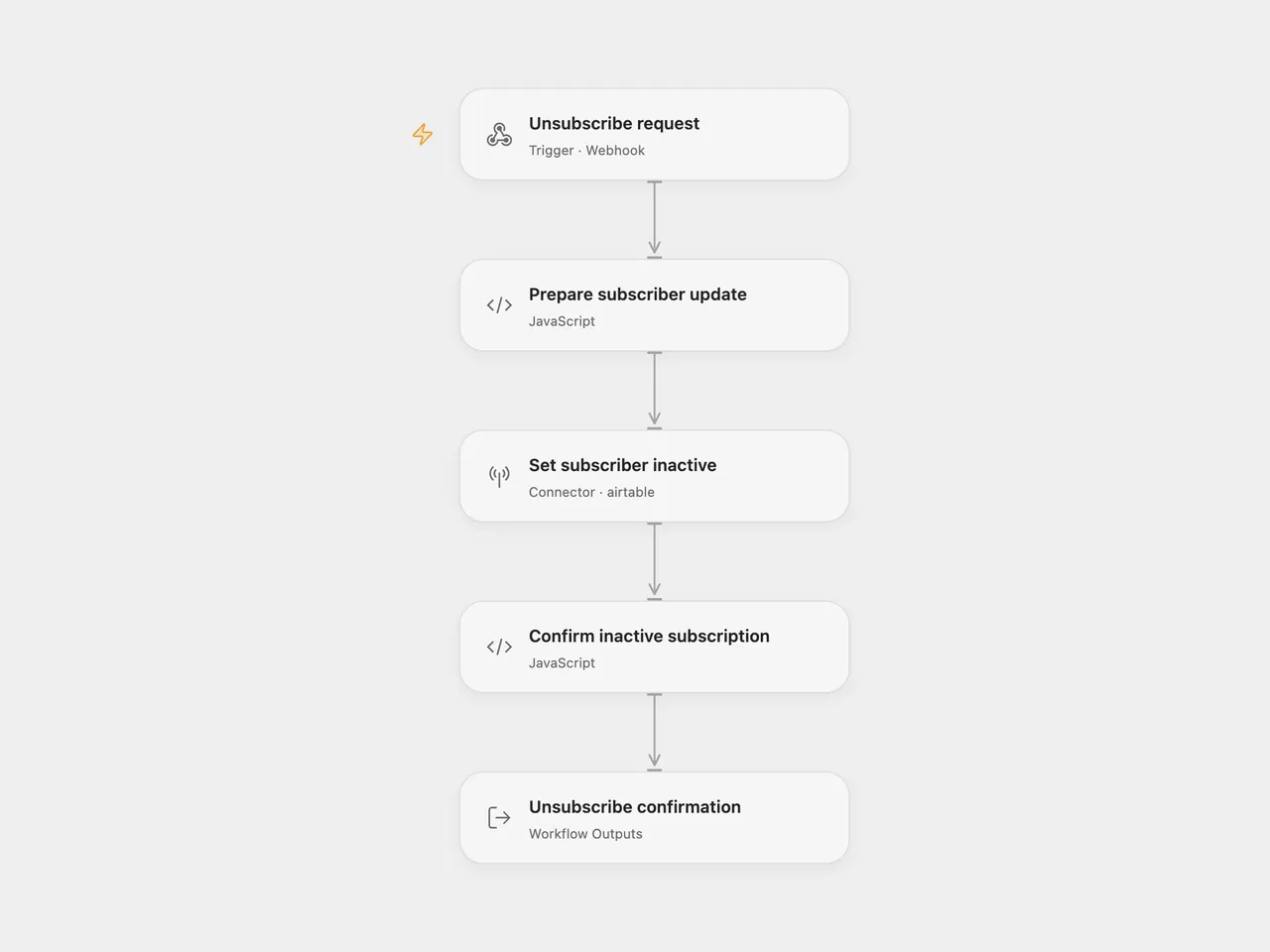
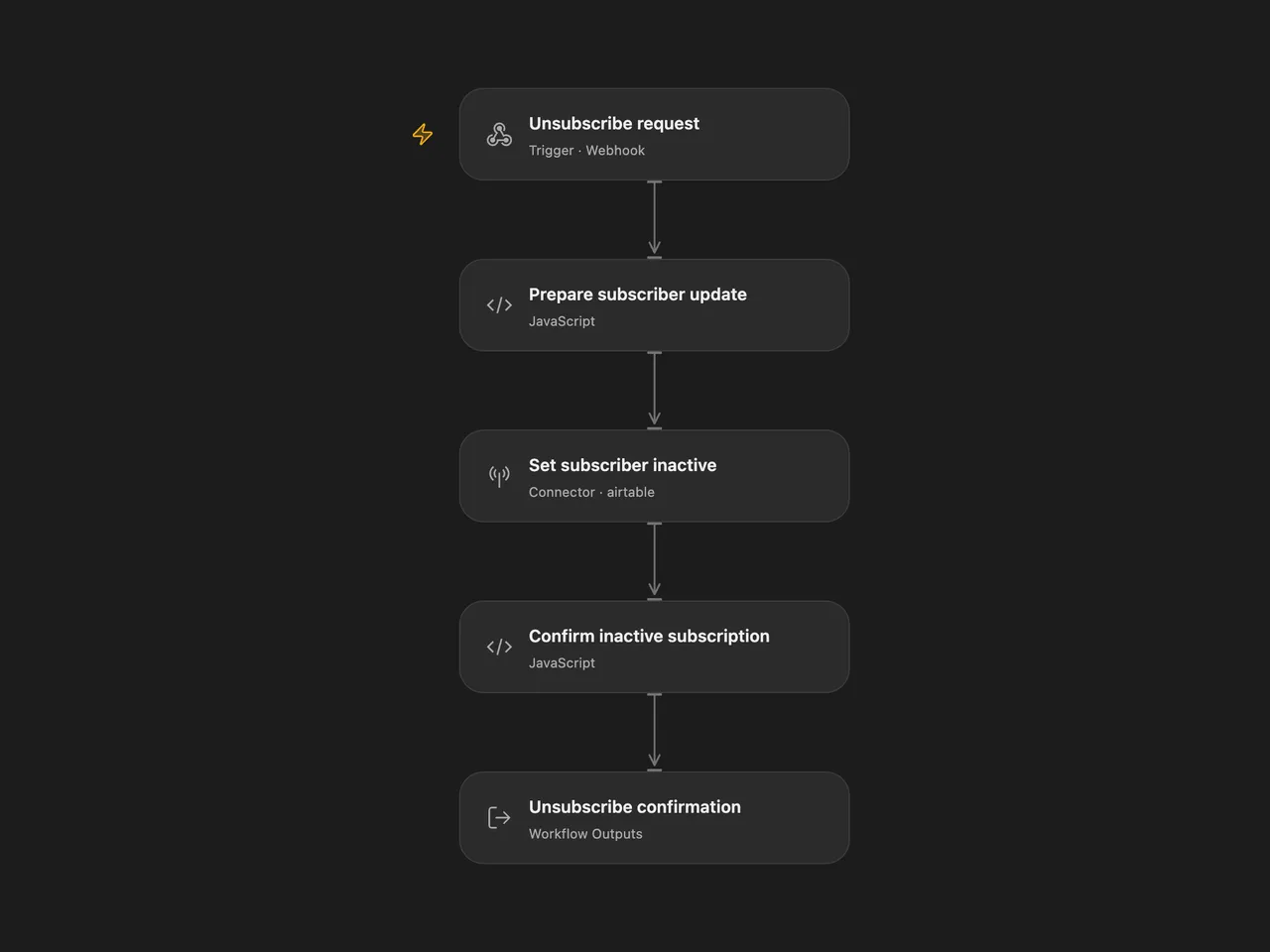
Set one newsletter subscriber’s Airtable Status to inactive, using that subscriber’s record ID. Confirm the update after Airtable returns the same record and inactive status.
The n8n download provides the source’s unsubscribe form, including its optional reasons. The Open Flow download accepts a JSON POST from your existing interface or server. This is the unsubscribe component of the source newsletter service; enrollment, scheduled emails and AI content generation are separate parts of that service.
Configure
Use your own subscribers base and table. The Status field must be writable and accept inactive. If it is a single-select field, create that option in Airtable first; typecasting is disabled.
In Open Flow, import templates/newsletter-unsubscribe.openflow.json. Set baseId and tableIdOrName on Prepare subscriber update to your Airtable base ID (app…) and table ID (tbl…). Select an Airtable connection on Set subscriber inactive, with data.records:write and permission to edit the base. Publish and enable the Webhook, then use its generated URL. The downloadable file contains no connection or endpoint identity.
In n8n, import templates/newsletter-unsubscribe.n8n.json. Edit the two settings values at the end of Prepare Subscriber Update. Select an Airtable Personal Access Token credential on Update Subscriber, with write access to that base. The editor may also need schema-read permission to load Airtable resource choices. Activate the workflow and use the form’s production URL.
Use
For Open Flow, POST Content-Type: application/json with the subscriber’s own ID:
{ "ID": "recXXXXXXXXXXXXXX" }After a confirmed update, HTTP 200 returns {"unsubscribed":true} with Cache-Control: no-store. The ID must identify a record in your configured subscribers table. No subscriber email, topic or other stored field is returned.
For n8n, open the production form URL with ?ID=<subscriber-record-id> to prefill its ID field, then submit the form. Prefill is supported in production mode. The form waits for the update and confirmation before displaying You have been unsubscribed. This changes the source’s default acknowledgement-on-submission behavior so the message follows a confirmed write.
The holder of a record ID can unsubscribe that record; send each subscriber their own link. Both formats accept the optional Reason For Unsubscribe field but do not save it, matching the source.
Behavior
Each request makes one Airtable PATCH containing one record and only Status: "inactive". It does not search by email, remove the record, modify subscription preferences or cancel messages already queued elsewhere. Other stored fields remain intact. Repeating a request sets the same field again.
Blank or malformed record/configuration IDs stop before the API request. An API error, empty update result, different returned ID or a status other than inactive prevents confirmation. A successful write followed by a timeout or malformed response may still have changed the record. The workflow has no automatic retry. Open Flow waits up to 60 seconds for its HTTP response and applies its deployment’s request limits.
Adapted from the independent unsubscribe form → Airtable update branch in Email Subscription Service with n8n Forms, Airtable and AI at revision 827110332c21cbe000ab13f6d292d5adb1f1f8db, collected by Enes Cingoz / awesome-n8n-templates under CC BY 4.0.
This adaptation removes account/resource identities, isolates the unsubscribe component, validates IDs, and confirms the returned record before reporting success. The two formats retain their native entry interfaces: an n8n form and an Open Flow JSON Webhook. They were checked using the public Open Flow SDK and fixed native n8n implementations with offline service responses; no live subscription record was changed.
API reference: Airtable update multiple records. Form reference: n8n Form Trigger.