開發者工具
CircleCI Pipeline Lookup
Read a CircleCI pipeline by project and pipeline number.
下載工作流程
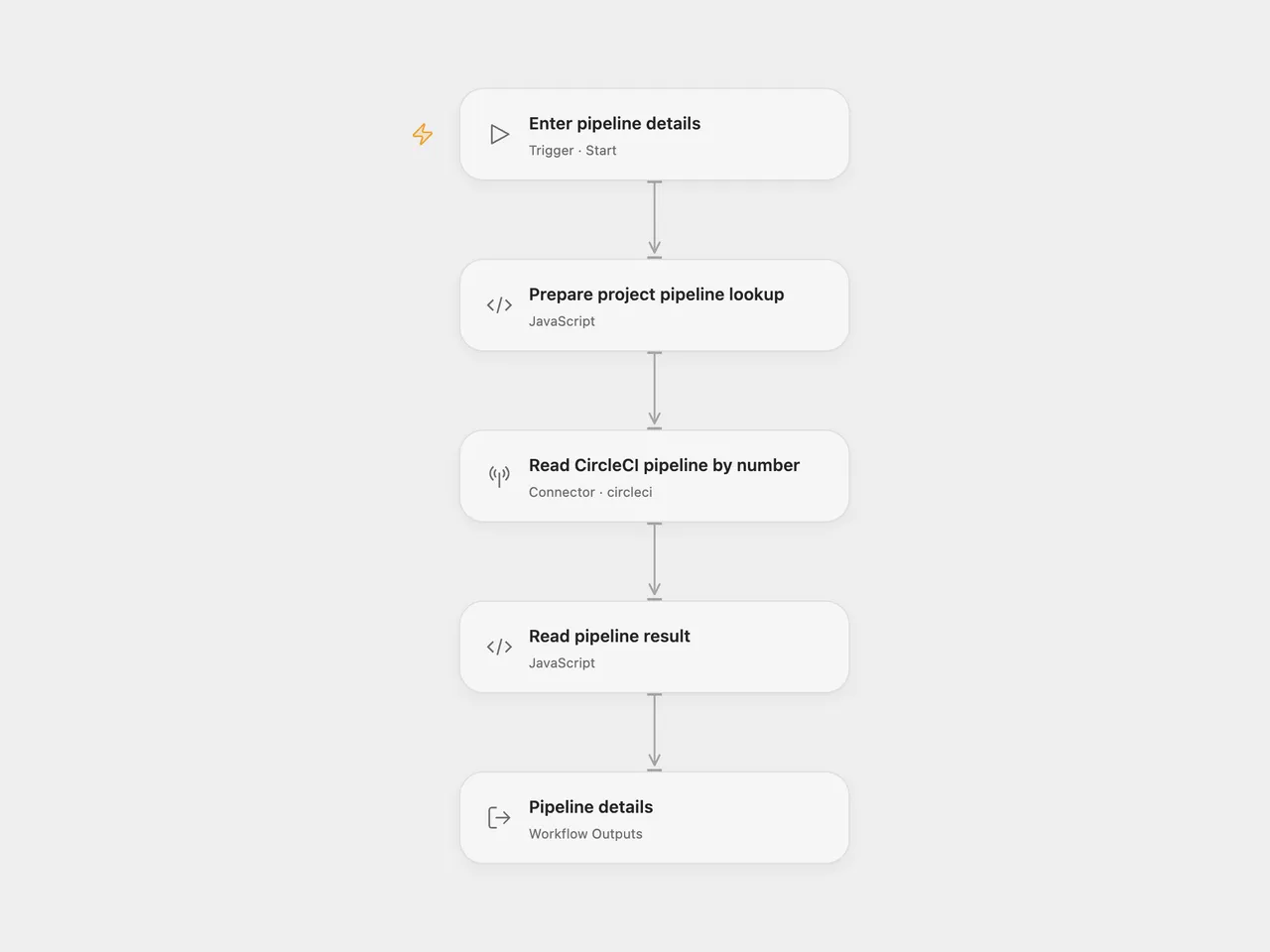
Read one CircleCI pipeline by its project and pipeline number, including its state, errors and version-control details.
Setup
Select your CircleCI account in Read CircleCI pipeline by number and grant Provider API permission. This permission is separate from individual Action permissions. The account needs read access to a CircleCI Cloud project using GitHub OAuth or Bitbucket Cloud. Run with Vcs set to github or bitbucket, Project Slug in organization/repository form, and a positive Pipeline Number. The number is the project’s pipeline number, rather than the pipeline UUID.
In n8n, select CircleCI credentials, choose the source-control provider and set the project slug and pipeline number in CircleCI. The default pipeline number is 1; replace it with the pipeline you need.
Each run makes one read request and returns the complete pipeline object. A pipeline in an errored state is still a valid lookup result; inspect its state and errors. The workflow does not trigger, retry or modify a pipeline. A missing pipeline, inaccessible project or failed request stops the run. No workflow retry is configured.
Changes to the source
- Replace blank project configuration with user-supplied provider, project slug and pipeline number.
- Use the CircleCI Provider API for the project-and-number lookup in Open Flow.
- Expose the complete pipeline as an Open Flow output.
Adapted from Get a pipeline in CircleCI in Zie619/n8n-workflows. The source export does not identify a separate template author or license.
The collection’s MIT notice is pinned at a later revision. This is the collection notice at that revision; it does not establish a separate original template author’s license. Our changes are listed above; see repository licensing.
MIT License
Copyright (c) 2025 Zie619
Permission is hereby granted, free of charge, to any person obtaining a copy of this software and associated documentation files (the “Software”), to deal in the Software without restriction, including without limitation the rights to use, copy, modify, merge, publish, distribute, sublicense, and/or sell copies of the Software, and to permit persons to whom the Software is furnished to do so, subject to the following conditions:
The above copyright notice and this permission notice shall be included in all copies or substantial portions of the Software.
THE SOFTWARE IS PROVIDED “AS IS”, WITHOUT WARRANTY OF ANY KIND, EXPRESS OR IMPLIED, INCLUDING BUT NOT LIMITED TO THE WARRANTIES OF MERCHANTABILITY, FITNESS FOR A PARTICULAR PURPOSE AND NONINFRINGEMENT. IN NO EVENT SHALL THE AUTHORS OR COPYRIGHT HOLDERS BE LIABLE FOR ANY CLAIM, DAMAGES OR OTHER LIABILITY, WHETHER IN AN ACTION OF CONTRACT, TORT OR OTHERWISE, ARISING FROM, OUT OF OR IN CONNECTION WITH THE SOFTWARE OR THE USE OR OTHER DEALINGS IN THE SOFTWARE.