支援
Customer Feedback Sentiment
Classify submitted customer feedback with AI and save the feedback, contact information, and sentiment in Google Sheets.
下載工作流程
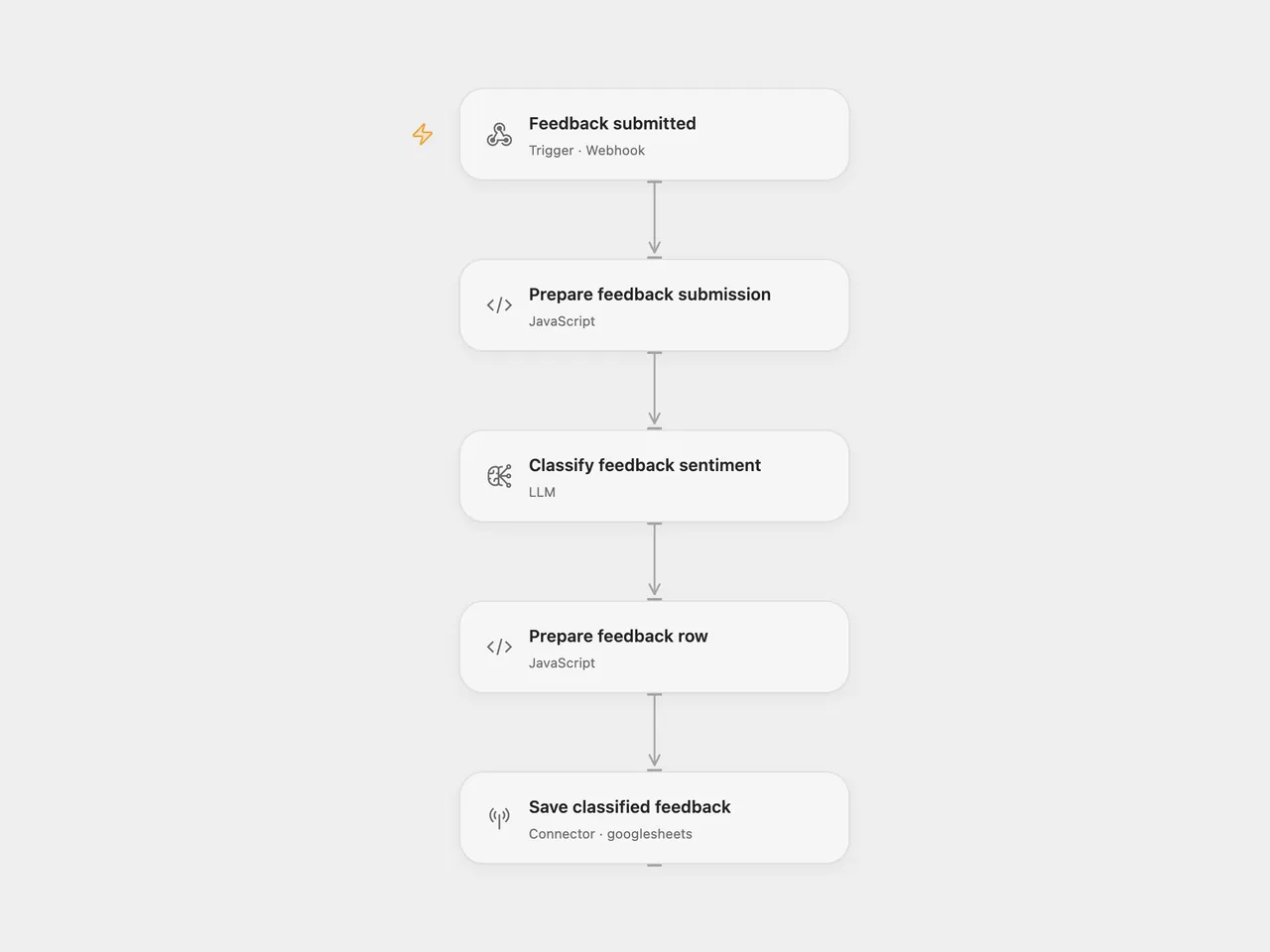
Classify customer feedback with AI and append the feedback and sentiment to Google Sheets. The model returns a text assessment; the workflow does not force a fixed sentiment vocabulary.
Setup
Create a sheet named Feedback with these headers in columns A–H:
| Timestamp | Category | Customer Feedback | Customer Name | Customer contact | Entered by | Urgent? | Sentiment |
|---|
For Open Flow, connect Google Sheets in Save classified feedback, replace YOUR_SPREADSHEET_ID, and select a configured gpt-4o-mini model in Classify feedback sentiment. Publish and enable the workflow, then configure your form to POST JSON to its webhook URL:
{
  "Name": "Ada",
  "What is your feedback about?": "Product",
  "Your feedback": "The new search saves me time.",
  "How do we get in touch with you?": "ada@example.com"
}
Name, category, and feedback are required. Category must be Product, Service, or Other. Contact is optional. An optional submittedAt timestamp can come from your form; otherwise the workflow uses the current UTC time.
For n8n, use the included Submit form with customer feedback hosted form. Connect OpenAI and Google Sheets, replace the spreadsheet, and keep the listed column headers. Open Flow supplies a JSON webhook instead of hosting that form.
Acknowledgment confirms receipt, before classification and storage finish. Invalid feedback or a model failure prevents the sheet write. Each valid submission appends a row, including repeated requests. Entered by is Form and Urgent? stays blank. Only the feedback text is sent to the configured model provider. The submitted form fields and model assessment are stored in Google Sheets.
Changes to the source
- Replace the legacy text-completion model with
gpt-4o-miniin both formats; assessments may differ. - Validate required input and keep the submitted content available through classification.
- Write literal values with RAW formatting and stop on empty model results.
- Remove the source spreadsheet resource and provide explicit column and configuration placeholders.
Adapted from AI Customer feedback sentiment analysis in enescingoz/awesome-n8n-templates.
Source collection notice: © 2024–2026 Enes Cingoz, CC BY 4.0. The source export does not identify a separate template author or license. See repository licensing for the scope of OOMOL contributions and third-party material.