效率
Extract Baserow PDF Fields with Dynamic Prompts
Extract Baserow field values from row PDFs using field descriptions as prompts.
下載工作流程
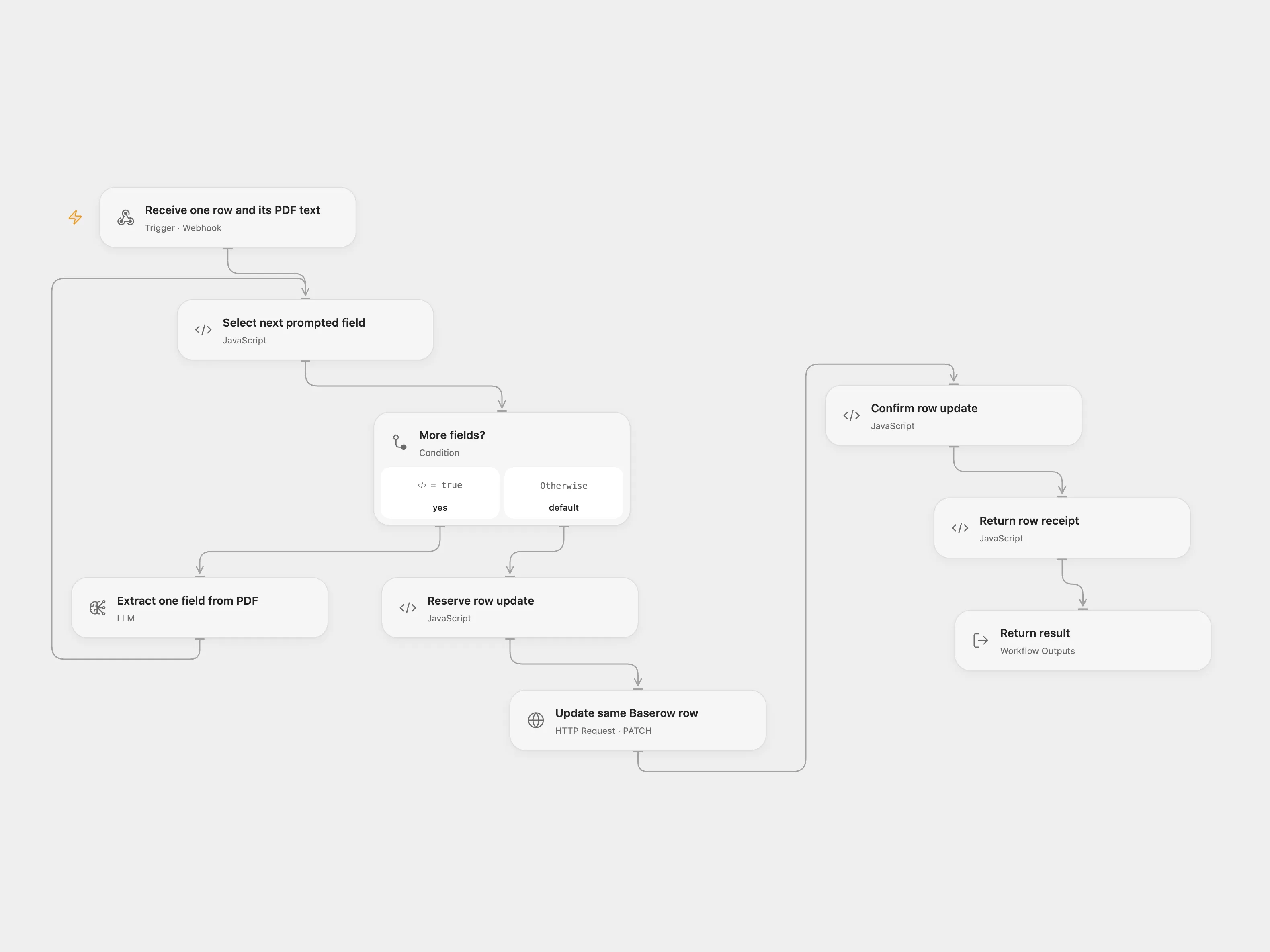
Extract Baserow field values from row PDFs using field descriptions as prompts.
Setup
Configure Baserow Header Auth with a token allowed to read schema and rows and update the target table. Create a Baserow webhook for rows.updated (only the File field), field.created and field.updated, using field names. The table needs a File column containing PDFs and described fields containing extraction prompts. Protect the incoming webhook and restrict access to trusted senders.
Behavior
For a row update, read each affected row and extract each described field whose current value is falsy. For a described field creation or change, extract that field for each row with a PDF. This branch reads at most three pages of 20 rows, as configured in the source. Only the first PDF in File is used. The field-event row query includes File so it can fetch the PDF.
An uncertain row update may have succeeded. Inspect that row and reconcile it before retrying. Open Flow stores a pending key baserow-pdf:TABLE_ID:ROW_ID. Remove a pending record only after confirming the update did not occur. PDF contents and prompts are sent to the selected model provider.
In n8n
Import the n8n workflow and configure Baserow Header Auth with a token allowed to read schema and rows and update the target table. configure the OpenAI model and Data Table with item_key and status columns.
Inspiration & credits
Adapted from AI Data Extraction with Dynamic Prompts and Baserow in enescingoz/awesome-n8n-templates.
Source collection notice: © 2024–2026 Enes Cingoz, CC BY 4.0. The source export does not identify a separate template author or license. See repository licensing for the scope of OOMOL contributions and third-party material.