Documents
Render Branded Markdown PDF
Render Markdown as a branded PDF with a cover and numbered contents.
下載工作流程
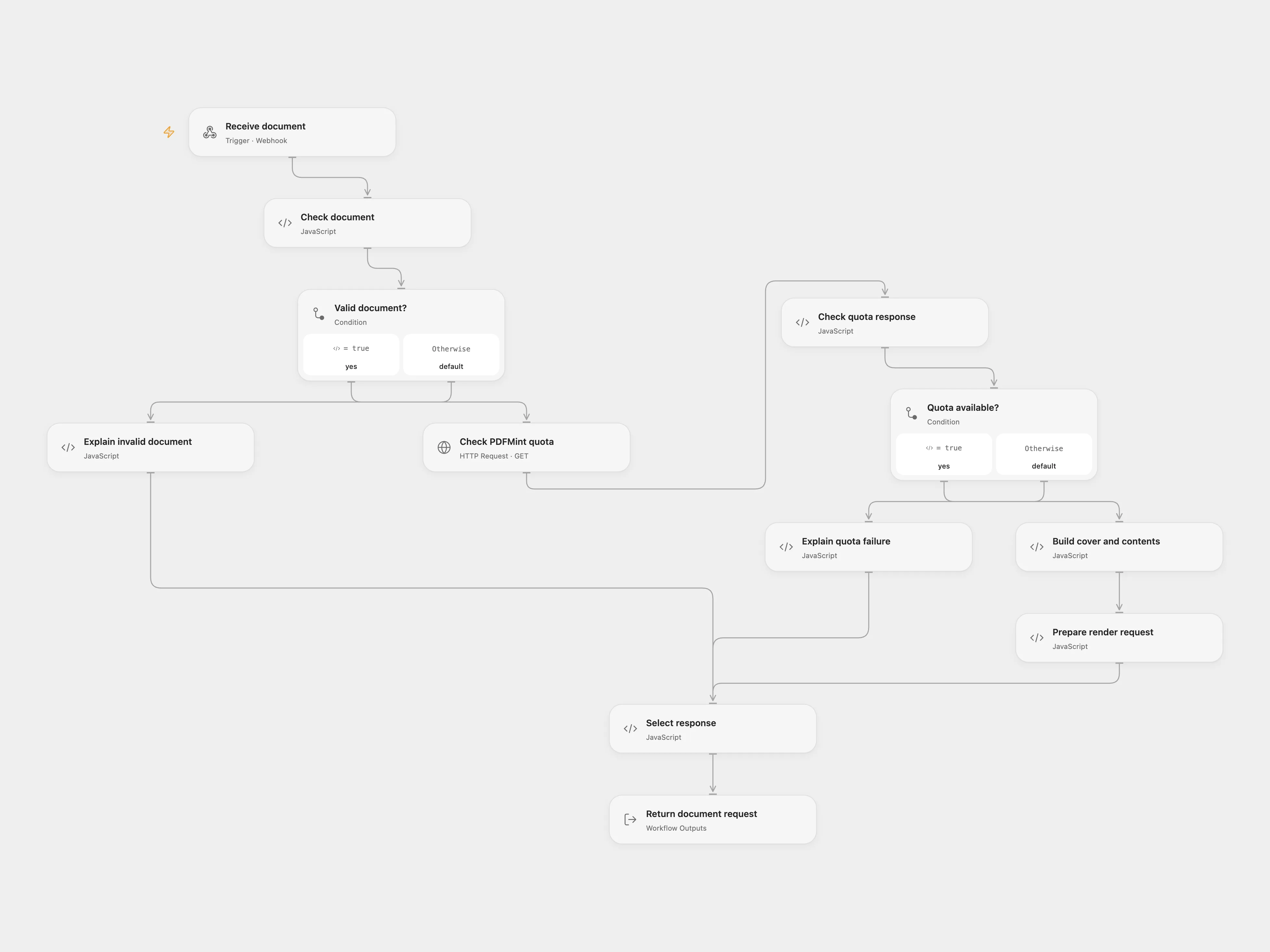
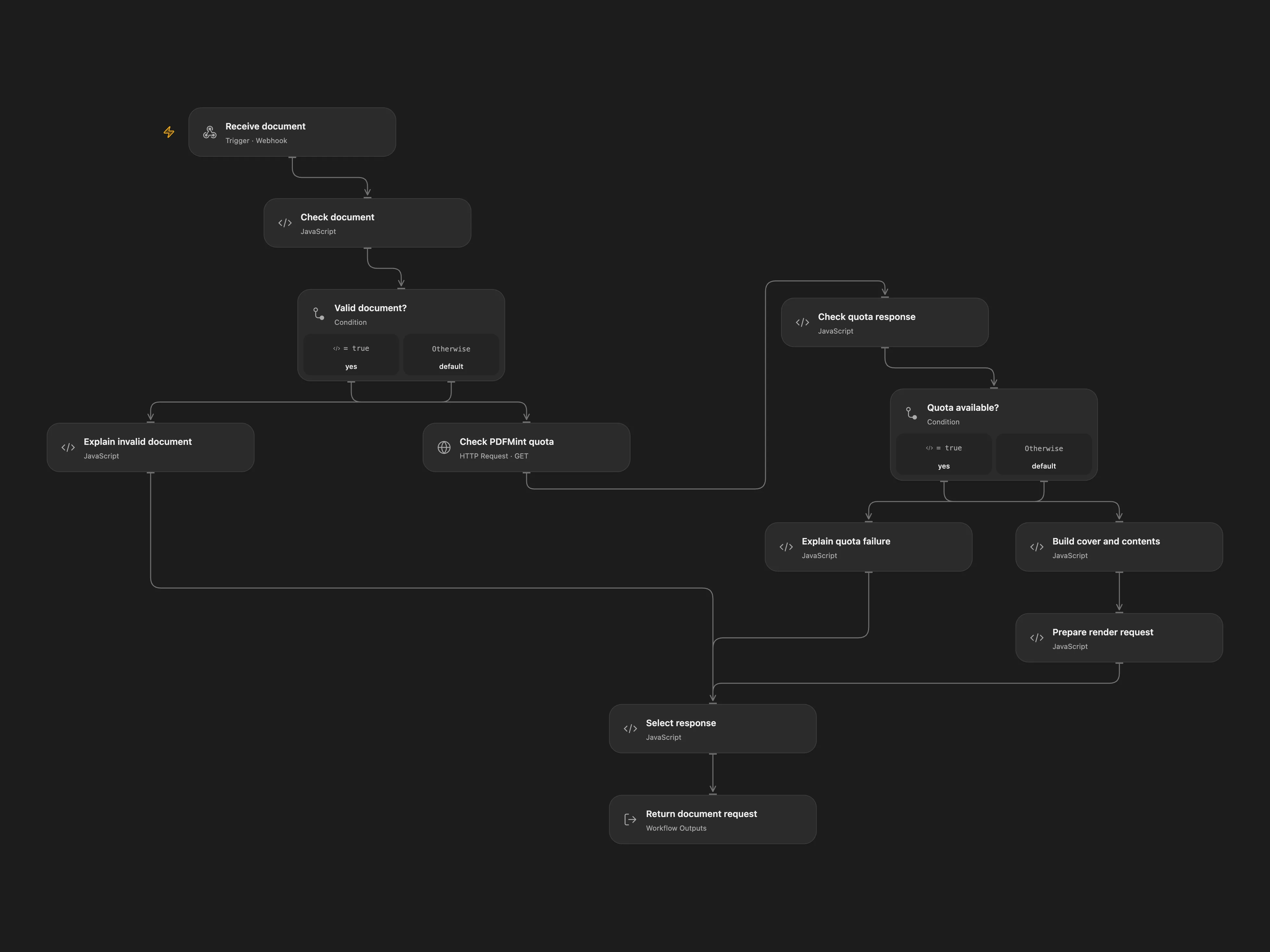
Render Markdown as a branded PDF with a cover and numbered contents.
Setup
Set the branding and page settings in Build cover and contents. Bind PDFMINT_API_KEY as a secret Variable and deploy the Open Flow webhook. Install the PDFMint community node and configure its credential. Set the Open Flow URL in Prepare document with Open Flow, then activate the Open Flow frontend webhook. Restrict access to both webhooks.
Behavior
POST JSON containing title and markdown, with optional author. The workflow checks quota, numbers headings outside fenced code blocks, creates a cover and contents, and returns a PDF in the same HTTP response. Invalid input or an unsuccessful render returns JSON. A lost response can follow a completed render; inspect service usage before retrying. Markdown is sent to PDFMint.
In n8n
Import the n8n workflow, install the PDFMint community node and configure its credential. For direct n8n mode configure branding and credentials in the original nodes and activate its separate webhook.
Inspiration & credits
Changes to the source
Add an n8n synchronous PDF frontend for Open Flow, and replace the example brand.
Adapted from Convert Markdown into a branded PDF with a table of contents using PDFMint in enescingoz/awesome-n8n-templates.
Source collection notice: © 2024–2026 Enes Cingoz, CC BY 4.0. The source states that its author builds PDFMint. See repository licensing for the scope of OOMOL contributions and third-party material.