Education
Route Course Feedback to Google Sheets
Route course feedback into positive or negative Google Sheets based on the usefulness answer.
下載工作流程
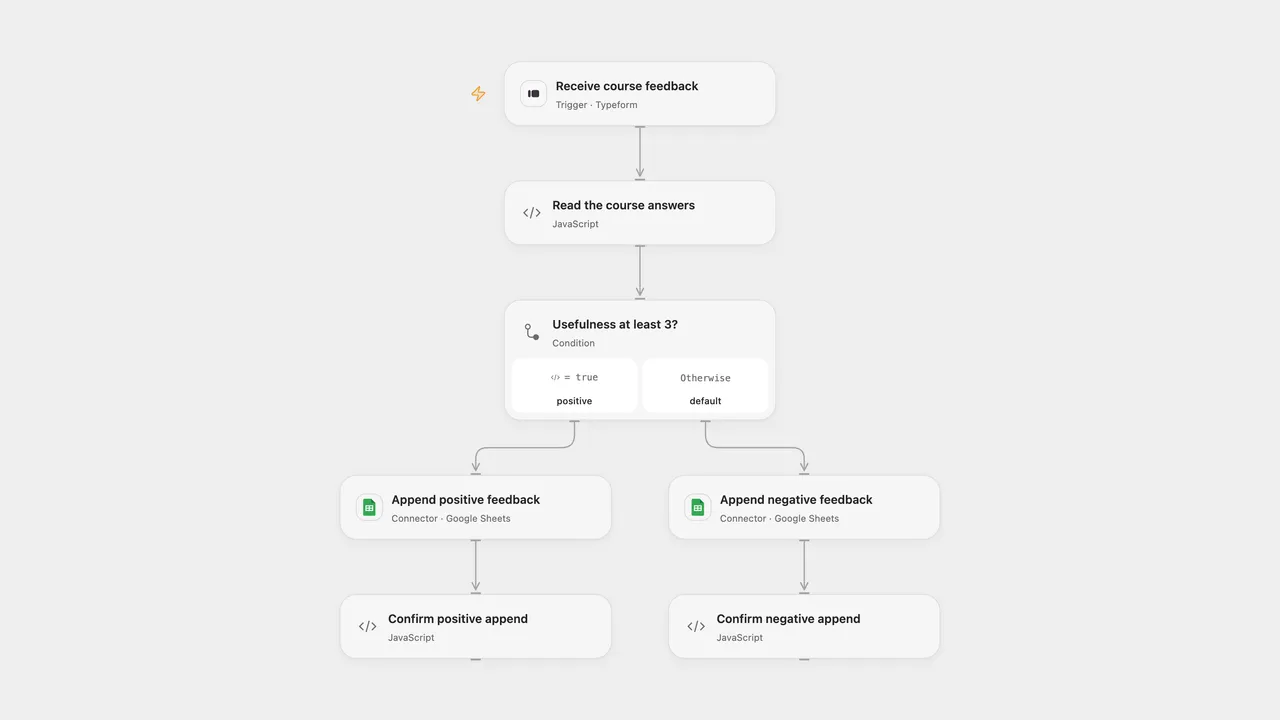
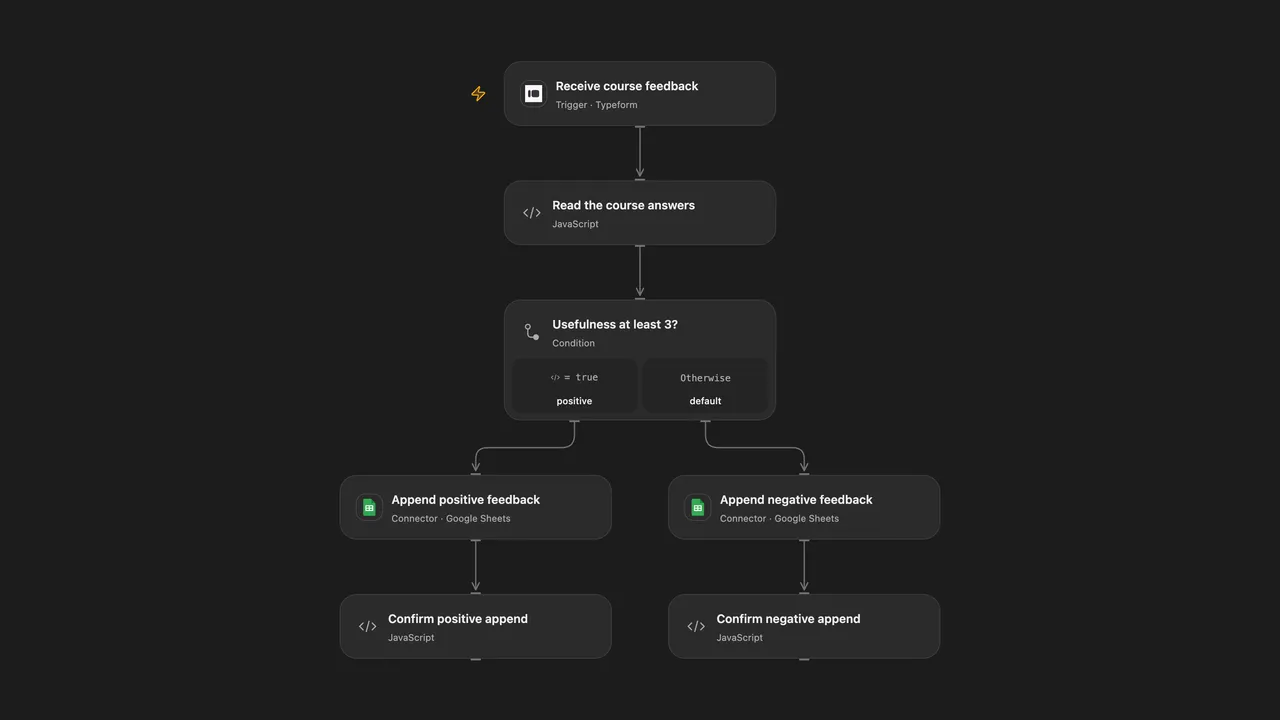
Route course feedback into positive or negative Google Sheets based on the usefulness answer.
Setup
Create a Typeform with a required numeric, rating or opinion-scale question titled How useful was the course? and a text question titled Your opinion on the course:. Titles must be unique. Connect Typeform and select the form. Connect Google Sheets to both append nodes and set each spreadsheet ID and sheet range. Prepare columns A and B in this order: usefulness, opinion. In n8n connect a Typeform personal access token and Google Sheets, select the same form and configure each destination spreadsheet and sheet with those headers. Activate one format.
Behavior
Each submitted form with usefulness at least 3 is appended to the positive sheet; a lower value goes to the negative sheet. The usefulness number and opinion text are stored. A missing opinion becomes blank. Missing or ambiguous questions or an invalid usefulness answer stop before writing. Values are written as RAW, so text is not evaluated as a spreadsheet formula. Restrict access to feedback and execution history.
A failed or uncertain append may already have succeeded. Inspect the destination sheet before retrying; webhook delivery and manual replay do not guarantee exactly-once rows. Open Flow uses the response token for webhook admission deduplication; n8n does not keep the same submission history.
Inspiration & credits
Changes to the source
- Replace placeholder form and spreadsheet IDs with configuration, validate question identity and use RAW cell values. Both formats read the full Typeform answer payload instead of relying on simplified field-name keys.
Adapted from typeform feedback workflow in Zie619/n8n-workflows. The source export does not identify a separate template author or license.
The collection’s MIT notice is pinned at a later revision. This is the collection notice at that revision; it does not establish a separate original template author’s license. Our changes are listed above; see repository licensing.
MIT License
Copyright (c) 2025 Zie619
Permission is hereby granted, free of charge, to any person obtaining a copy of this software and associated documentation files (the “Software”), to deal in the Software without restriction, including without limitation the rights to use, copy, modify, merge, publish, distribute, sublicense, and/or sell copies of the Software, and to permit persons to whom the Software is furnished to do so, subject to the following conditions:
The above copyright notice and this permission notice shall be included in all copies or substantial portions of the Software.
THE SOFTWARE IS PROVIDED “AS IS”, WITHOUT WARRANTY OF ANY KIND, EXPRESS OR IMPLIED, INCLUDING BUT NOT LIMITED TO THE WARRANTIES OF MERCHANTABILITY, FITNESS FOR A PARTICULAR PURPOSE AND NONINFRINGEMENT. IN NO EVENT SHALL THE AUTHORS OR COPYRIGHT HOLDERS BE LIABLE FOR ANY CLAIM, DAMAGES OR OTHER LIABILITY, WHETHER IN AN ACTION OF CONTRACT, TORT OR OTHERWISE, ARISING FROM, OUT OF OR IN CONNECTION WITH THE SOFTWARE OR THE USE OR OTHER DEALINGS IN THE SOFTWARE.