效率
Save Form Submissions to Airtable and Google Sheets
Store form submissions in Airtable and Google Sheets and send a message after each write.
下載工作流程
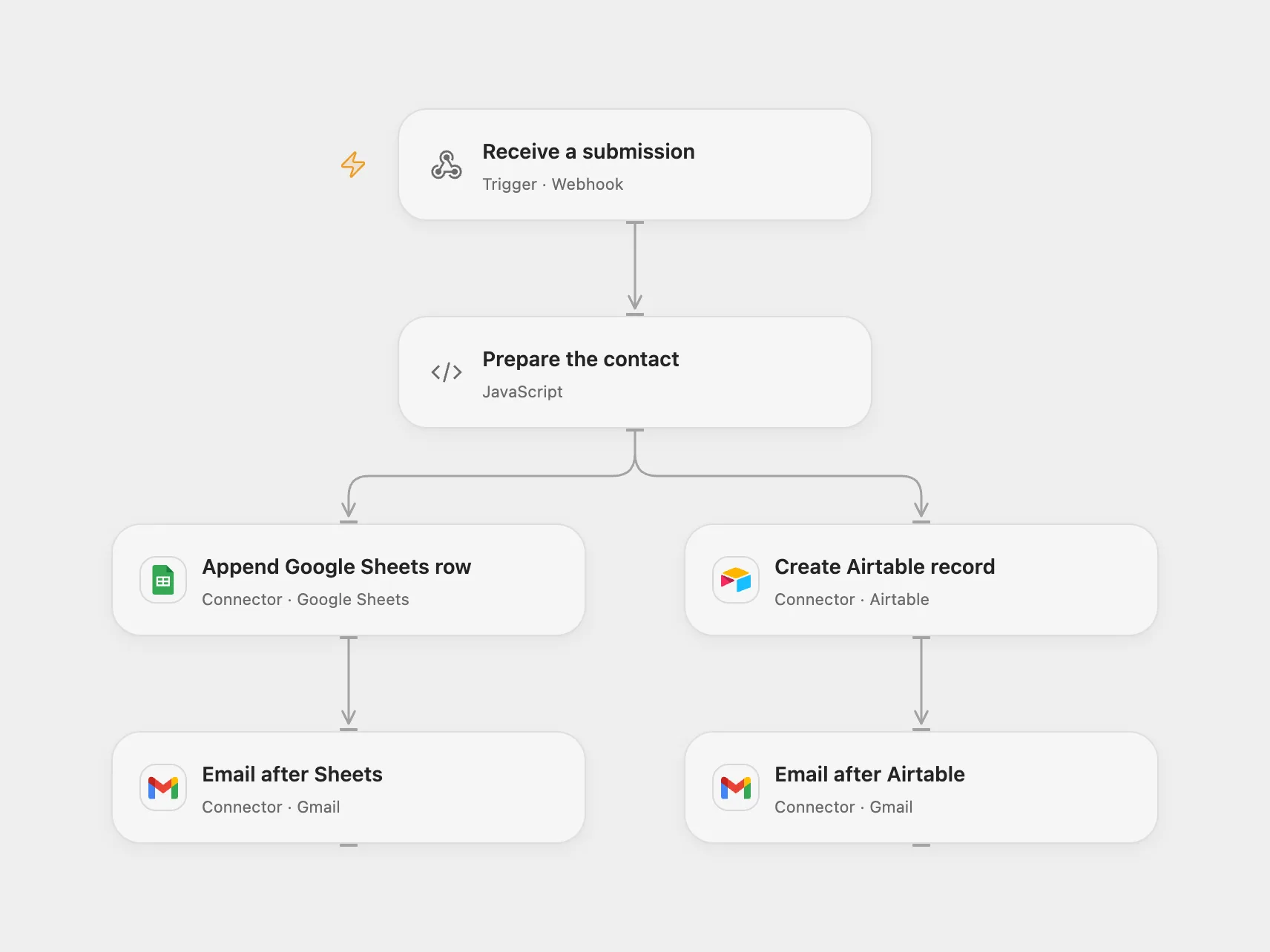
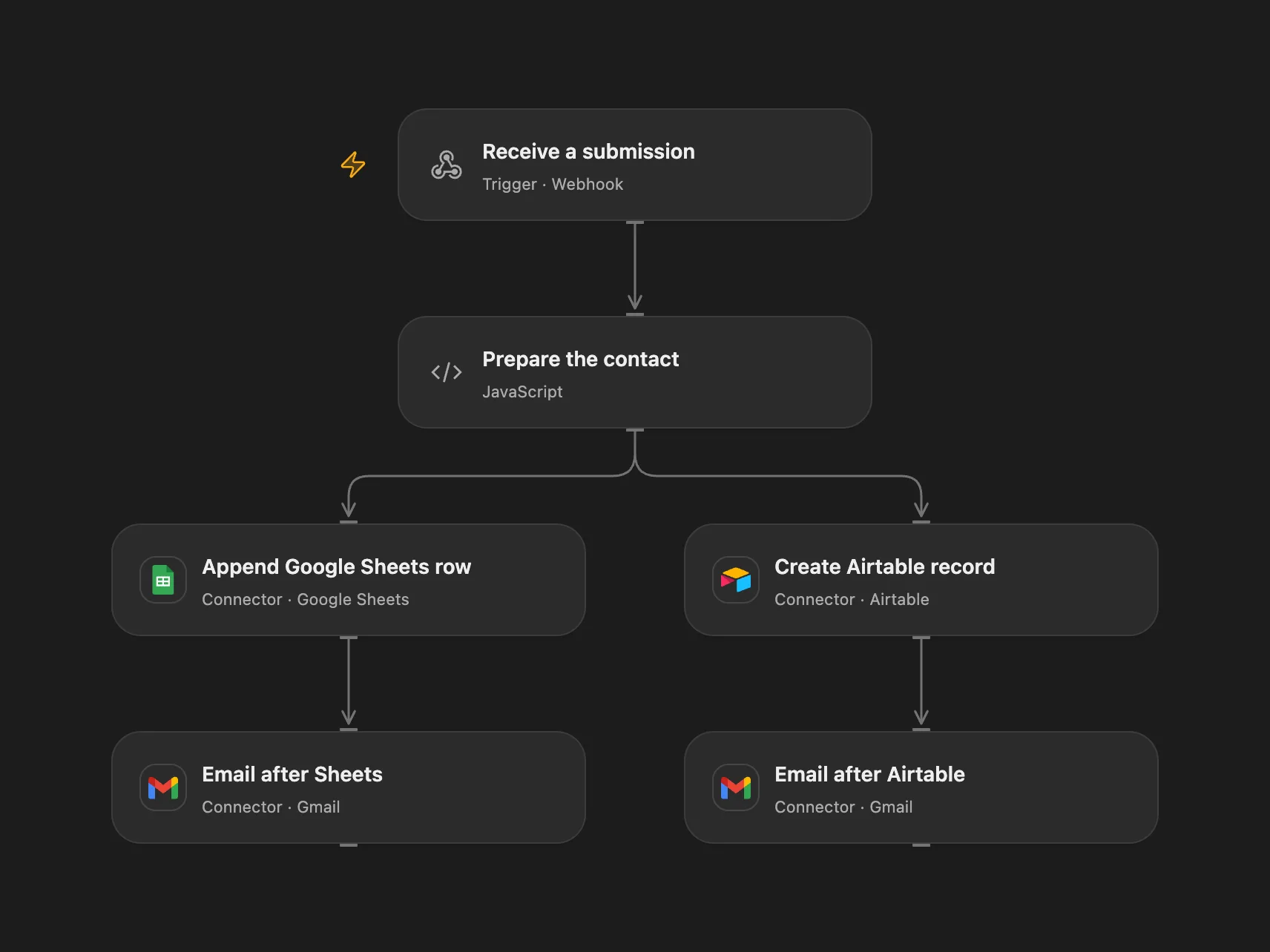
Store each form submission in both destinations and send a message after each write.
Setup
Connect Airtable, Google Sheets and Gmail. Configure an Airtable table with text fields Name, City, Email, Date and Time, and a Google Sheet with these columns in that order. Set the base, table, spreadsheet and range in their nodes. Configure a form or client to POST JSON with name, city and email to the Open Flow webhook.
Behavior
Each submission stores the contact and the UTC date and time in both destinations. Each branch sends a separate email to the submitted address after its write. A branch failure can stop the run before the other branch sends its email, even if the other write has succeeded. The webhook is a public write and email entry point; protect the endpoint as appropriate and use addresses authorized to receive messages. Restrict access to stored contact information and execution history.
Writes and sends are independent and cannot be rolled back. A failure or uncertain outcome can leave either destination updated or an email sent. Inspect both destinations and sent mail before replaying to avoid duplicates. The webhook acknowledgment does not confirm processing.
In n8n
In n8n configure the hosted form, the same destinations and credentials.
Inspiration & credits
Changes to the source
- Open Flow accepts JSON through a webhook; n8n retains its hosted form.
- Replace private destination IDs and preserve form fields across both write branches.
Adapted from Streamline data from an n8n form into Google Sheet and Airtable in Zie619/n8n-workflows. The source export does not identify a separate template author or license.
The collection’s MIT notice is pinned at a later revision. This is the collection notice at that revision; it does not establish a separate original template author’s license. Our changes are listed above; see repository licensing.
MIT License
Copyright (c) 2025 Zie619
Permission is hereby granted, free of charge, to any person obtaining a copy of this software and associated documentation files (the “Software”), to deal in the Software without restriction, including without limitation the rights to use, copy, modify, merge, publish, distribute, sublicense, and/or sell copies of the Software, and to permit persons to whom the Software is furnished to do so, subject to the following conditions:
The above copyright notice and this permission notice shall be included in all copies or substantial portions of the Software.
THE SOFTWARE IS PROVIDED “AS IS”, WITHOUT WARRANTY OF ANY KIND, EXPRESS OR IMPLIED, INCLUDING BUT NOT LIMITED TO THE WARRANTIES OF MERCHANTABILITY, FITNESS FOR A PARTICULAR PURPOSE AND NONINFRINGEMENT. IN NO EVENT SHALL THE AUTHORS OR COPYRIGHT HOLDERS BE LIABLE FOR ANY CLAIM, DAMAGES OR OTHER LIABILITY, WHETHER IN AN ACTION OF CONTRACT, TORT OR OTHERWISE, ARISING FROM, OUT OF OR IN CONNECTION WITH THE SOFTWARE OR THE USE OR OTHER DEALINGS IN THE SOFTWARE.