マーケティング
Create and Update GoToWebinar
Create a webinar, update a configured webinar description, and retrieve that webinar.
ワークフローをダウンロード
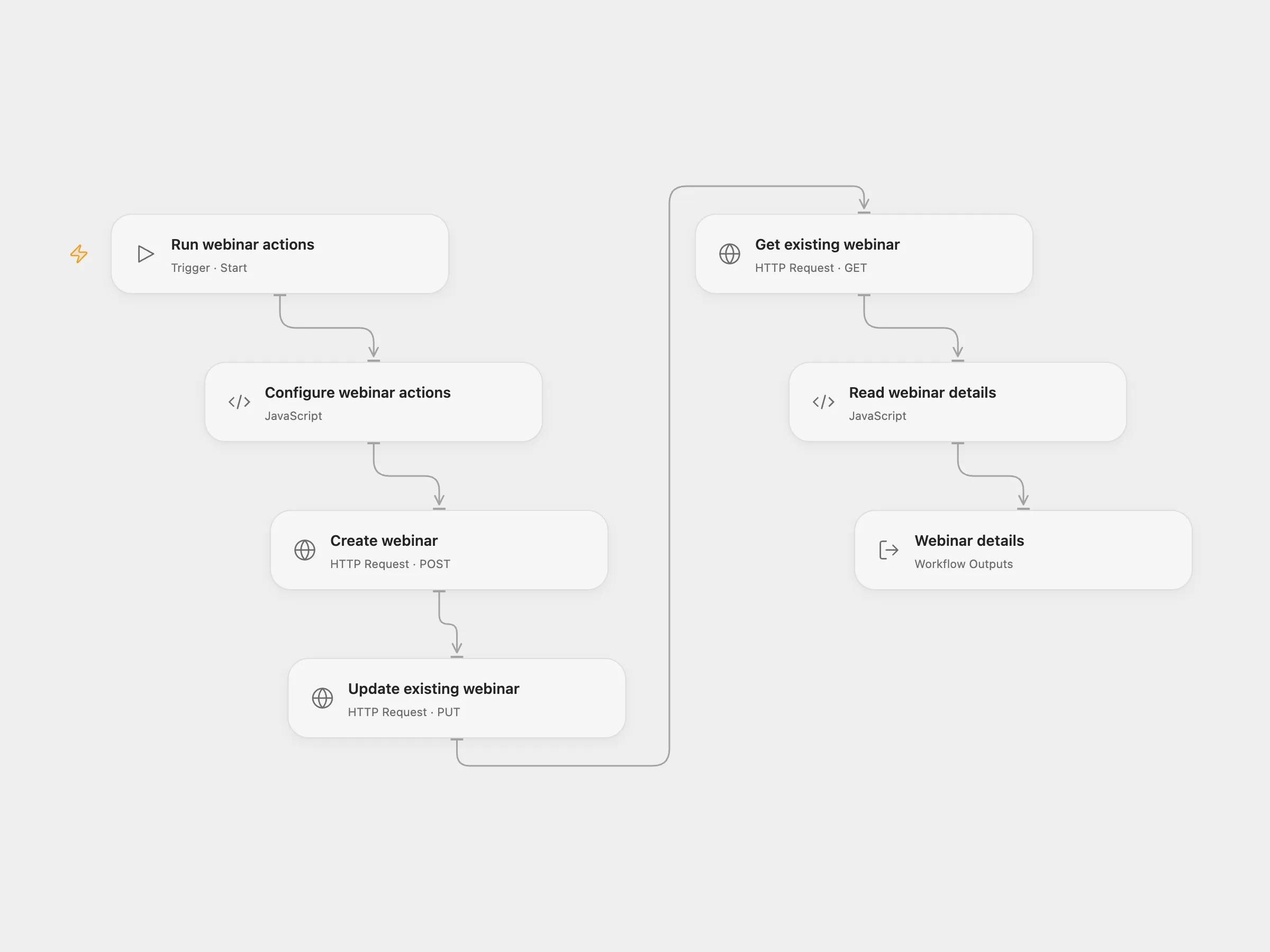
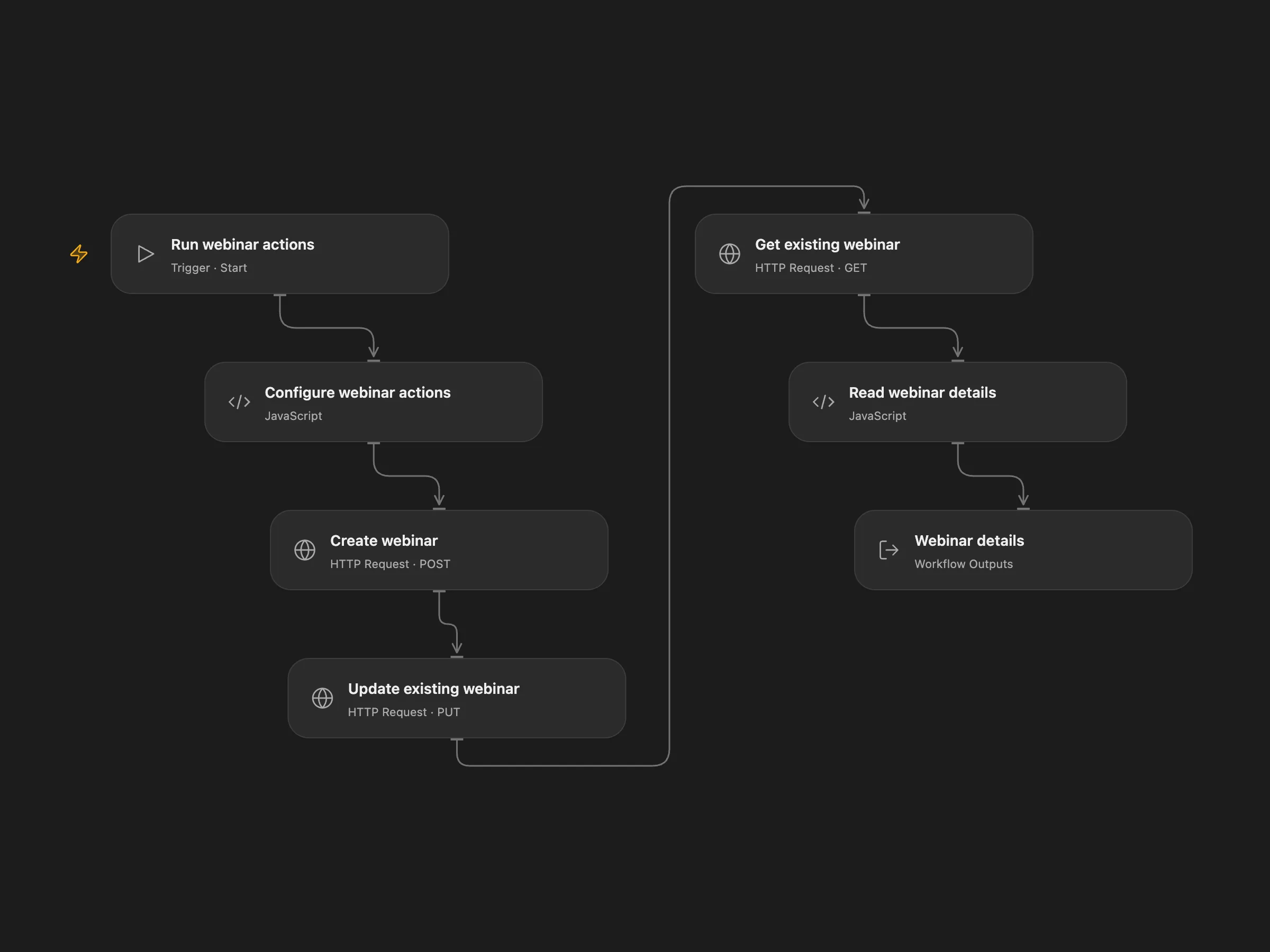
Create a webinar, update a configured webinar description, and retrieve that webinar.
Setup and use
Provide a GoToWebinar OAuth access token in the secret Variable GOTOWEBINAR_ACCESS_TOKEN. Set the organizer key, existing webinar key, subject, future start and end times in ISO 8601 format, and description in Configure webinar actions. Refresh the token when it expires. Run one format manually.
Behavior
The workflow creates a new webinar, updates the description on the configured existing webinar without notifying participants, and reads that existing webinar. The update and lookup target the configured key, not the newly created webinar. If either write has an unknown result, inspect GoToWebinar before rerunning; the create or update may already have succeeded.
In n8n
In n8n connect the GoToWebinar OAuth credential and update the dates and existing webinar key.
Inspiration & credits
Changes to the source
- Add a manual trigger, replace the expired sample dates and webinar key with configuration, and preserve large numeric values as strings in Open Flow.
Adapted from GoToWebinar actions in Zie619/n8n-workflows. The source export does not identify a separate template author or license.
The collection’s MIT notice is pinned at a later revision. This is the collection notice at that revision; it does not establish a separate original template author’s license. Our changes are listed above; see repository licensing.
MIT License
Copyright (c) 2025 Zie619
Permission is hereby granted, free of charge, to any person obtaining a copy of this software and associated documentation files (the “Software”), to deal in the Software without restriction, including without limitation the rights to use, copy, modify, merge, publish, distribute, sublicense, and/or sell copies of the Software, and to permit persons to whom the Software is furnished to do so, subject to the following conditions:
The above copyright notice and this permission notice shall be included in all copies or substantial portions of the Software.
THE SOFTWARE IS PROVIDED “AS IS”, WITHOUT WARRANTY OF ANY KIND, EXPRESS OR IMPLIED, INCLUDING BUT NOT LIMITED TO THE WARRANTIES OF MERCHANTABILITY, FITNESS FOR A PARTICULAR PURPOSE AND NONINFRINGEMENT. IN NO EVENT SHALL THE AUTHORS OR COPYRIGHT HOLDERS BE LIABLE FOR ANY CLAIM, DAMAGES OR OTHER LIABILITY, WHETHER IN AN ACTION OF CONTRACT, TORT OR OTHERWISE, ARISING FROM, OUT OF OR IN CONNECTION WITH THE SOFTWARE OR THE USE OR OTHER DEALINGS IN THE SOFTWARE.