仕事効率化
Create Nested Google Drive Folders
Find or create each segment of a folder path in Google Drive.
ワークフローをダウンロード
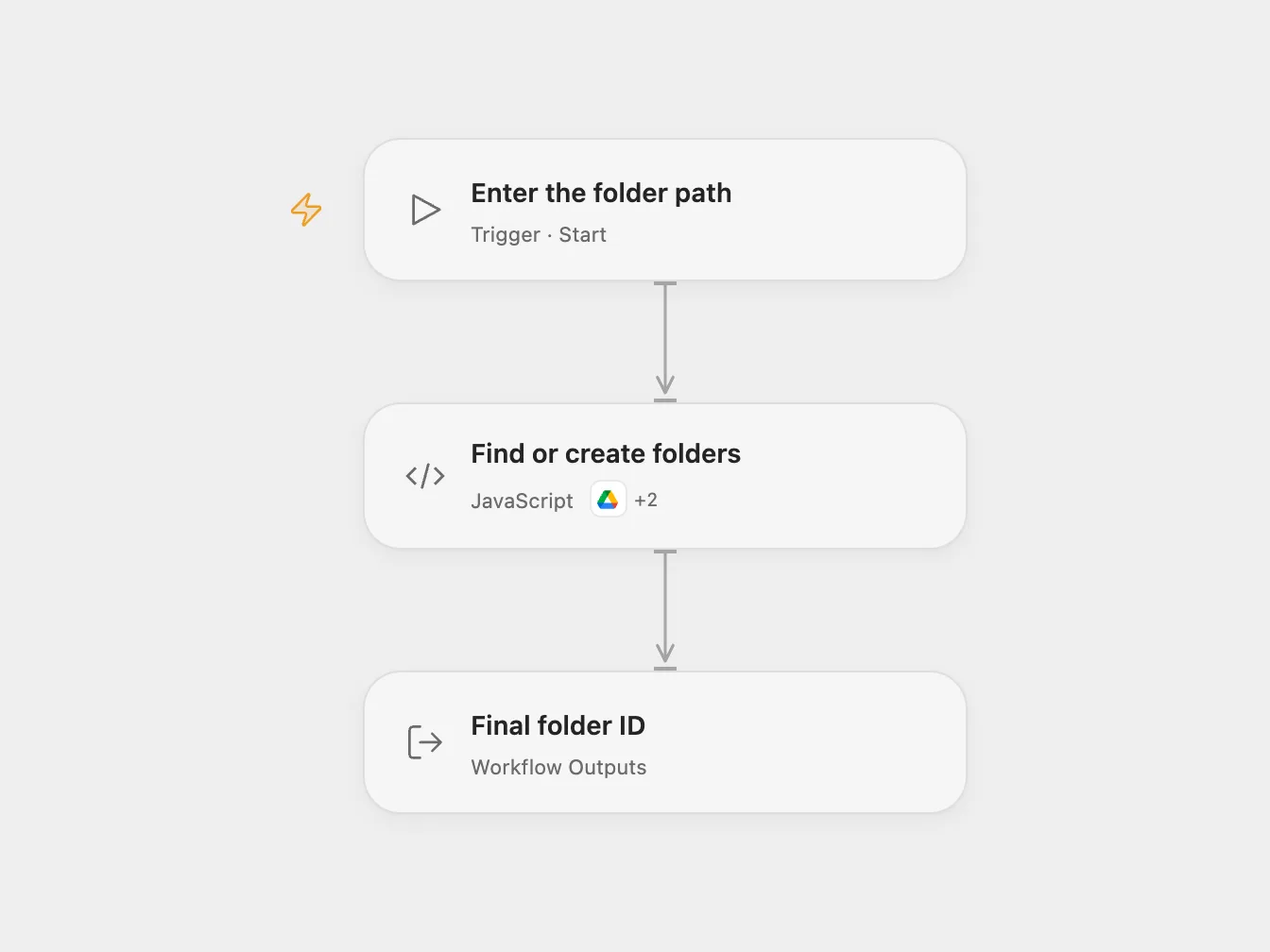
Find or create each segment of a folder path in Google Drive.
Setup
Connect Google Drive with access to list and create folders. Run Open Flow with a parent folder ID (or root) and a slash-separated path, such as Projects/2026/Reports. Allow the declared Drive actions.
Behavior
Each path segment is looked up under the previously selected folder. Existing folders are reused; missing folders are created. The result is the final folder ID. Empty segments and ambiguous duplicate folder names stop the run. Folder names are case-sensitive. Avoid concurrent runs for the same path because lookup and creation are not atomic.
A failed or uncertain create may leave some folders created. Inspect Drive before rerunning; the workflow does not automatically retry writes.
In n8n
In n8n configure the same values in Folder path, connect Google Drive, and run manually. Other n8n workflows can call the workflow with google_drive_folder_id and desired_path.
Inspiration & credits
Changes to the source
- Replace example folder and path with run configuration. Reject ambiguous duplicate names and inspect all lookup pages.
Adapted from Create a Google Drive folder path in Zie619/n8n-workflows. The source export does not identify a separate template author or license.
The collection’s MIT notice is pinned at a later revision. This is the collection notice at that revision; it does not establish a separate original template author’s license. Our changes are listed above; see repository licensing.
MIT License
Copyright (c) 2025 Zie619
Permission is hereby granted, free of charge, to any person obtaining a copy of this software and associated documentation files (the “Software”), to deal in the Software without restriction, including without limitation the rights to use, copy, modify, merge, publish, distribute, sublicense, and/or sell copies of the Software, and to permit persons to whom the Software is furnished to do so, subject to the following conditions:
The above copyright notice and this permission notice shall be included in all copies or substantial portions of the Software.
THE SOFTWARE IS PROVIDED “AS IS”, WITHOUT WARRANTY OF ANY KIND, EXPRESS OR IMPLIED, INCLUDING BUT NOT LIMITED TO THE WARRANTIES OF MERCHANTABILITY, FITNESS FOR A PARTICULAR PURPOSE AND NONINFRINGEMENT. IN NO EVENT SHALL THE AUTHORS OR COPYRIGHT HOLDERS BE LIABLE FOR ANY CLAIM, DAMAGES OR OTHER LIABILITY, WHETHER IN AN ACTION OF CONTRACT, TORT OR OTHERWISE, ARISING FROM, OUT OF OR IN CONNECTION WITH THE SOFTWARE OR THE USE OR OTHER DEALINGS IN THE SOFTWARE.