コミュニケーション
Draft Labeled Gmail Thread Replies
Draft a reply to the latest message in each labeled Gmail conversation and remove the processing label.
ワークフローをダウンロード
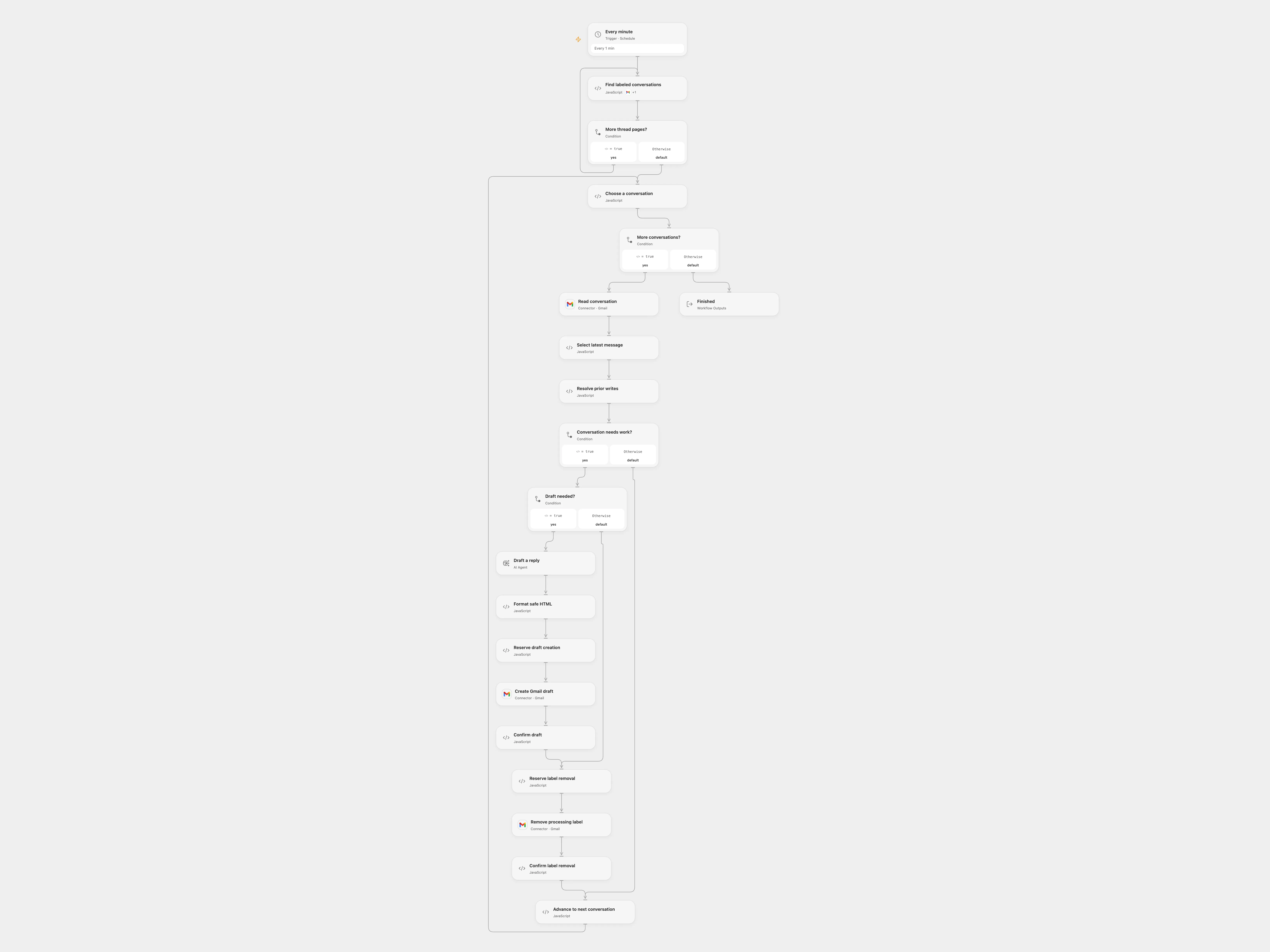
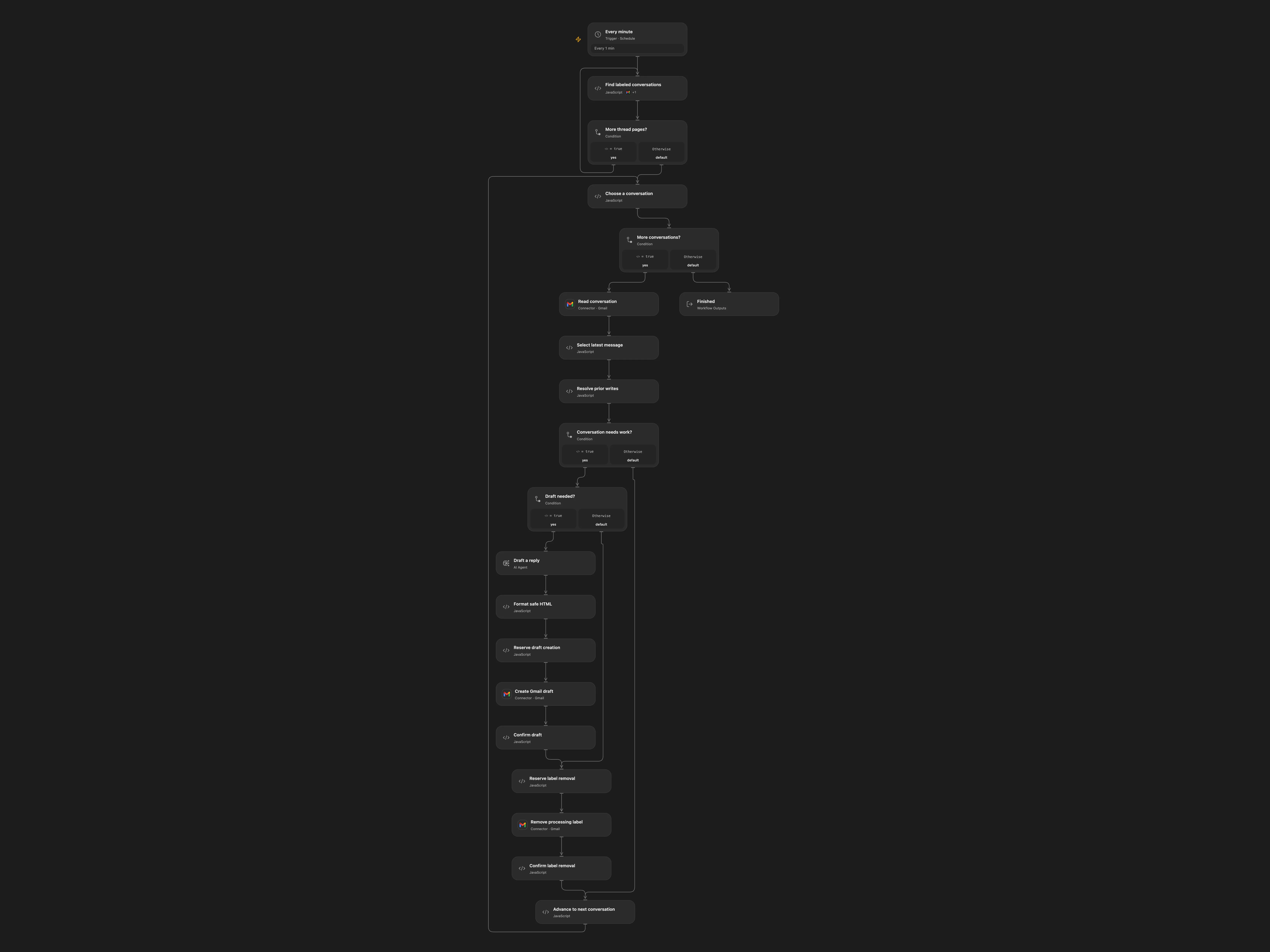
Draft a reply to the latest message in each labeled Gmail conversation and remove the processing label.
Setup
Connect the same Gmail mailbox on all Gmail nodes and configure an AI model. Create a processing label. Enter its name in Find labeled conversations and its matching label ID in Remove processing label. Enable persistent State. Prevent overlapping runs and use one format.
Behavior
Each minute, read labeled conversations, draft a reply to each latest message in the original thread and remove the processing label after the draft is confirmed. No message is sent. Email content is sent to the model; review drafts before sending.
If a draft or label update has an unknown result, inspect Gmail. In Open Flow enter the pending key in Resolve prior writes, set resolution to confirmed or absent, rerun and clear those fields.
In n8n
In n8n select the same label on the thread search and removal nodes, configure Gmail, a Data Table with item_key and status text columns, and an AI model. In n8n inspect the pending Data Table row; complete a missing label update manually and mark it done, or delete the pending-draft row only after confirming no draft exists.
Inspiration & credits
Changes to the source
Process each thread independently, replace the private Assistant and checkpoint both external writes.
Adapted from Compose reply draft in Gmail with OpenAI Assistant in enescingoz/awesome-n8n-templates.
Source collection notice: © 2024–2026 Enes Cingoz, CC BY 4.0. The source export does not identify a separate template author or license. See repository licensing for the scope of OOMOL contributions and third-party material.