仕事効率化
Queue Regulated Browser Operations
Queue a saved Komos browser operations task and review its run.
ワークフローをダウンロード
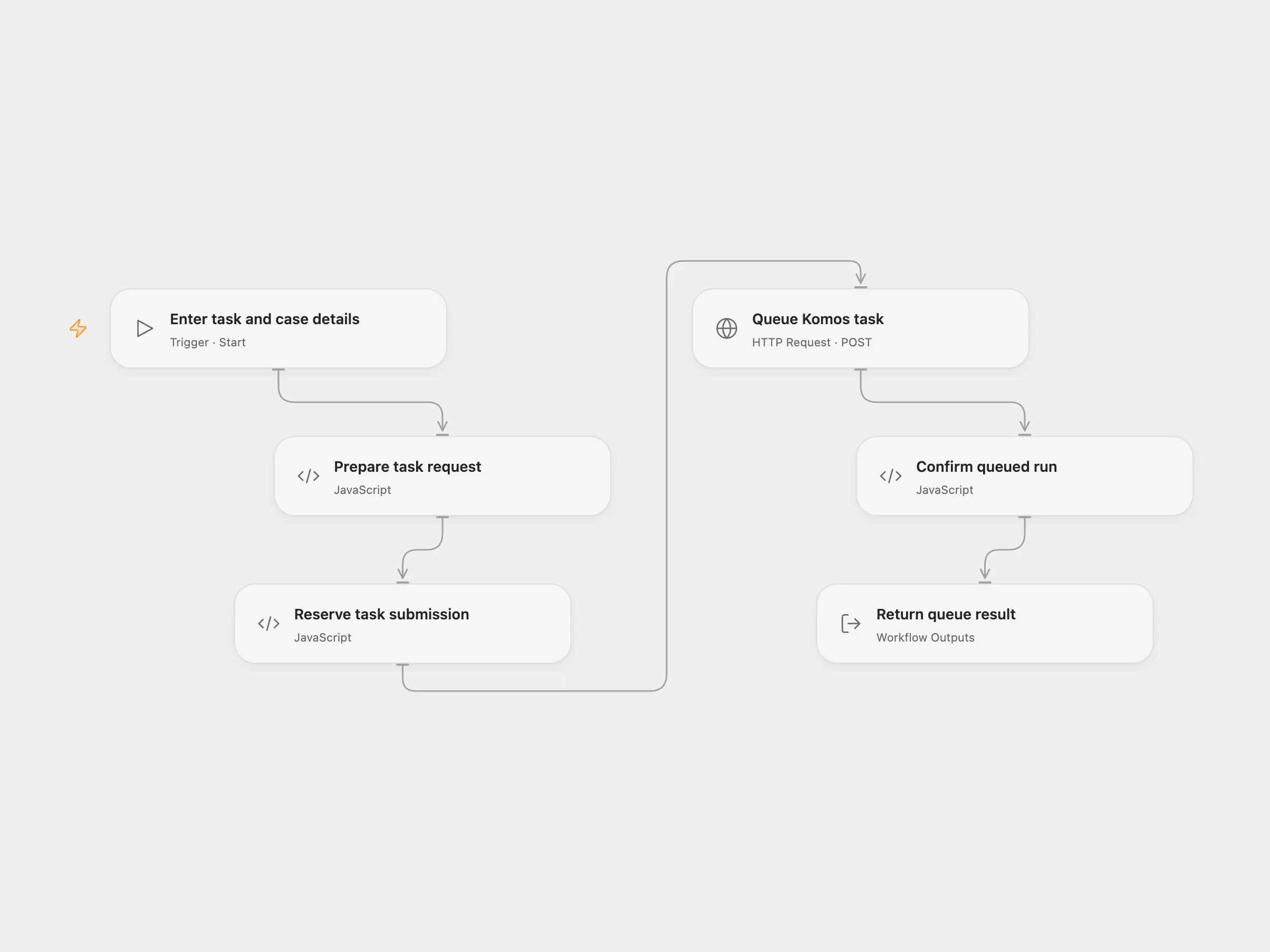
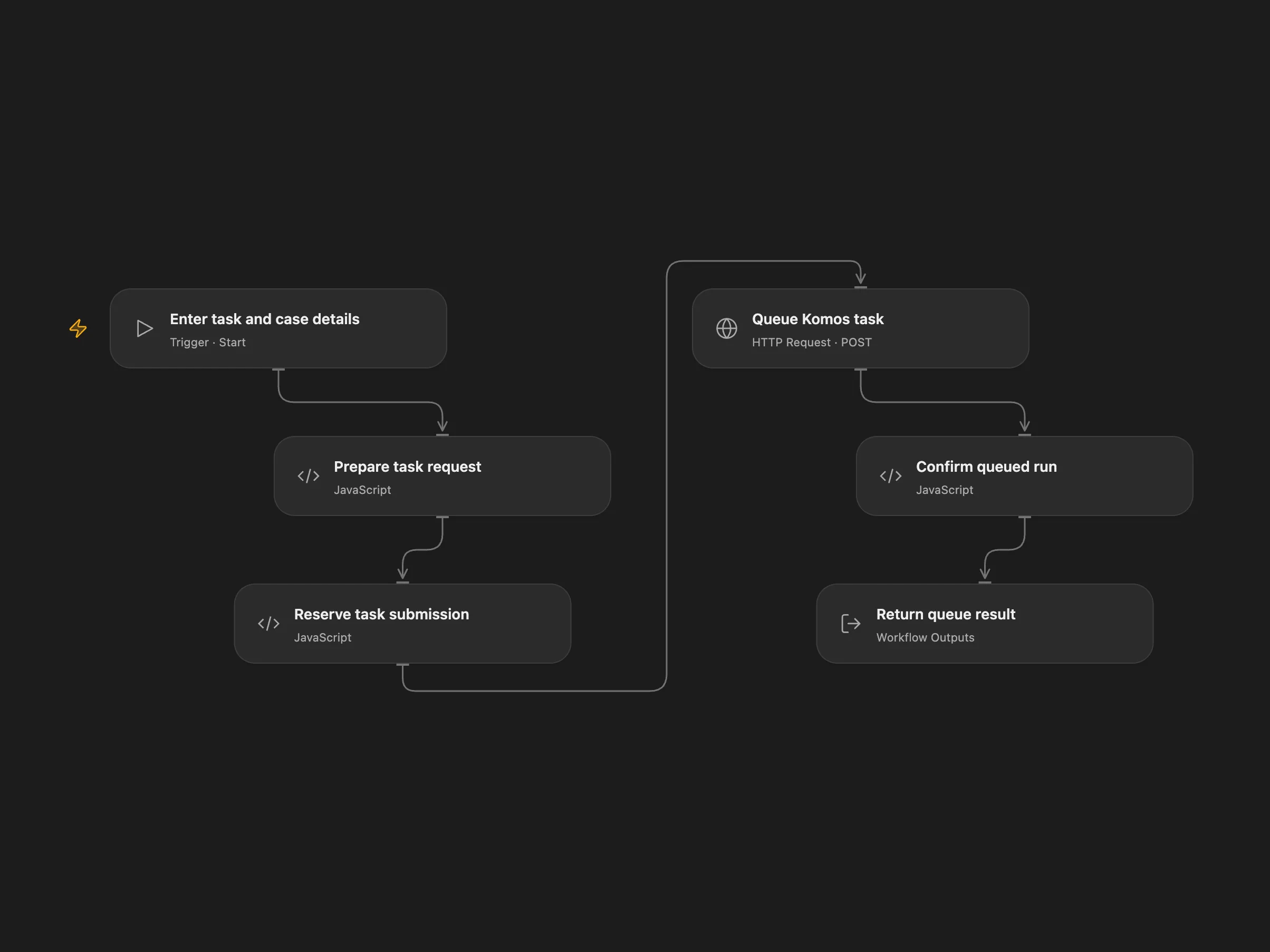
Queue a saved Komos browser operations task and review its run.
Setup and use
Configure a saved Komos task and API key. In Open Flow bind KOMOS_API_KEY as a secret and enable persistent State.
Enter the task ID, case details, applicant name, portal URL, workflow type, industry and a unique request ID. The workflow queues one asynchronous run with review_required set to true and returns the provider response. Review the run history, browser actions and approval checkpoints in Komos; this workflow does not make an employment decision. The saved task controls the actual browser behavior.
Keep the same request ID when investigating an uncertain submission. Komos documents idempotency for clientRequestId. Avoid overlapping submissions.
In n8n
In n8n configure a Bearer Auth credential and a Data Table with item_key and status text columns. Check the provider run history and pending State or Data Table row before resolving a submission; use a new ID for a new intended run.
Inspiration & credits
Adapted from Komos Regulated Browser Ops Task Queue in enescingoz/awesome-n8n-templates.
Source collection notice: © 2024–2026 Enes Cingoz, CC BY 4.0. The source export does not identify a separate template author or license. See repository licensing for the scope of OOMOL contributions and third-party material.