将 Google Docs 接入 Open Flow
提供文档 ID 或搜索条件,让 AI 提取决定并将笔记整理成文档。
每月 20,000 次免费应用调用(付费服务另计)
可以做什么
Google Docs 操作搜索和读取文档、创建或编辑内容与格式,并将文档导出为 PDF。
查找与读取文档
搜索文档并读取文字,可选择包含标签页、表格、页眉和脚注。
写入与导出文档
创建文档、向已有内容追加文字,并导出 PDF 内容。
使用 Google Docs 的模板
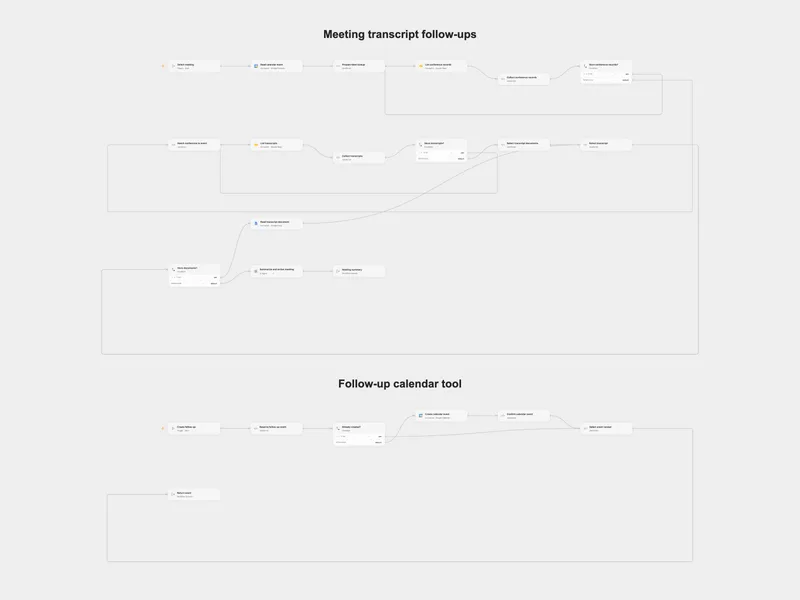
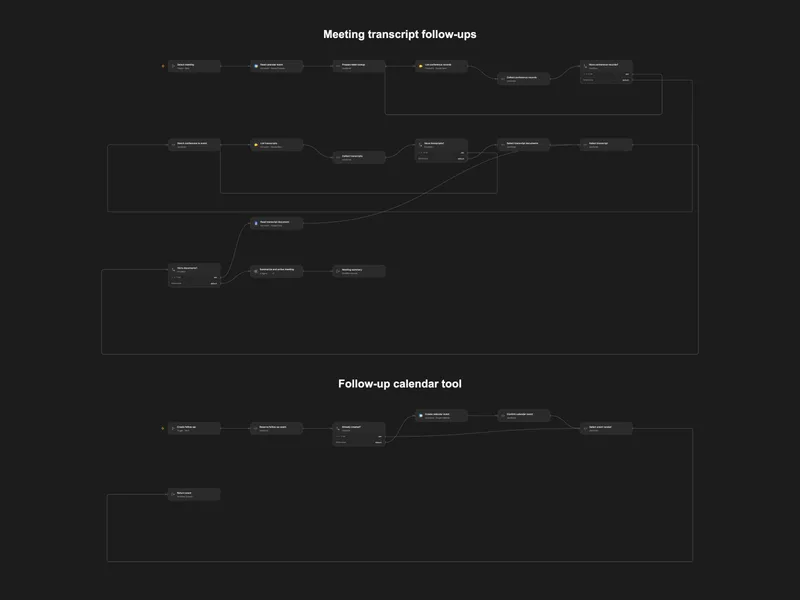
Action Meeting Transcript Follow-ups
Summarize a Google Meet transcript and schedule agreed follow-up meetings.
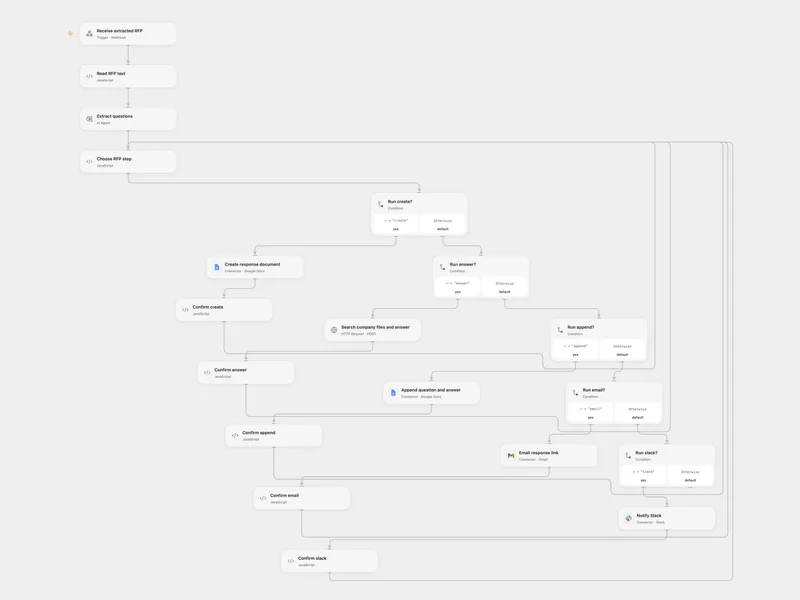
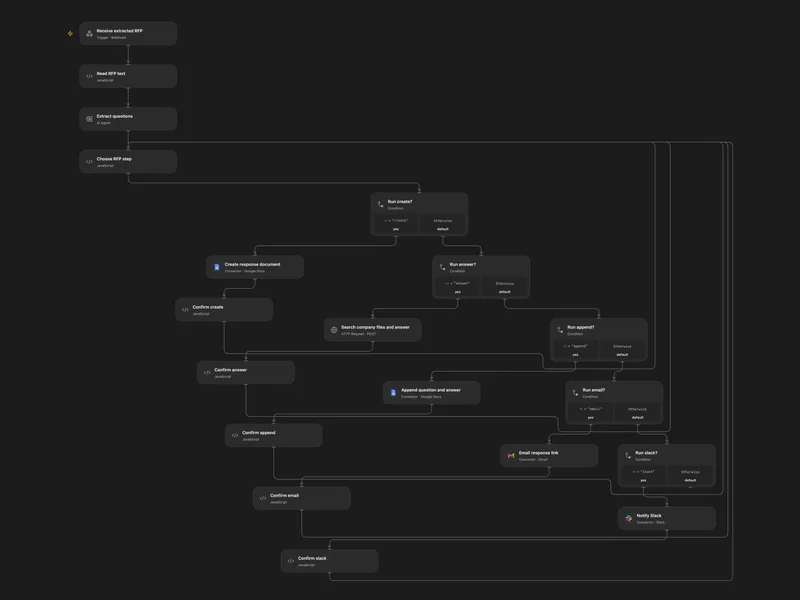
Draft RFP Responses with Company Knowledge
Extract RFP questions, draft answers from company files, and notify the team.
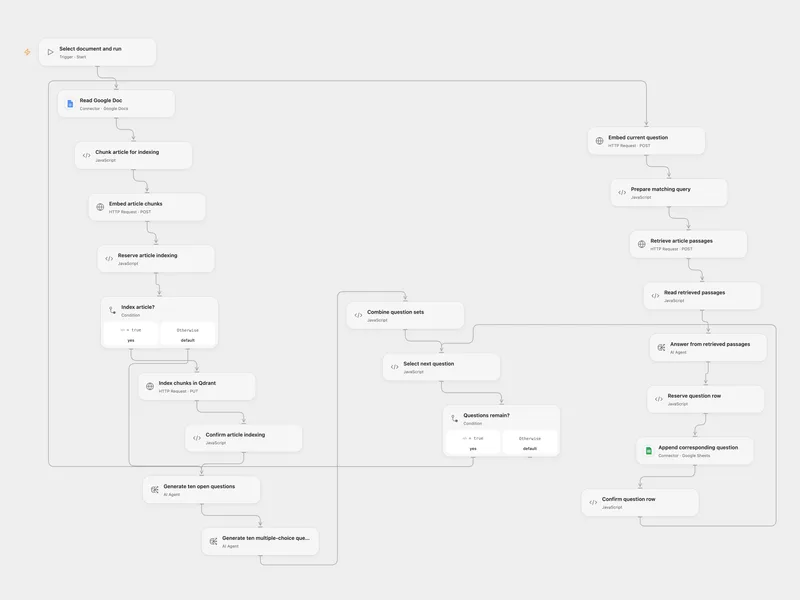
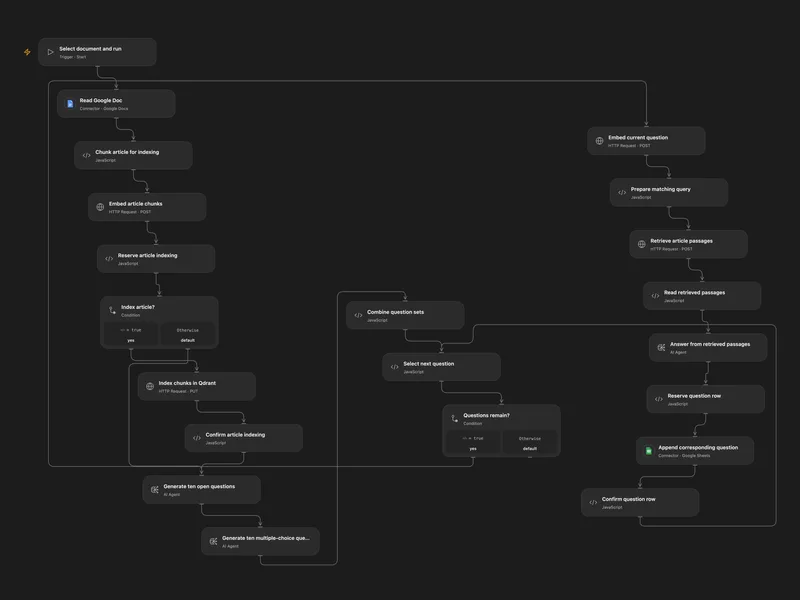
Generate Exam Questions from Google Docs
Index a Google Doc, generate open and multiple-choice questions, and write grounded answers to two sheets.
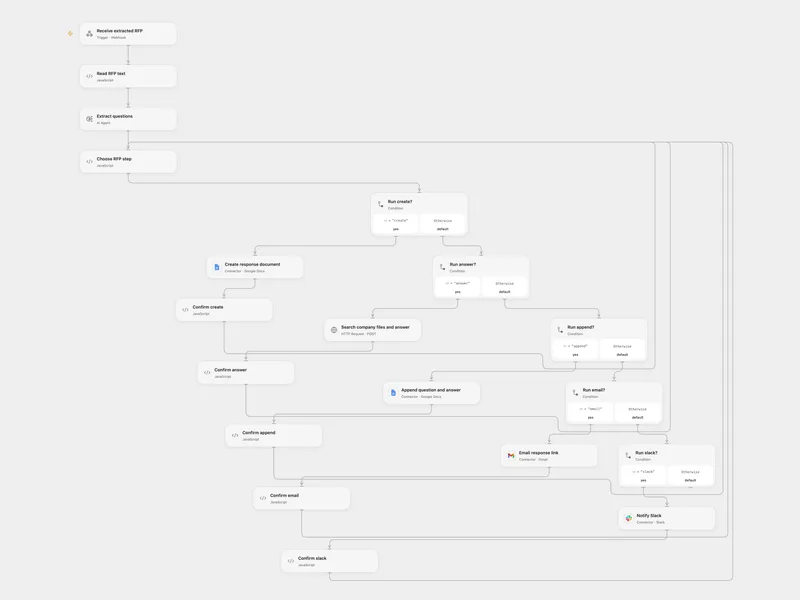
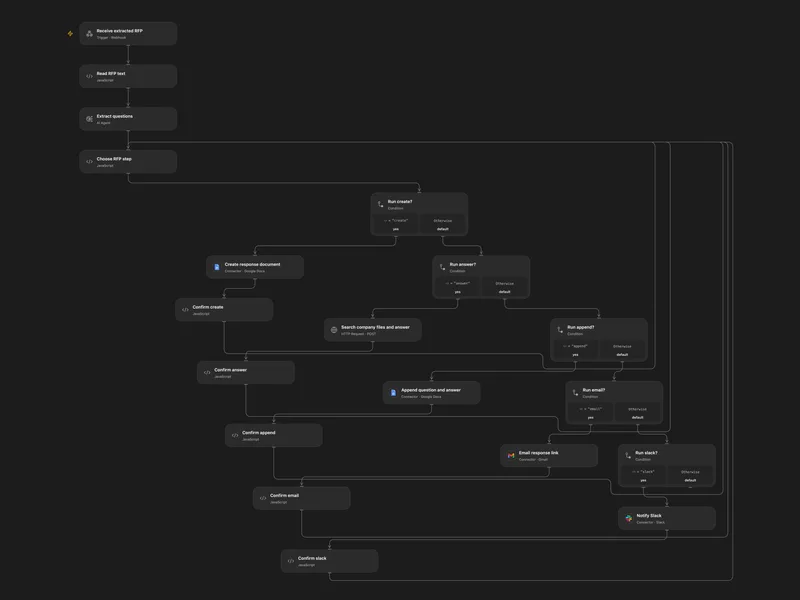
Answer RFP Questions with Company Files
Extract RFP questions, draft answers from company files, and notify the team.
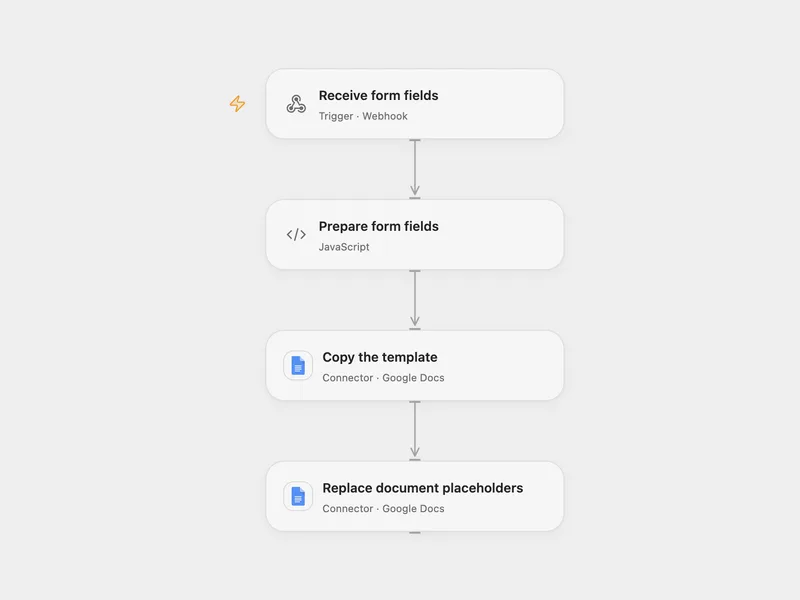
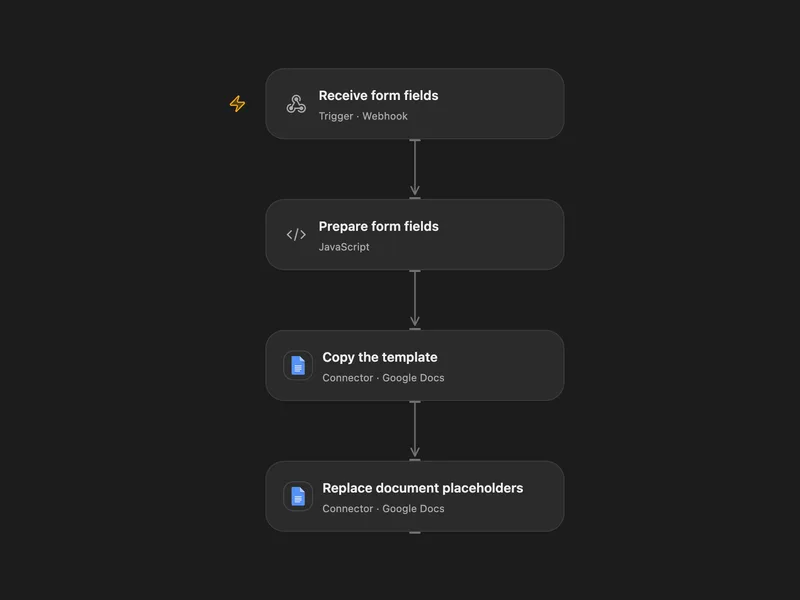
Create a Google Doc from Form Fields
Copy a Google Docs template and replace placeholders with submitted fields.
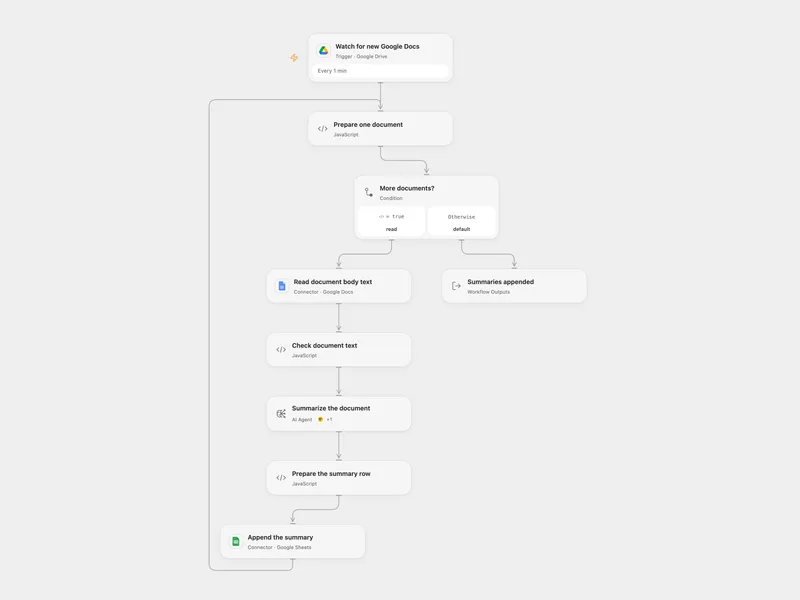
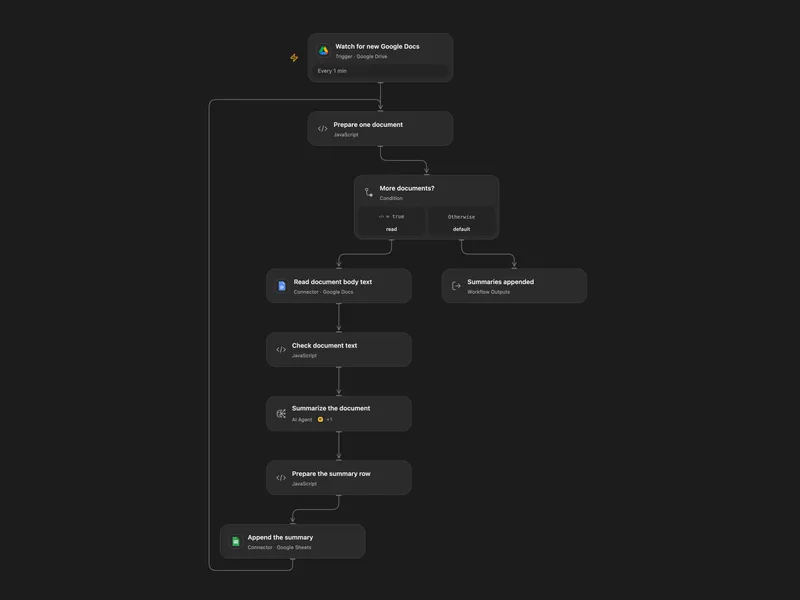
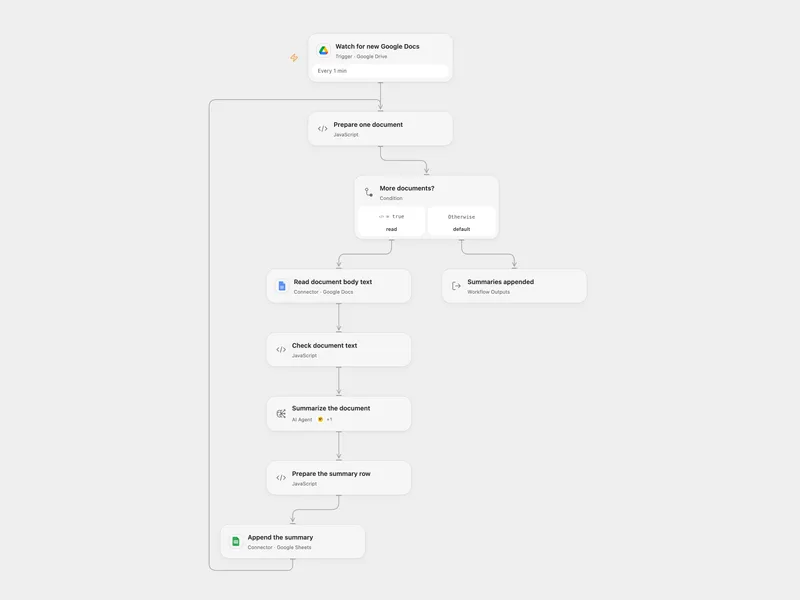
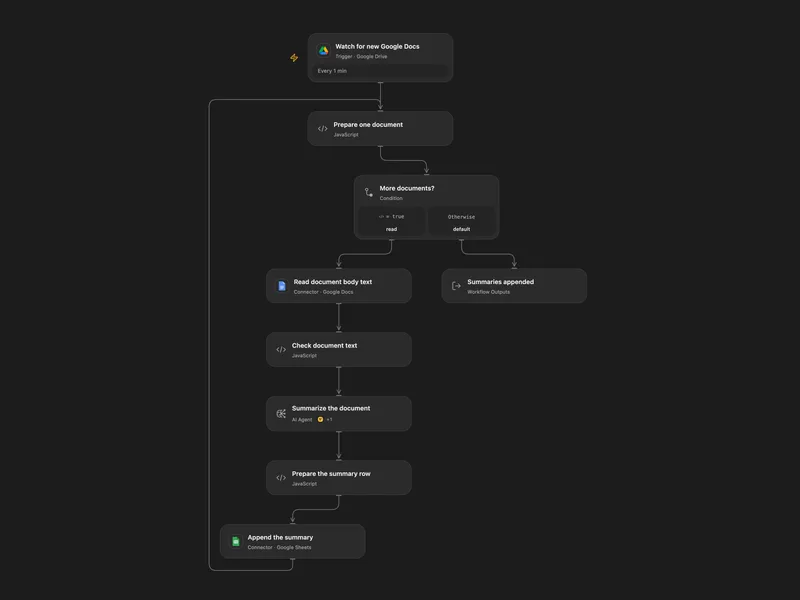
Summarize New Google Docs to Sheets
Summarize new Google Docs in a Drive folder and append each summary with its last editor to Sheets.
所有工具
Copy Document
通过 Google Drive 复制现有 Google Docs 文档。如果省略 `title`,Google 会分配默认的复制文档标题。
googledocs.copy_documentCreate Document
创建 Google Docs 文档,并可选在开头插入初始文本。返回文档元数据,不包含完整正文内容。
googledocs.create_documentCreate Document2
创建空白 Google Docs 文档。此旧版兼容操作是 `create_document` 的无初始文本变体。
googledocs.create_document2Create Footer
在 Google Docs 文档中创建页脚,可选择针对特定分节符位置。
googledocs.create_footerCreate Footnote
在 Google Docs 文档中的特定位置或段末尾创建脚注。
googledocs.create_footnoteCreate Header
在 Google Docs 文档中创建页眉,并可选择插入初始文本。您还可以针对特定分节符位置。
googledocs.create_headerCreate Named Range
在 Google Docs 文档中的特定跨度上创建命名范围,以便以后按名称或 ID 引用。
googledocs.create_named_rangeCreate Paragraph Bullets
在 Google Docs 文档的指定范围内向段落添加项目符号。
googledocs.create_paragraph_bulletsDelete Content Range
从 Google Docs 文档中删除内容范围。每个段末尾的尾随换行符无法删除。
googledocs.delete_content_rangeDelete Footer
从 Google Docs 文档中删除页脚,包括适用的特定分节页脚。
googledocs.delete_footerDelete Header
从 Google Docs 文档中删除页眉,包括适用的特定分节页眉。
googledocs.delete_headerDelete Named Range
使用按 ID 或名称标识范围的载荷从 Google Docs 文档中删除命名范围。
googledocs.delete_named_rangeDelete Paragraph Bullets
从 Google Docs 文档的指定范围内的段落中移除项目符号。
googledocs.delete_paragraph_bulletsDelete Table Column
从 Google Docs 文档中删除一个或多个表格列。
googledocs.delete_table_columnDelete Table Row
从 Google Docs 文档中删除表格行。
googledocs.delete_table_rowExport Document As Pdf
通过 Google Drive 将 Google Docs 文件导出为 PDF。Google Drive 将导出内容限制为大约 10 MB。
googledocs.export_document_as_pdfGet Document By Id
按 ID 检索 Google Docs 文档。当您需要在响应中包含标签页内容时,请使用 `include_tabs_content`。
googledocs.get_document_by_idGet Document Plaintext
检索 Google Docs 文档并尽力渲染为纯文本。这会展平段落、列表、表格以及可选的页眉、页脚或脚注。
googledocs.get_document_plaintextInsert Inline Image
从 URI 在 Google Docs 文档的指定位置插入内联图片。
googledocs.insert_inline_imageInsert Page Break
在 Google Docs 文档的指定位置插入分页符。
googledocs.insert_page_breakInsert Table Action
在 Google Docs 文档的特定索引处或段末尾插入表格。
googledocs.insert_table_actionInsert Table Column
在 Google Docs 文档的指定位置插入一个或多个表格列。
googledocs.insert_table_columnInsert Text Action
在 Google Docs 文档的特定索引处插入文本,或将其追加到文档末尾。按索引插入时,位置必须位于现有段落内。
googledocs.insert_text_actionList Spreadsheet Charts
列出 Google Sheets 电子表格中的图表元数据,以便在其他地方(包括 Google Docs)引用或嵌入图表。
googledocs.list_spreadsheet_chartsReplace All Text
替换 Google Docs 文档中的所有匹配文本。支持区分大小写和基于正则表达式的匹配。
googledocs.replace_all_textReplace Image
使用来自 URI 的新图像替换 Google Docs 文档中的现有图像。
googledocs.replace_imageSearch Documents
使用查询文本、日期、星标状态、回收站状态或共享云端硬盘可见性等过滤器搜索 Google Docs 文件。
googledocs.search_documentsUnmerge Table Cells
取消合并 Google Docs 文档中先前合并的表格单元格。
googledocs.unmerge_table_cellsUpdate Document Batch
将原始 Docs `batchUpdate` 请求应用于 Google Docs 文档。这是用于直接请求数组的较低级别兼容操作。
googledocs.update_document_batchUpdate Document Style
更新 Google Docs 文档中的全局文档样式设置,例如页面大小、边距或文字方向。
googledocs.update_document_styleUpdate Existing Document
通过 `batchUpdate` 对现有 Google Docs 文档应用一个或多个编程编辑。用于结构化的插入、删除或格式更改。
googledocs.update_existing_documentUpdate Table Row Style
更新 Google Docs 文档中表格行的样式,例如行高或标题格式。
googledocs.update_table_row_style没有符合搜索条件的工具。
将 Google Docs 接入 Open Flow
每月 20,000 次免费应用调用(付费服务另计)