將 Google Docs 連接至 Open Flow
Give AI a document ID or search criteria to extract decisions and turn notes into a document.
每月 20,000 次免費應用程式呼叫(付費服務另計)
應用程式介紹和工具詳情以英文提供。
可以做什麼
Google Docs operations search and read documents, create or edit content and formatting, and export documents as PDF.
Find and read documents
Search Docs files and read text, with options to include tabs, tables, headers, and footnotes.
Write and export documents
Create documents, append text to existing content, and export PDF content.
使用 Google Docs 的範本
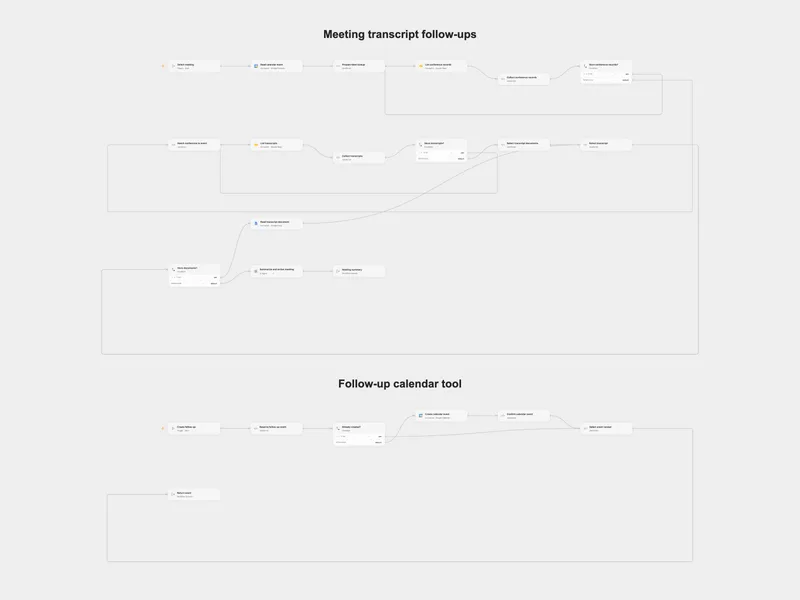
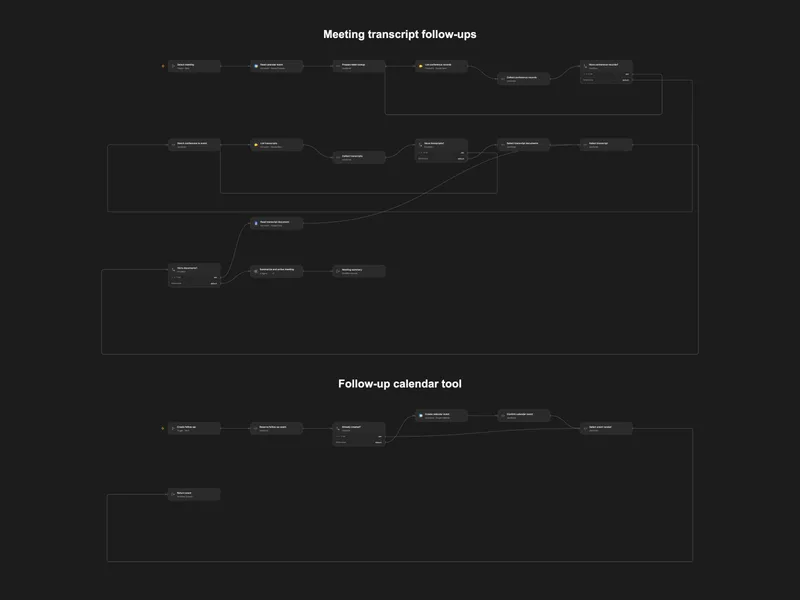
Action Meeting Transcript Follow-ups
Summarize a Google Meet transcript and schedule agreed follow-up meetings.
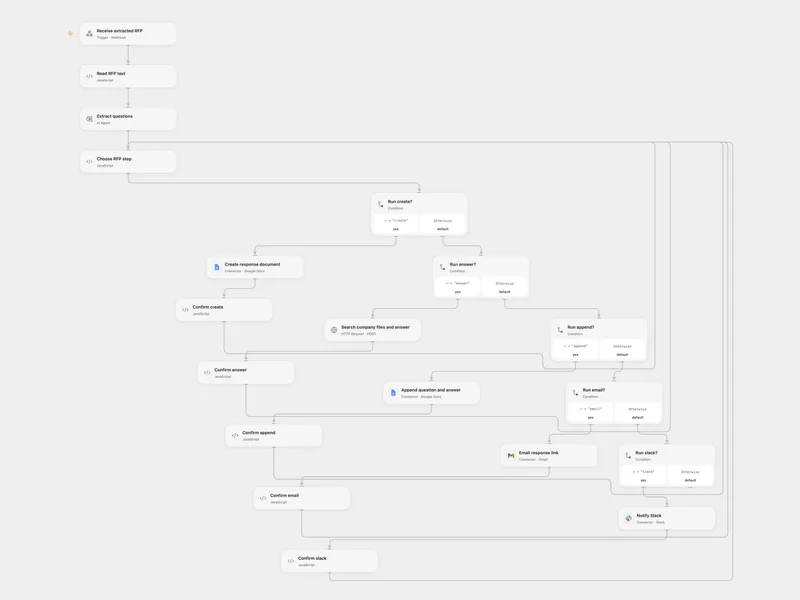
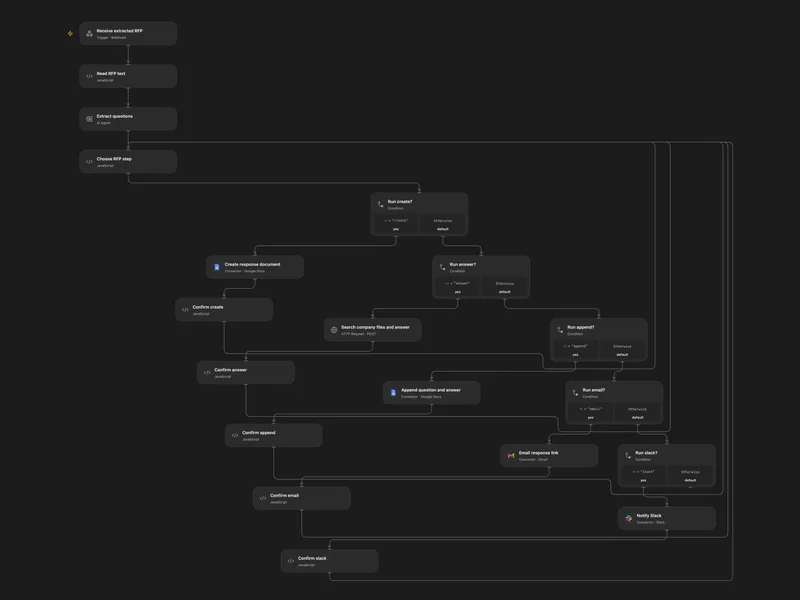
Draft RFP Responses with Company Knowledge
Extract RFP questions, draft answers from company files, and notify the team.
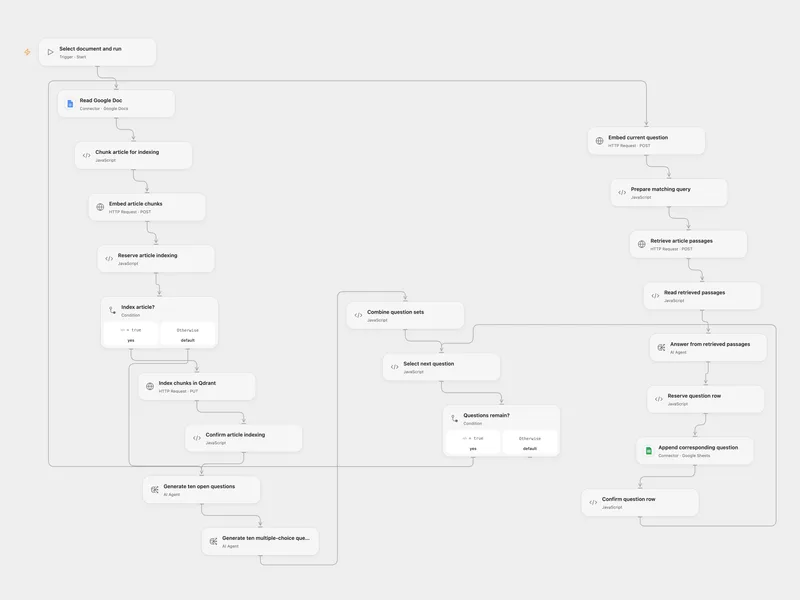
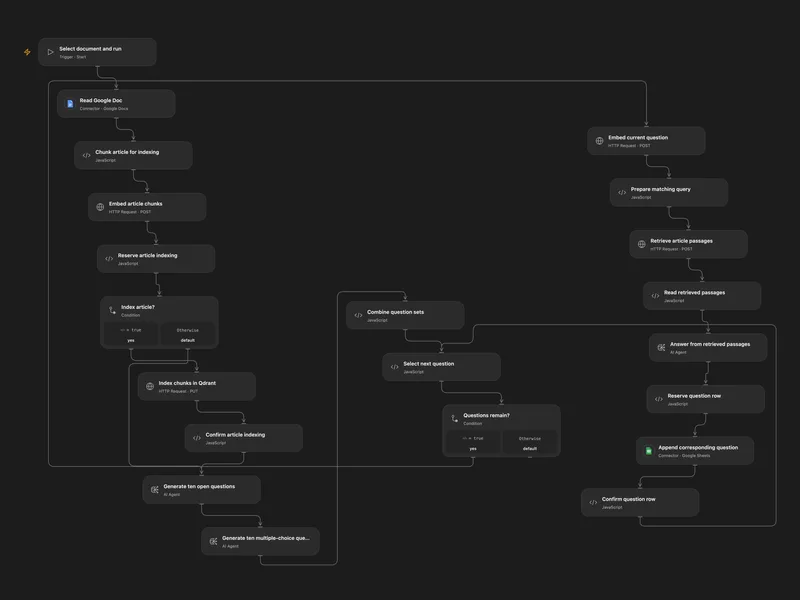
Generate Exam Questions from Google Docs
Index a Google Doc, generate open and multiple-choice questions, and write grounded answers to two sheets.
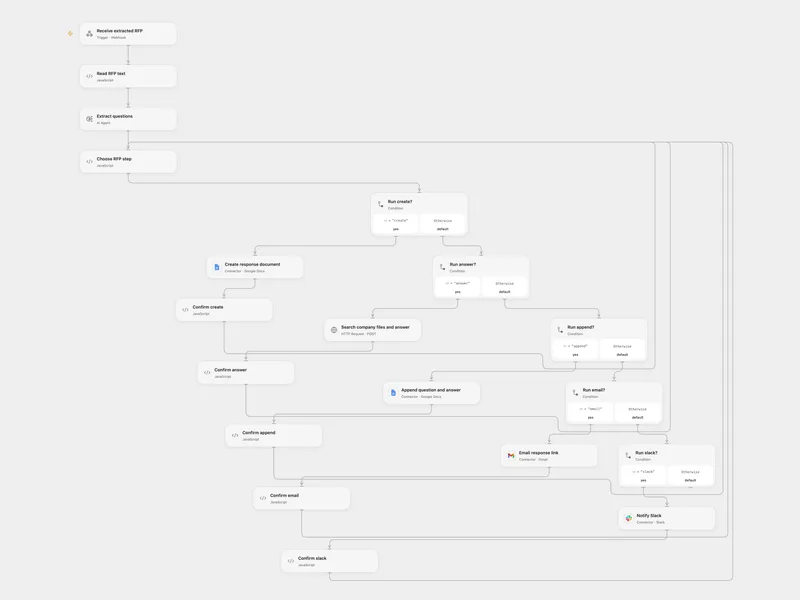
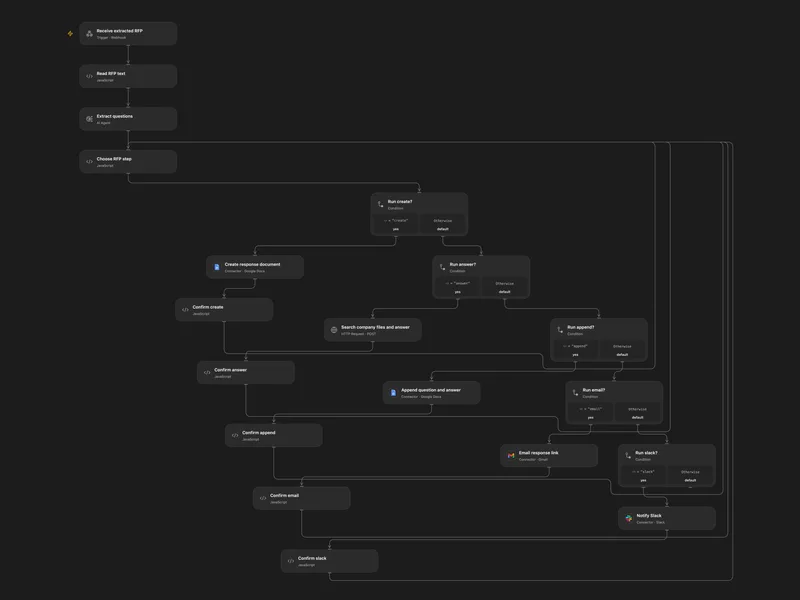
Answer RFP Questions with Company Files
Extract RFP questions, draft answers from company files, and notify the team.
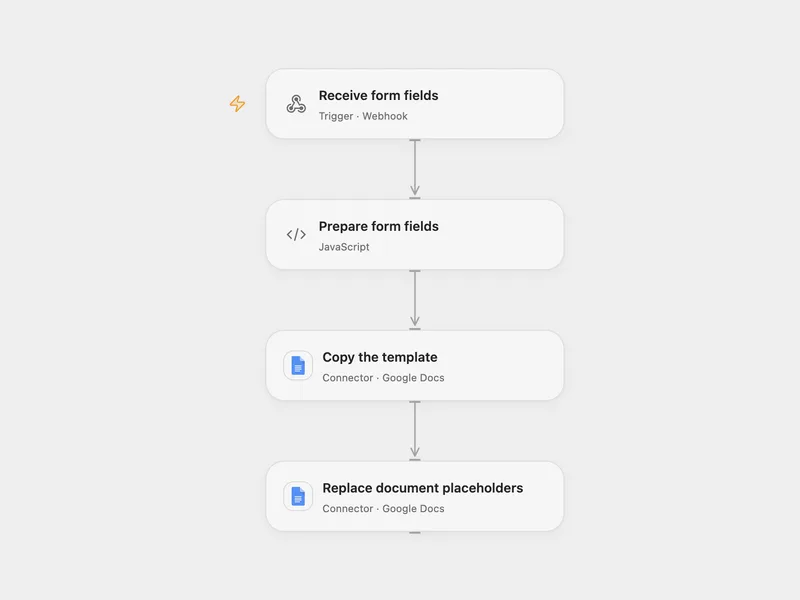
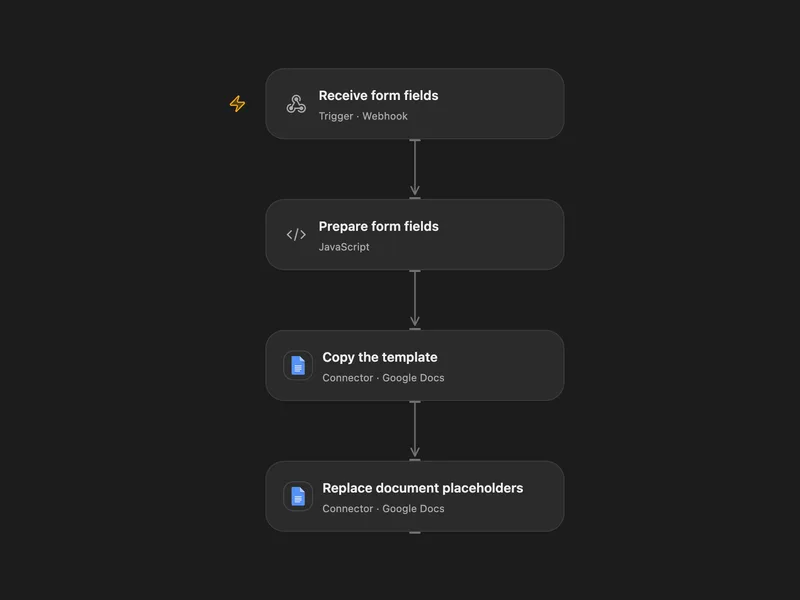
Create a Google Doc from Form Fields
Copy a Google Docs template and replace placeholders with submitted fields.
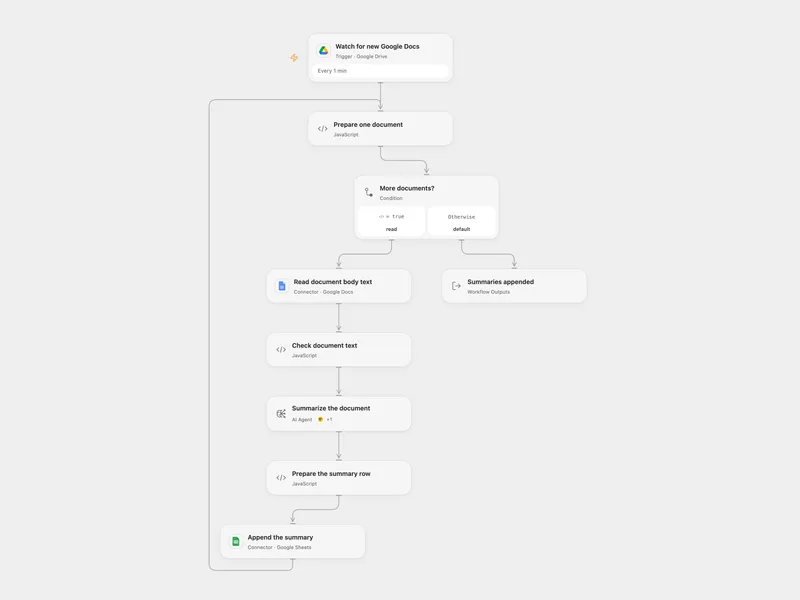
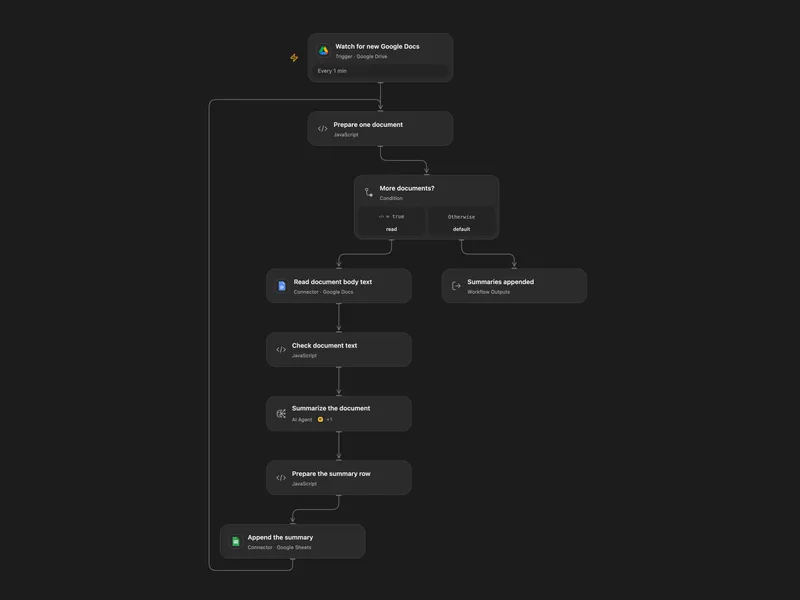
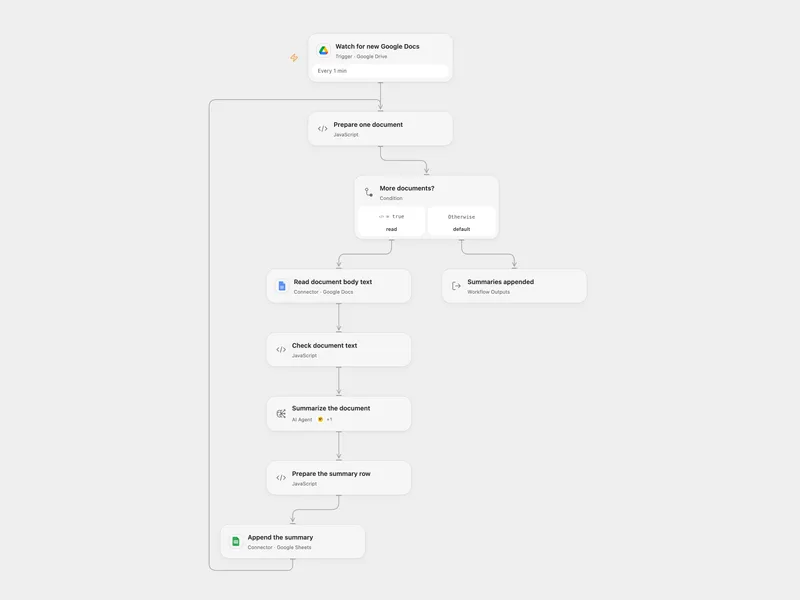
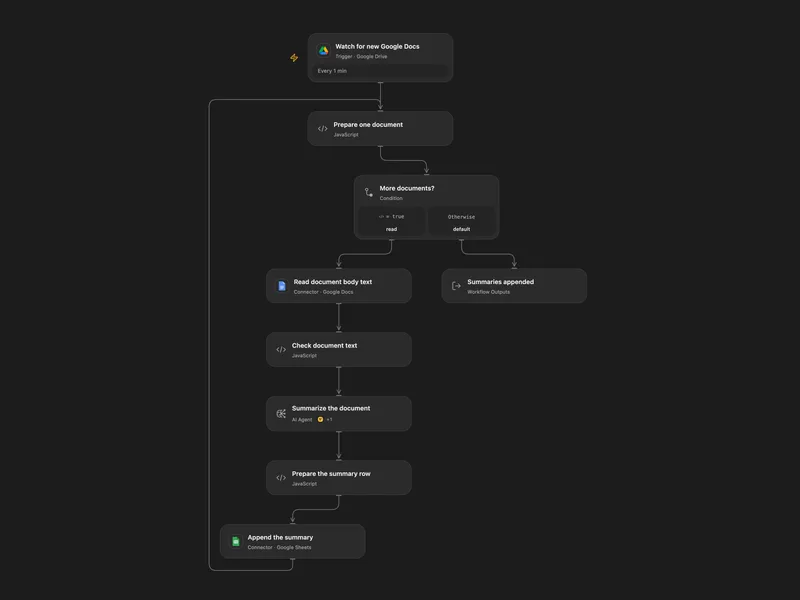
Summarize New Google Docs to Sheets
Summarize new Google Docs in a Drive folder and append each summary with its last editor to Sheets.
所有工具
Copy Document
Copy an existing Google Docs document through Google Drive. If `title` is omitted, Google assigns the default copied-document title.
googledocs.copy_documentCreate Document
Create a Google Docs document and optionally insert initial text at the beginning. Returns document metadata without the full body content.
googledocs.create_documentCreate Document2
Create a blank Google Docs document. This legacy compatibility action is the no-initial-text variant of `create_document`.
googledocs.create_document2Create Footer
Create a footer in a Google Docs document, optionally targeting a specific section break location.
googledocs.create_footerCreate Footnote
Create a footnote in a Google Docs document at a specific location or at the end of a segment.
googledocs.create_footnoteCreate Header
Create a header in a Google Docs document and optionally insert initial text. You can also target a specific section break location.
googledocs.create_headerCreate Named Range
Create a named range over a specific span in a Google Docs document so it can be referenced later by name or ID.
googledocs.create_named_rangeCreate Paragraph Bullets
Add bullets to paragraphs within a specified range in a Google Docs document.
googledocs.create_paragraph_bulletsDelete Content Range
Delete a content range from a Google Docs document. The trailing newline at the end of each segment cannot be removed.
googledocs.delete_content_rangeDelete Footer
Delete a footer from a Google Docs document, including a section-specific footer when applicable.
googledocs.delete_footerDelete Header
Delete a header from a Google Docs document, including a section-specific header when applicable.
googledocs.delete_headerDelete Named Range
Delete a named range from a Google Docs document using a payload that identifies the range by ID or name.
googledocs.delete_named_rangeDelete Paragraph Bullets
Remove bullets from paragraphs within a specified range in a Google Docs document.
googledocs.delete_paragraph_bulletsDelete Table Column
Delete one or more table columns from a Google Docs document.
googledocs.delete_table_columnDelete Table Row
Delete a table row from a Google Docs document.
googledocs.delete_table_rowExport Document As Pdf
Export a Google Docs file as a PDF through Google Drive. Google Drive limits export content to roughly 10 MB.
googledocs.export_document_as_pdfGet Document By Id
Retrieve a Google Docs document by ID. Use `include_tabs_content` when you need tab content in the response.
googledocs.get_document_by_idGet Document Plaintext
Retrieve a Google Docs document and render it as best-effort plain text. This flattens paragraphs, lists, tables, and optional headers, footers, or footnotes.
googledocs.get_document_plaintextInsert Inline Image
Insert an inline image from a URI at a specified location in a Google Docs document.
googledocs.insert_inline_imageInsert Page Break
Insert a page break at a specified location in a Google Docs document.
googledocs.insert_page_breakInsert Table Action
Insert a table at a specific index or at the end of a segment in a Google Docs document.
googledocs.insert_table_actionInsert Table Column
Insert one or more table columns at a specified location in a Google Docs document.
googledocs.insert_table_columnInsert Text Action
Insert text at a specific index or append it to the end of a Google Docs document. When inserting by index, the position must be inside an existing paragraph.
googledocs.insert_text_actionList Spreadsheet Charts
List chart metadata from a Google Sheets spreadsheet so charts can be referenced or embedded elsewhere, including in Google Docs.
googledocs.list_spreadsheet_chartsReplace All Text
Replace all matching text in a Google Docs document. Supports case-sensitive and regex-based matching.
googledocs.replace_all_textReplace Image
Replace an existing image in a Google Docs document with a new image from a URI.
googledocs.replace_imageSearch Documents
Search Google Docs files with filters such as query text, dates, starred state, trash state, or shared-drive visibility.
googledocs.search_documentsUnmerge Table Cells
Unmerge previously merged table cells in a Google Docs document.
googledocs.unmerge_table_cellsUpdate Document Batch
Apply raw Docs `batchUpdate` requests to a Google Docs document. This is the lower-level compatibility action for direct request arrays.
googledocs.update_document_batchUpdate Document Style
Update global document style settings such as page size, margins, or text direction in a Google Docs document.
googledocs.update_document_styleUpdate Existing Document
Apply one or more programmatic edits to an existing Google Docs document through `batchUpdate`. Use this for structured insert, delete, or formatting changes.
googledocs.update_existing_documentUpdate Table Row Style
Update the style of a table row in a Google Docs document, such as row height or header formatting.
googledocs.update_table_row_style沒有符合搜尋條件的工具。
將 Google Docs 連接至 Open Flow
每月 20,000 次免費應用程式呼叫(付費服務另計)