リサーチ
Analyze Daily Papers in Notion
Analyze daily paper abstracts and save new papers to a Notion data source.
ワークフローをダウンロード
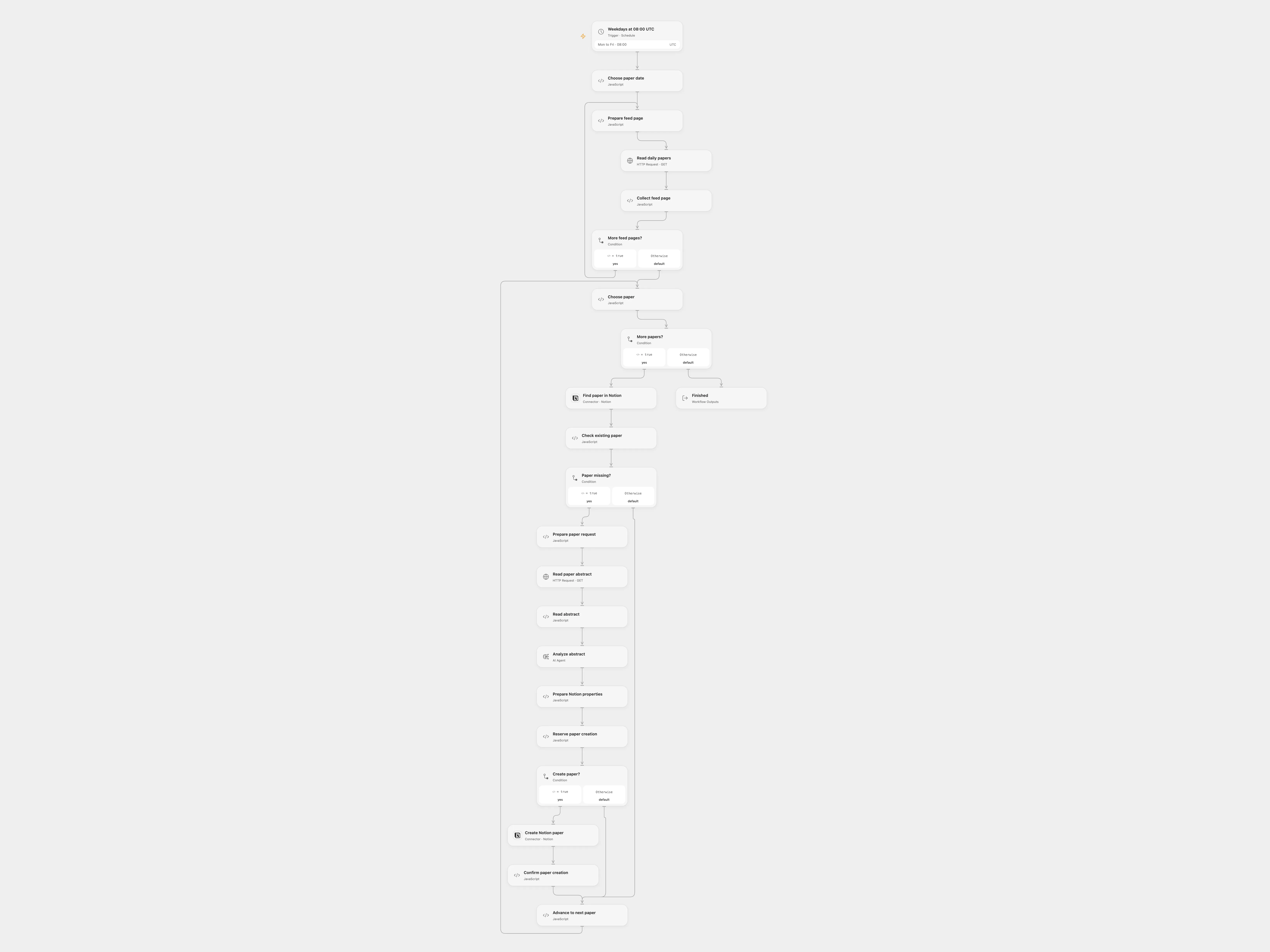
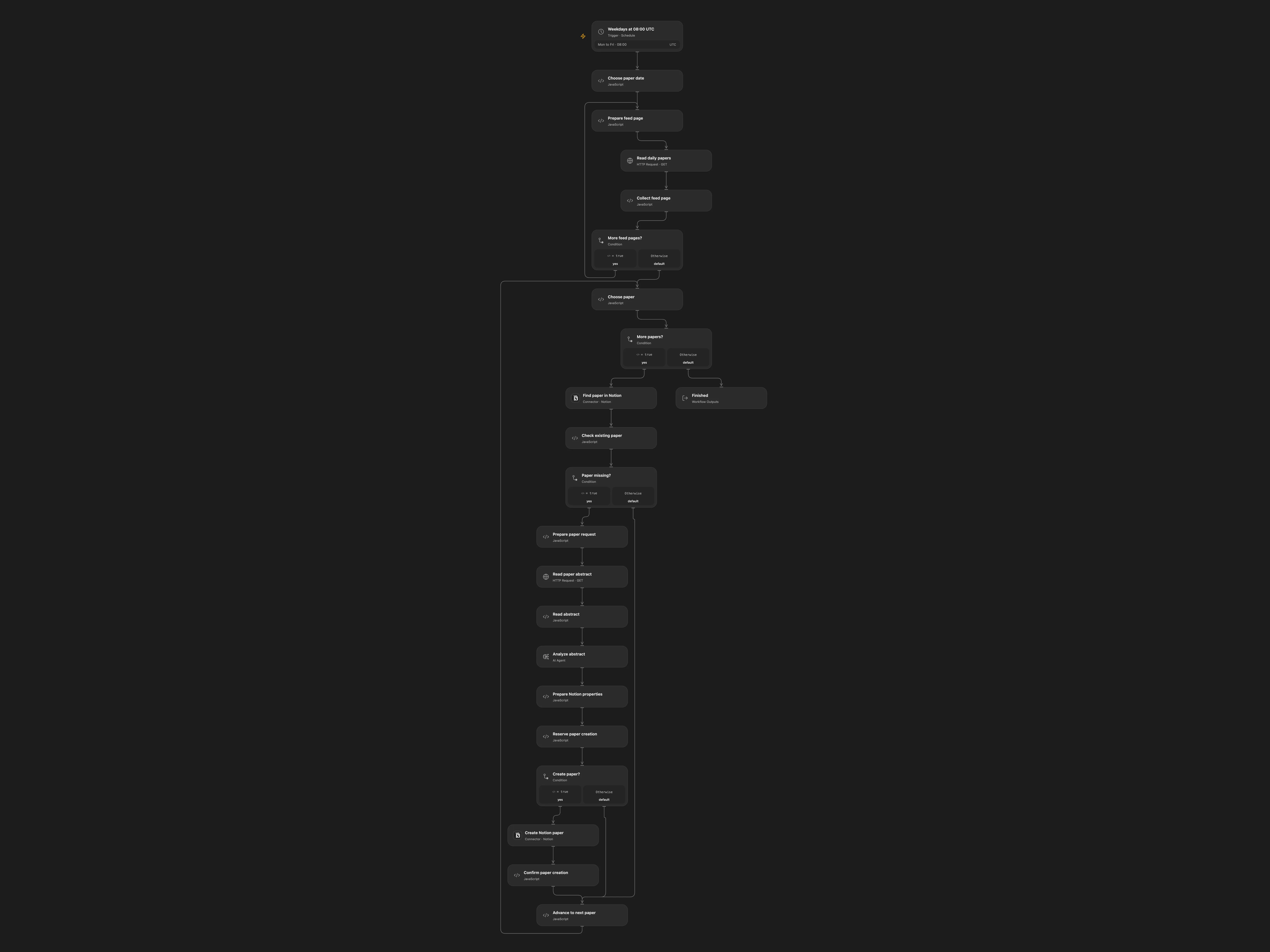
Analyze daily paper abstracts and save new papers to a Notion data source.
Setup
Connect Notion and configure the same data source ID in Find paper in Notion and Prepare Notion properties. Create properties URL (URL), title (title), abstract, Classification, Technical_Details, Data_and_Results, keywords and Core Introduction (rich text), and scrap-date (date). Configure the model and enable persistent State.
Behavior
At 08:00 UTC on weekdays, read the previous calendar day’s Hugging Face Daily Papers. Monday reads Sunday. Existing URLs are skipped. Each new abstract is analyzed and stored with the paper URL, title, abstract, date and analysis. Models may invent or omit details; review results. The abstract is sent to the selected model.
If a Notion creation has an unknown result, inspect the database. Resolve the pending key in Reserve paper creation as confirmed or absent before rerunning; do not run overlapping executions.
In n8n
In n8n configure the same database, OpenAI and a Data Table with text columns item_key and status for pending writes. In n8n, inspect the pending row and the database; mark the row done if the page exists, or delete it only after confirming that no page was created.
Inspiration & credits
Changes to the source
Use structured Hugging Face APIs, paginate daily results and track uncertain Notion creates.
Adapted from Analyse papers from Hugging Face with AI and store them in Notion in enescingoz/awesome-n8n-templates.
Source collection notice: © 2024–2026 Enes Cingoz, CC BY 4.0. The source export does not identify a separate template author or license. See repository licensing for the scope of OOMOL contributions and third-party material.