Notion を Open Flow に接続
Ask AI to find workspace pages, extract the important details, and turn your notes into organized documents.
毎月 20,000 回のアプリ呼び出しが無料(有料サービスは別途課金)
アプリの説明と操作の詳細は英語で表示されます。
できること
Use Notion pages, databases, and comments as sources and destinations for AI tasks. Access is limited to content shared with the connection.
Find and Read Pages
Search accessible pages and read their content as Markdown for summaries and reference checks.
Create and Edit Content
Create pages, update their text, or append blocks to existing documents.
Work with Databases
Query data sources with filters and sorting, create records, and update page properties.
Read and Add Comments
Read unresolved comments or add comments to pages with the required integration permissions.
Notion を使うテンプレート
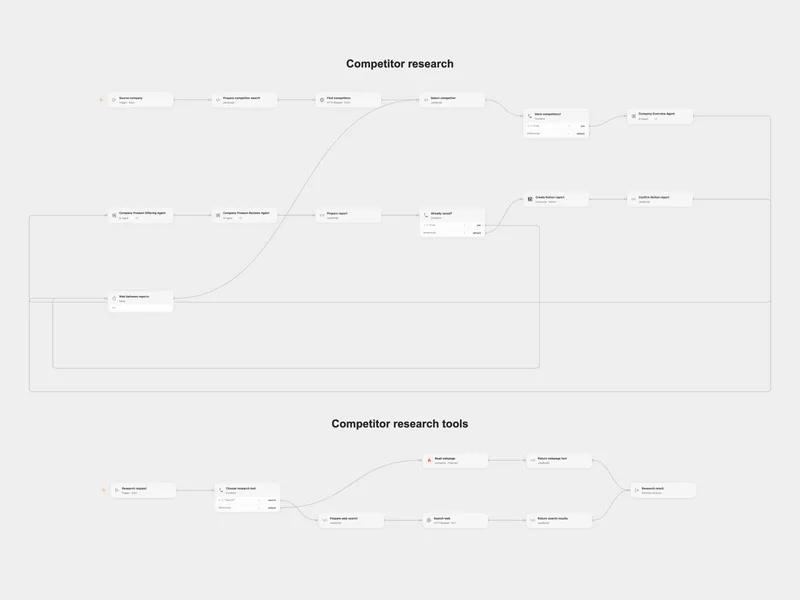
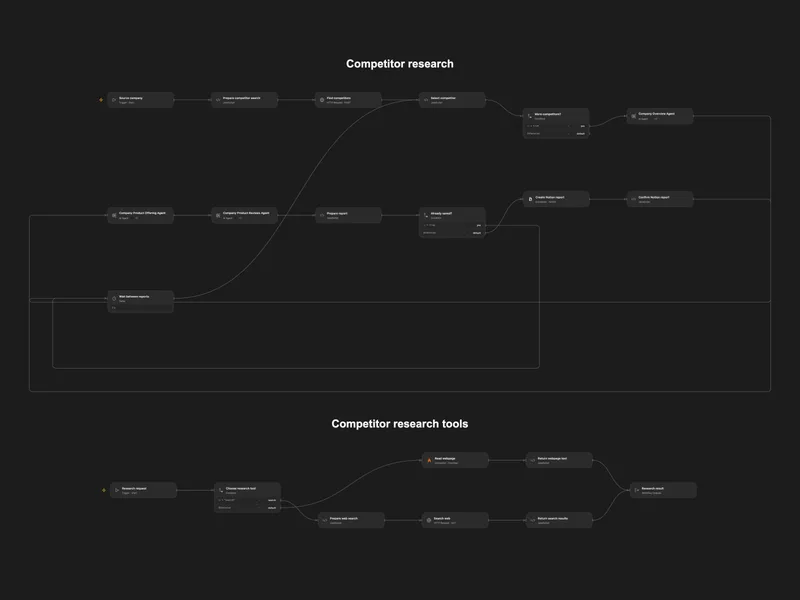
Research Competitors into Notion
Find competitors and research their company, products, and reviews in Notion.
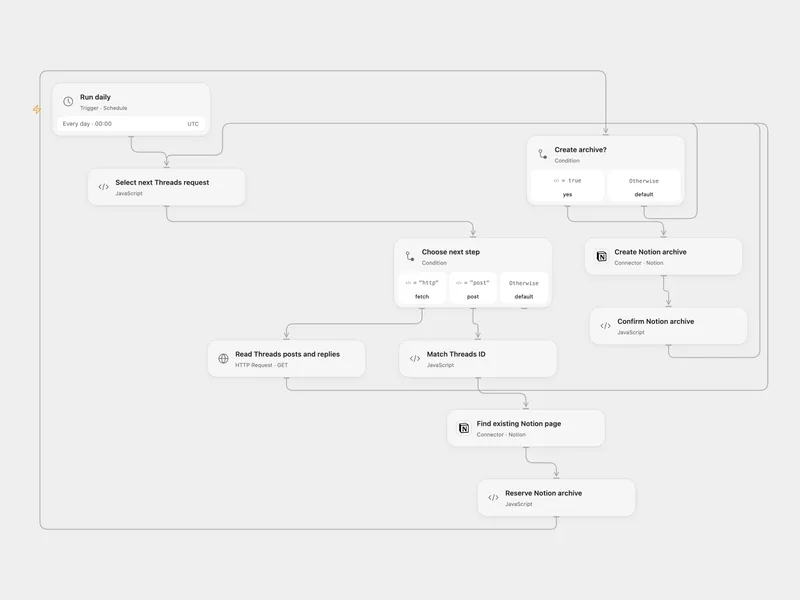
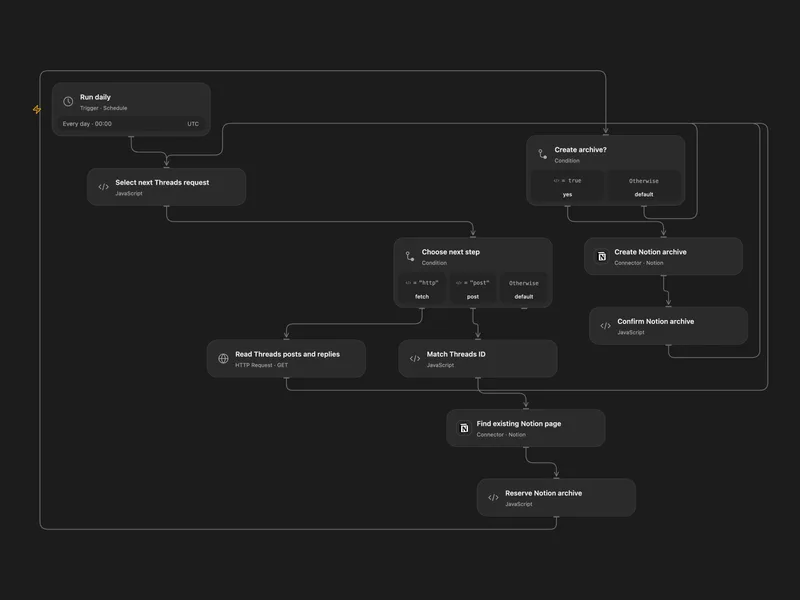
Archive Threads Posts to Notion
Archive recent Threads posts and your replies as Notion pages.
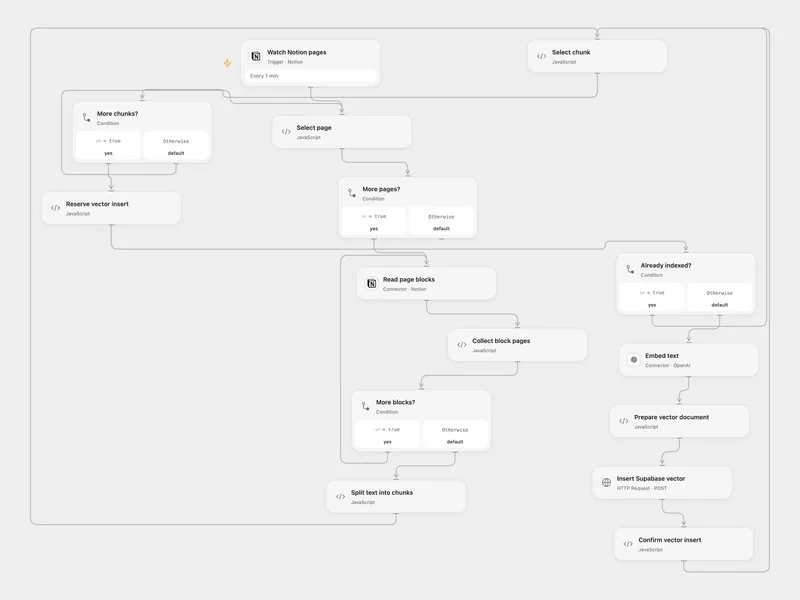
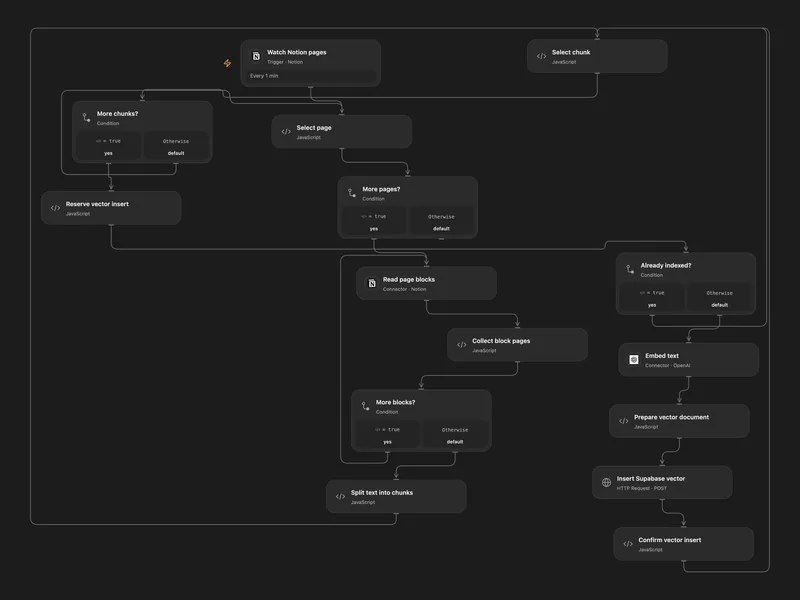
Index Notion Pages in Supabase
Embed newly added Notion page text and store chunks in a Supabase vector table.
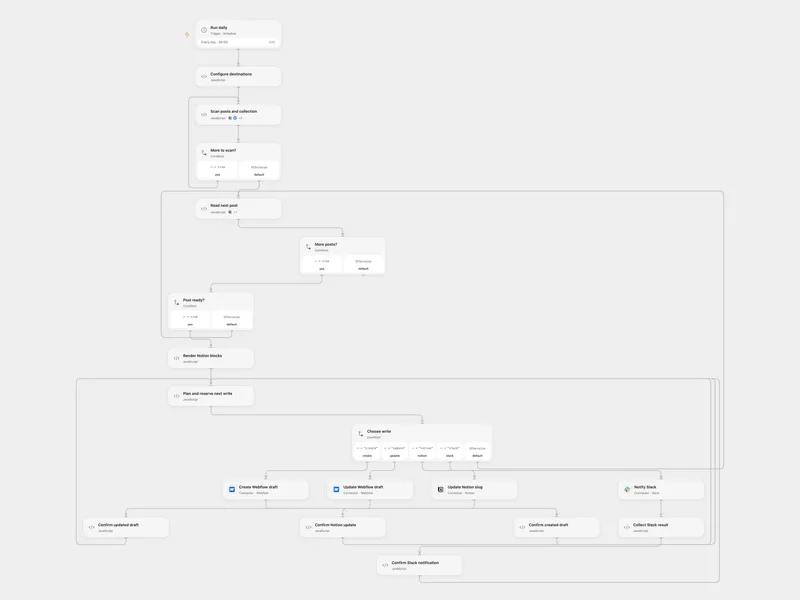
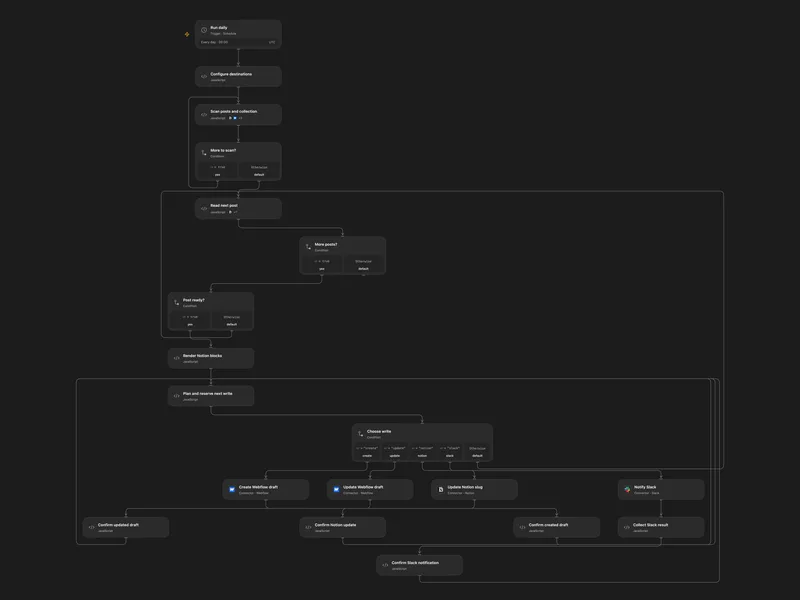
Sync Notion Blog Posts to Webflow
Sync selected Notion posts as Webflow drafts and notify Slack.
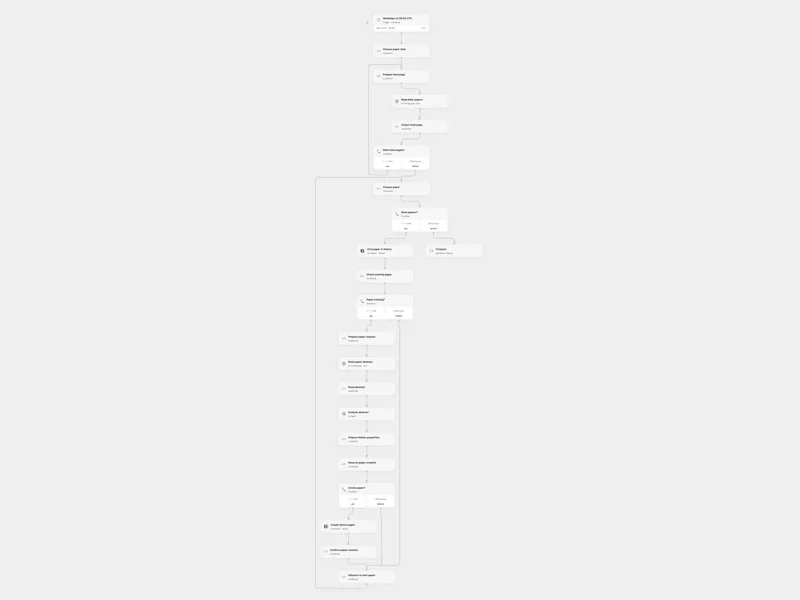
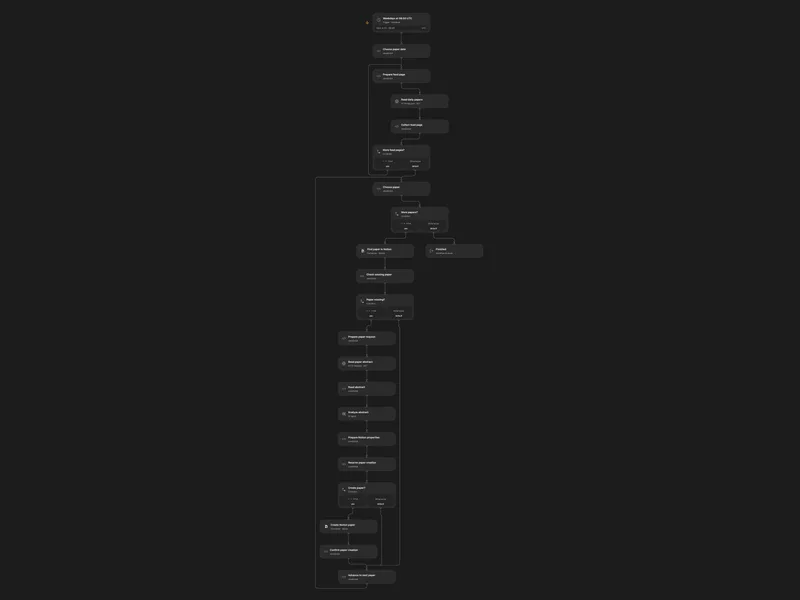
Analyze Daily Papers in Notion
Analyze daily paper abstracts and save new papers to a Notion data source.
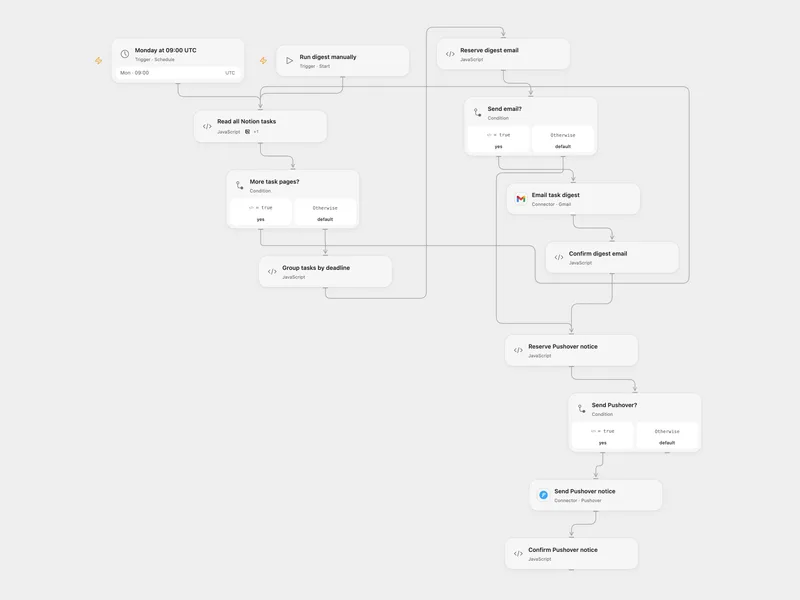
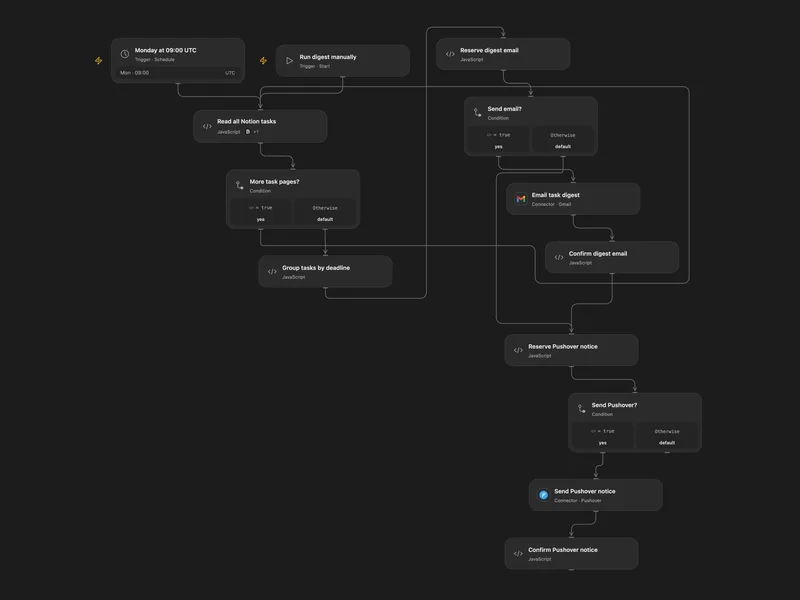
Weekly Notion Task Deadline Digest
Email overdue and upcoming Notion tasks and send a Pushover notification each week.
その他のテンプレート(17 件)
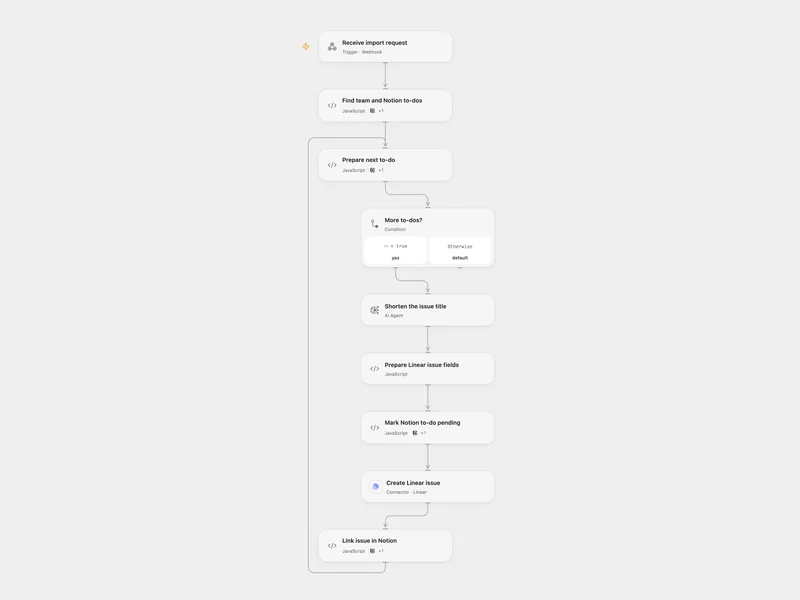
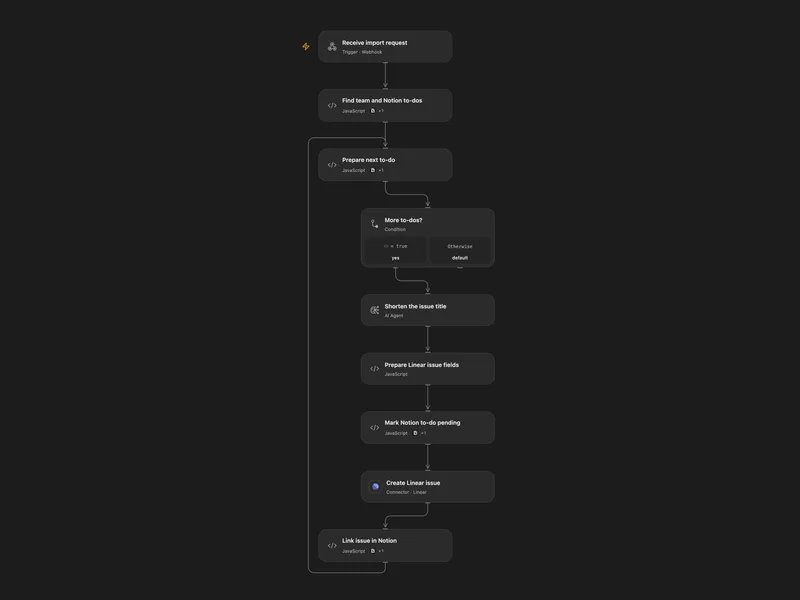
Import Notion To-Dos into Linear
Create Linear issues from unchecked Notion to-dos, including their nested contents, and add issue links back.
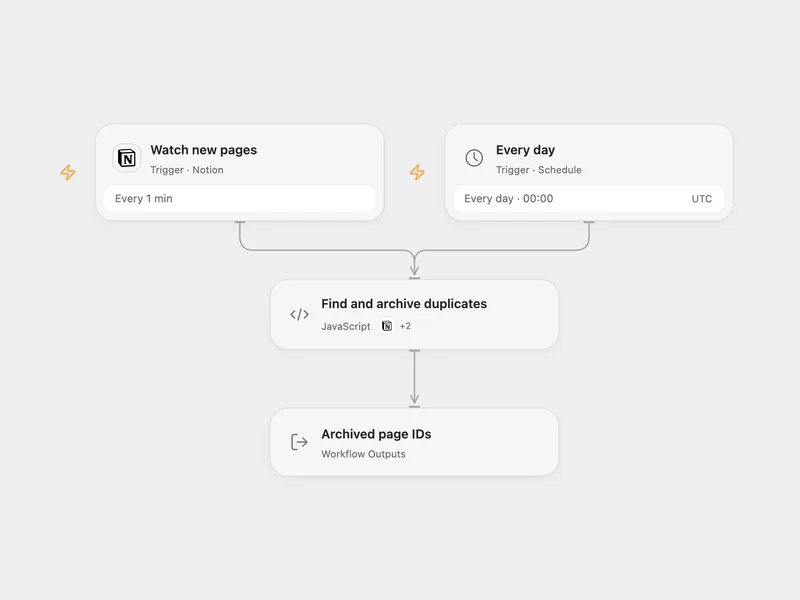
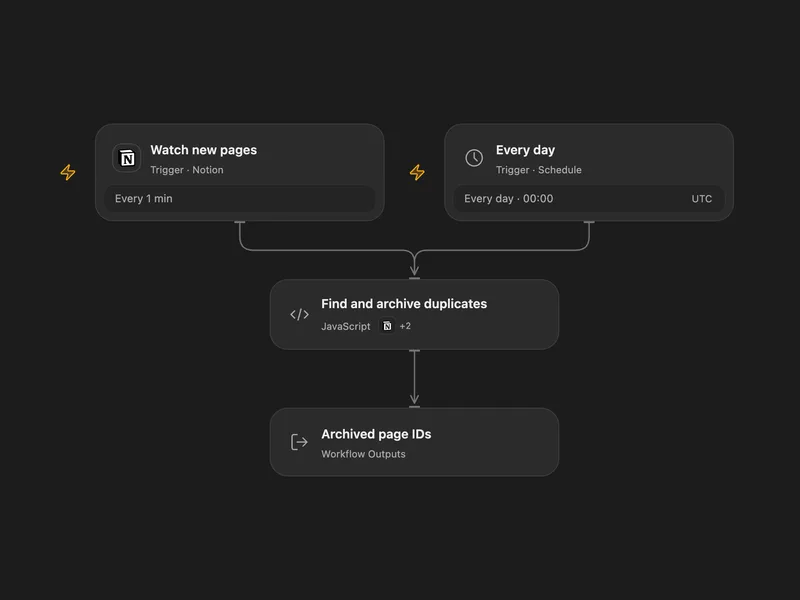
Archive Duplicate Notion Pages
Archive extra Notion database pages with the same text property.
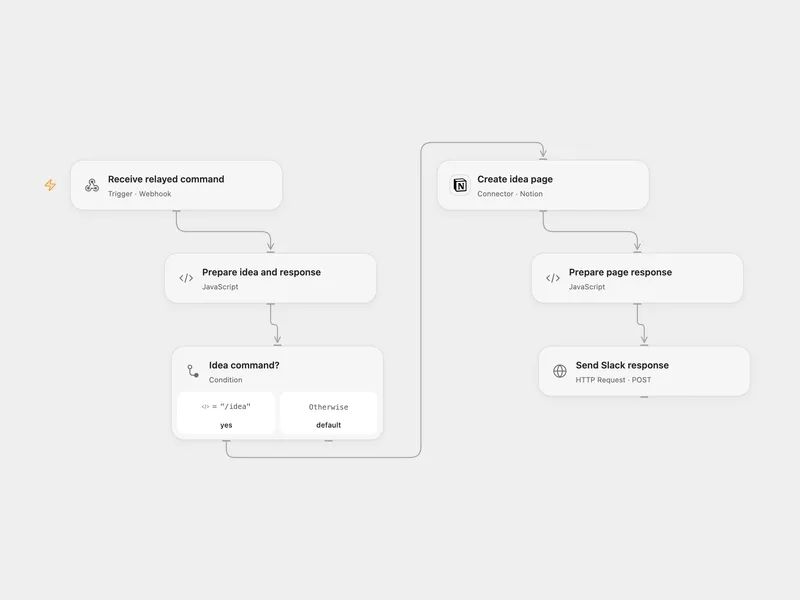
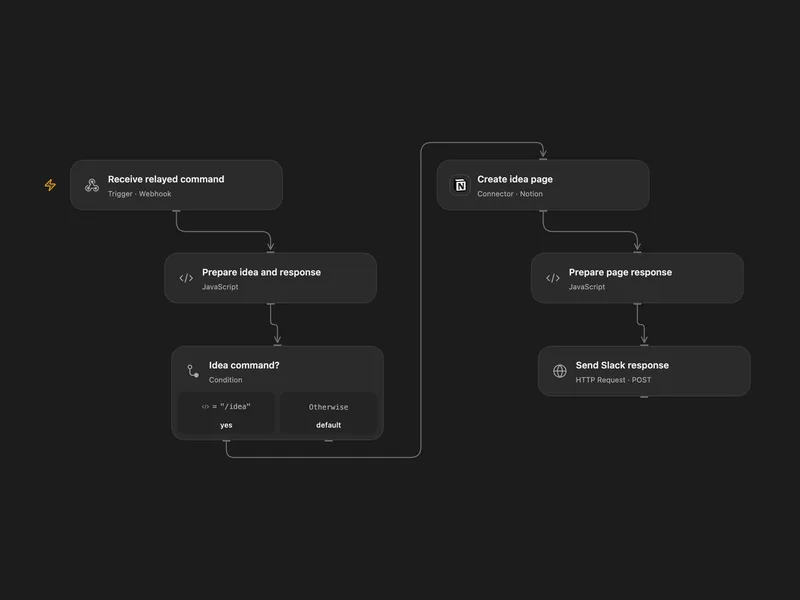
Save Slack Ideas to Notion
Create a Notion idea page from a Slack slash command and reply with a details link.
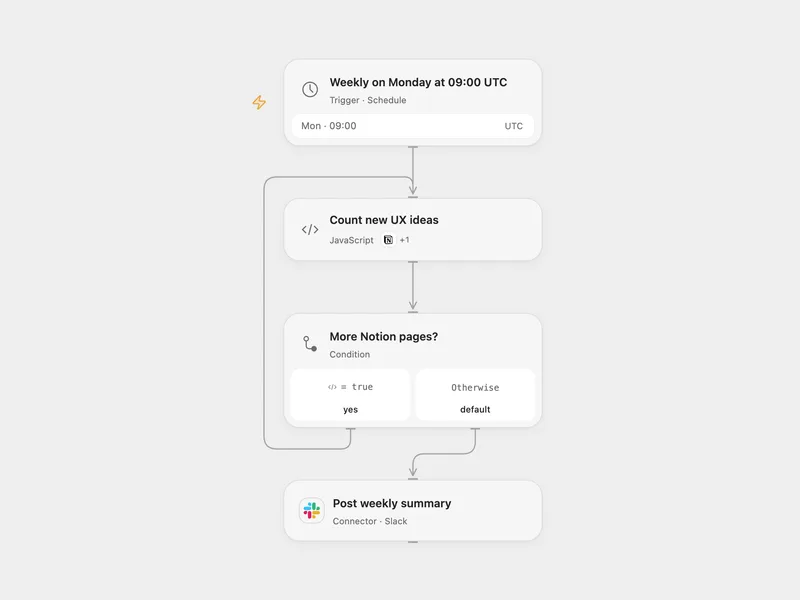
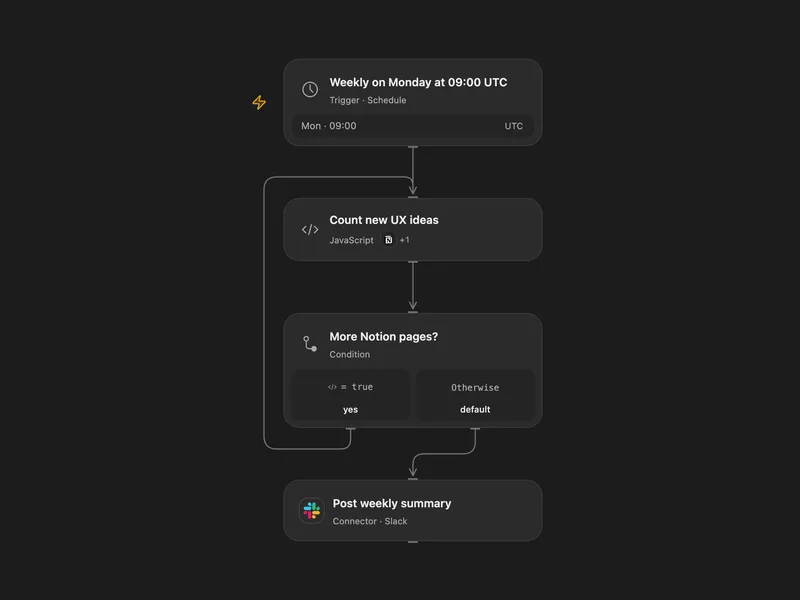
Weekly Notion UX Ideas to Slack
Count new UX ideas in a Notion data source and post a weekly Slack summary.
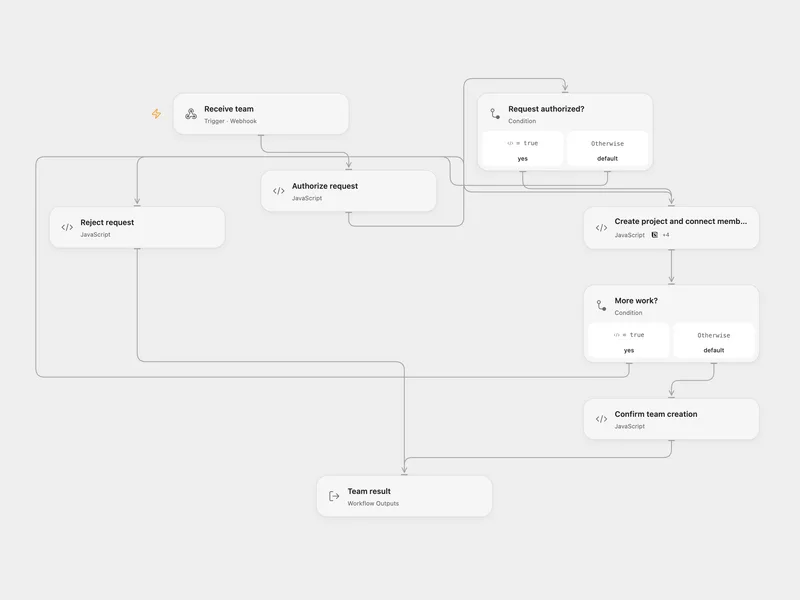
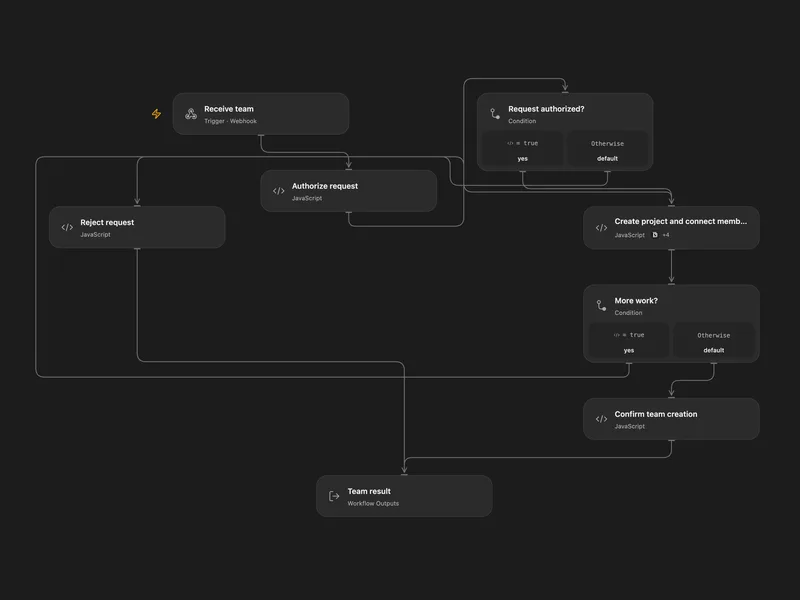
Create a Notion Project and Enroll a Team
Create a semester project and connect each team member to the project and current semester in Notion.
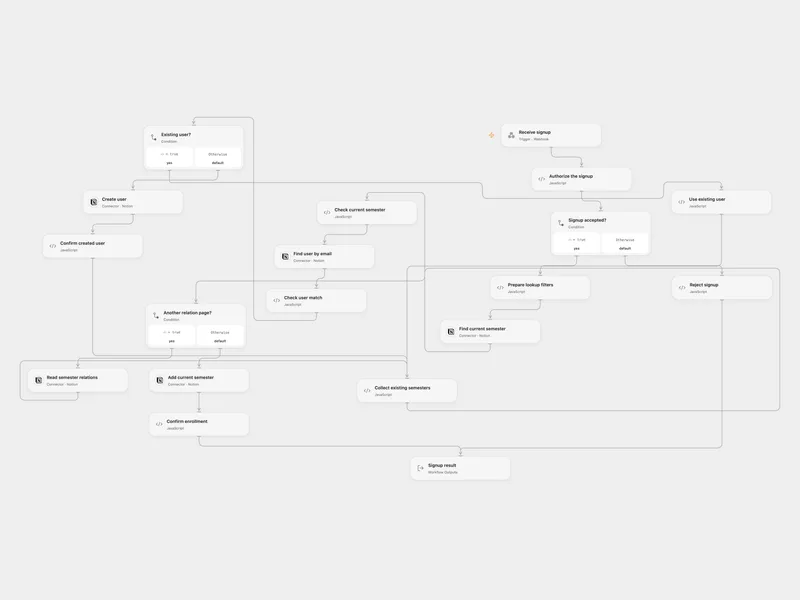
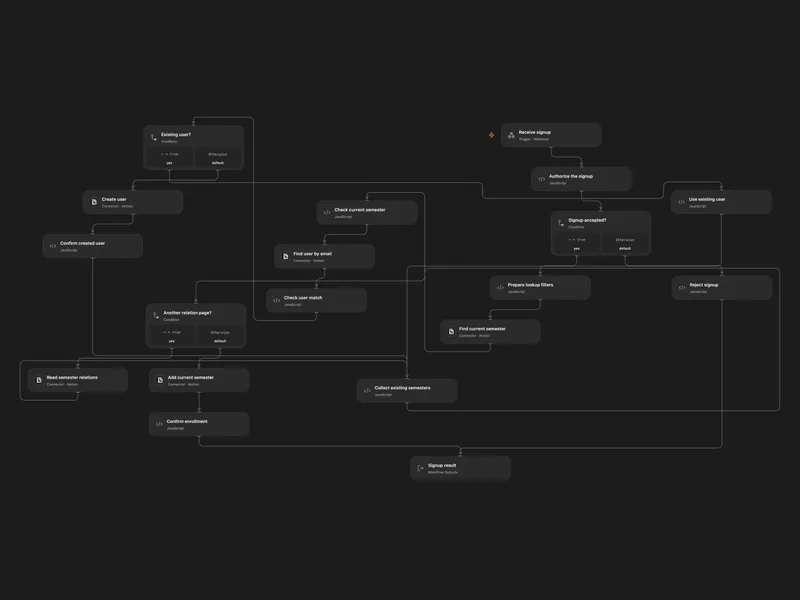
Enroll Webhook Signups in the Current Notion Semester
Find or create a Notion user and add the current semester without removing existing relations.
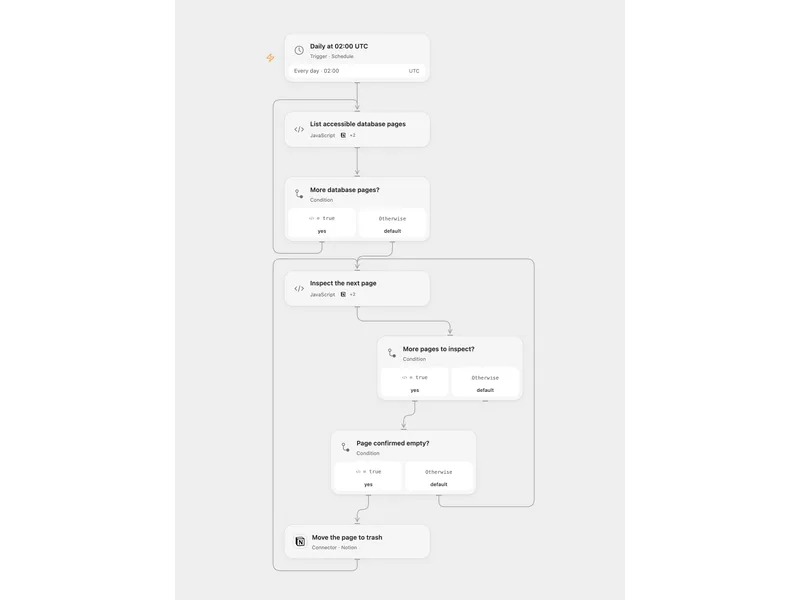
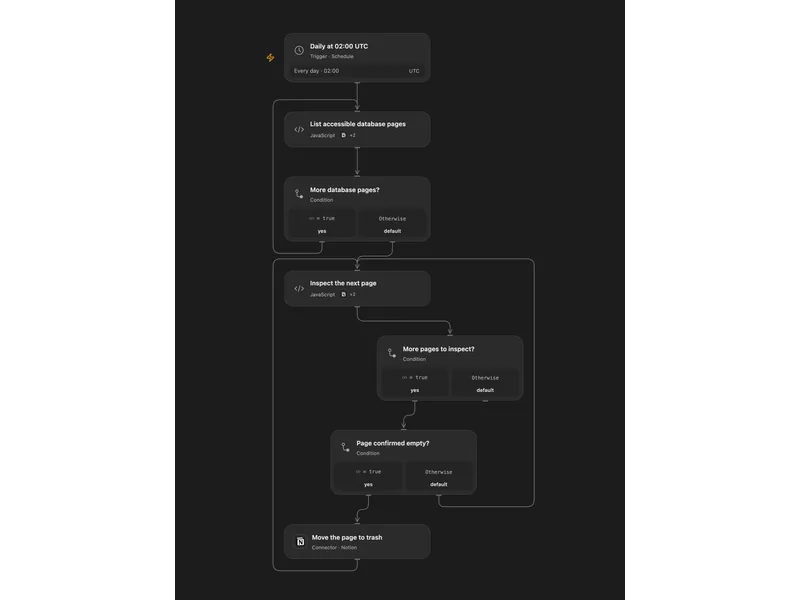
Archive Empty Notion Database Pages
Find database pages with empty properties and empty paragraph content and move them to the Notion trash.
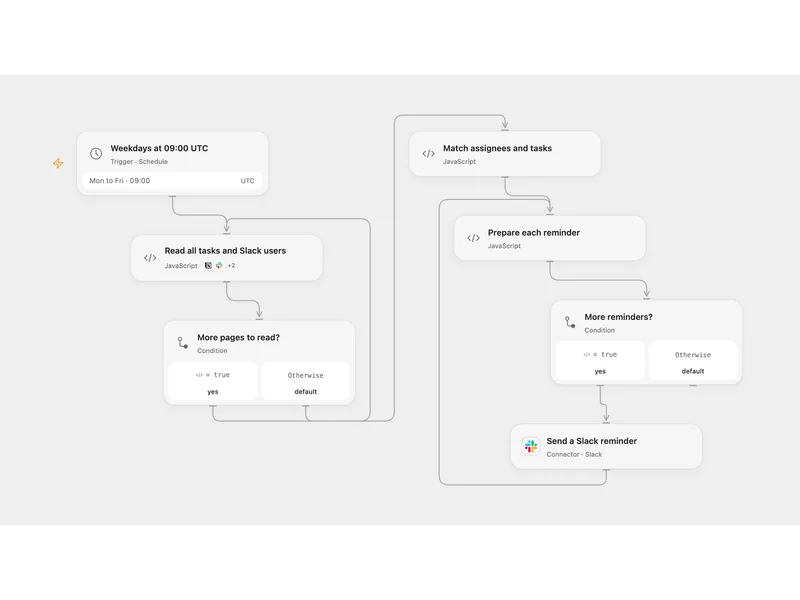
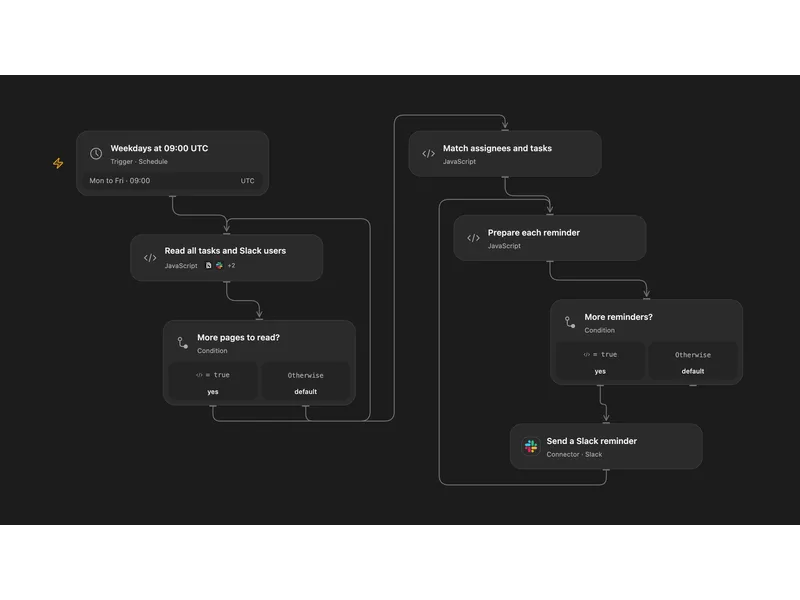
Remind Notion Assignees in Slack
Send weekday Slack reminders for incomplete Notion database tasks assigned to two configured people.
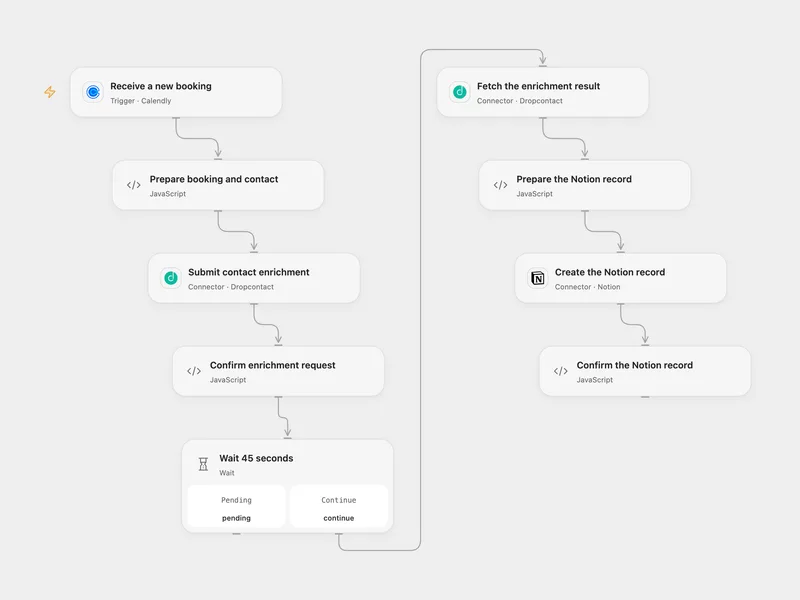
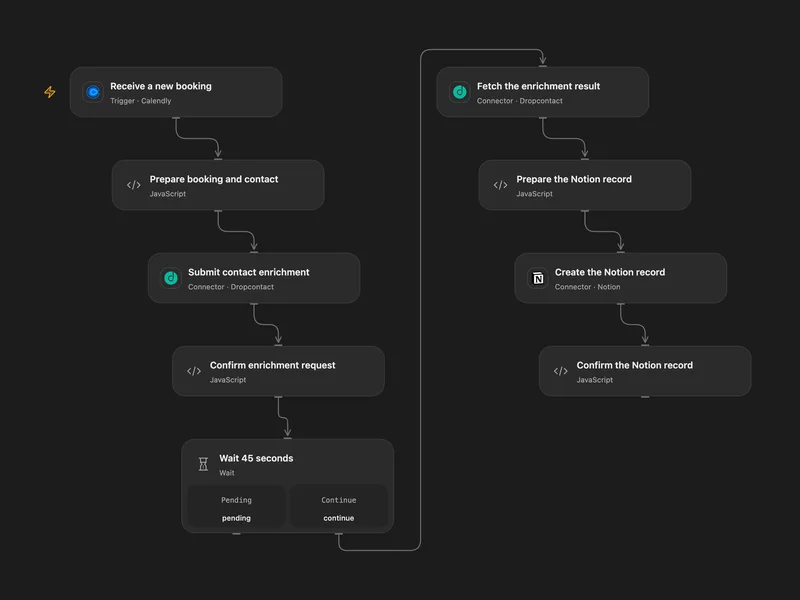
Enrich Calendly Bookings in Notion
Enrich each new Calendly invitee and save the booking and contact details in Notion.
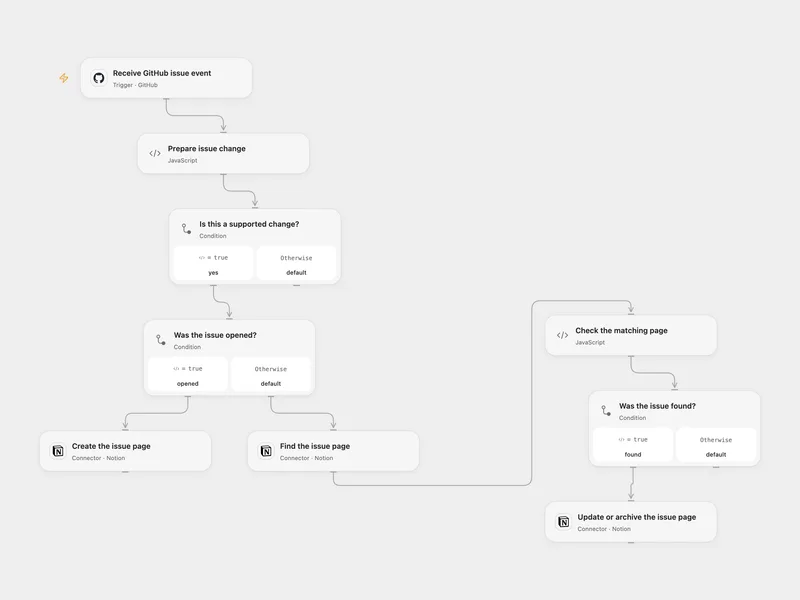
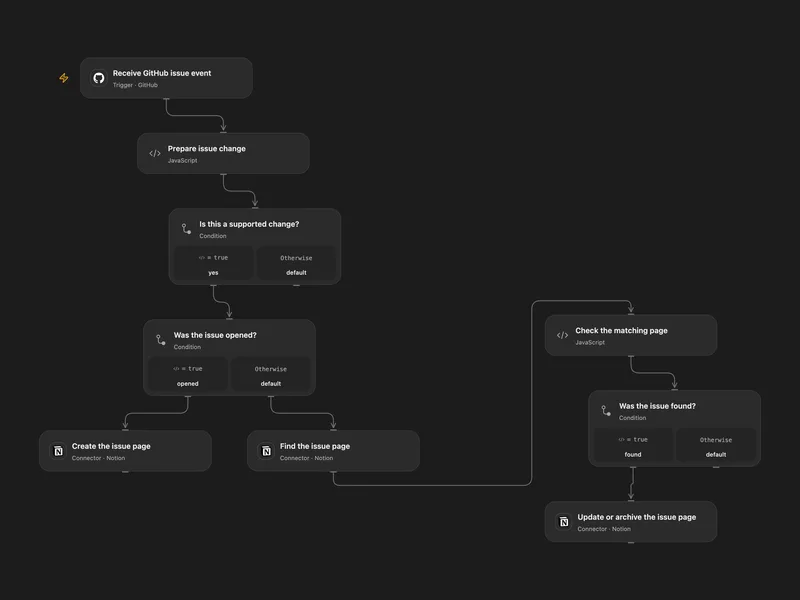
Sync GitHub Issues to a Notion Database
Keep a Notion database updated when GitHub issues are opened, edited, closed, reopened or deleted.
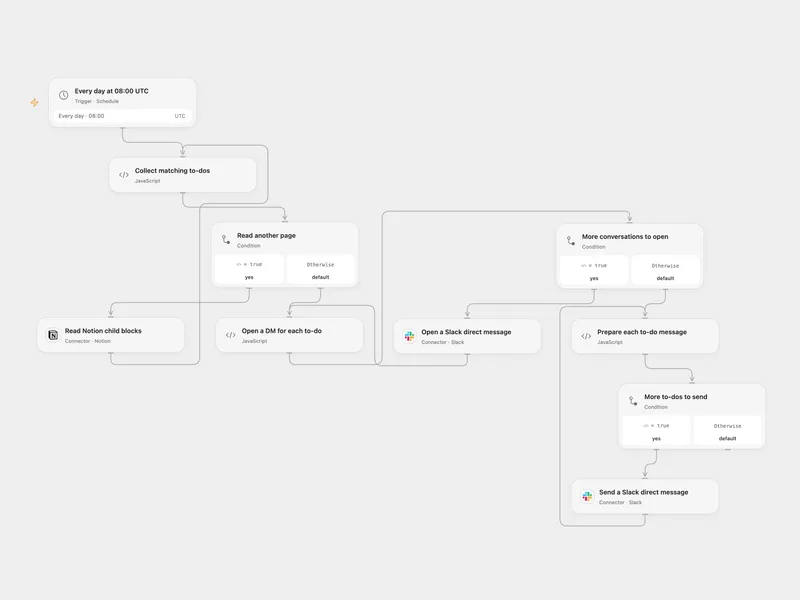
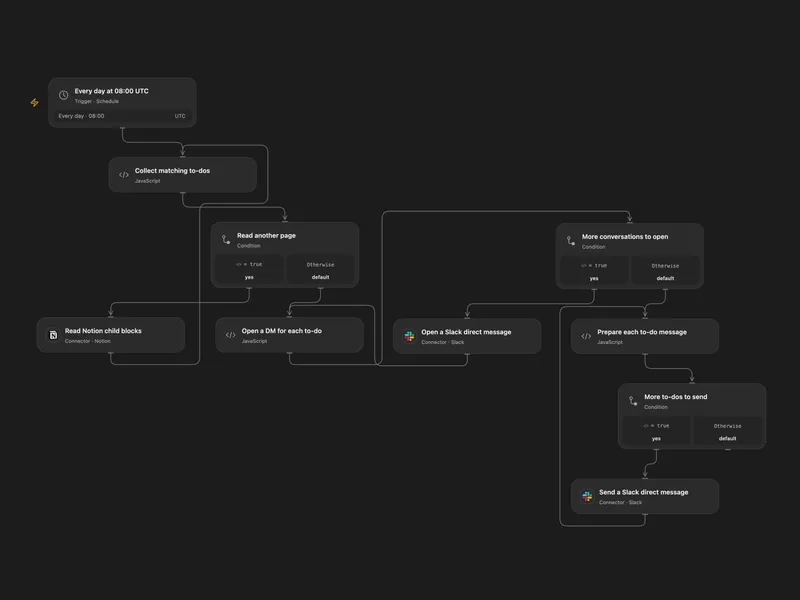
Notion Mentioned To-Dos to Slack DM
Send a daily Slack direct message for each unchecked Notion to-do mentioning a selected user.
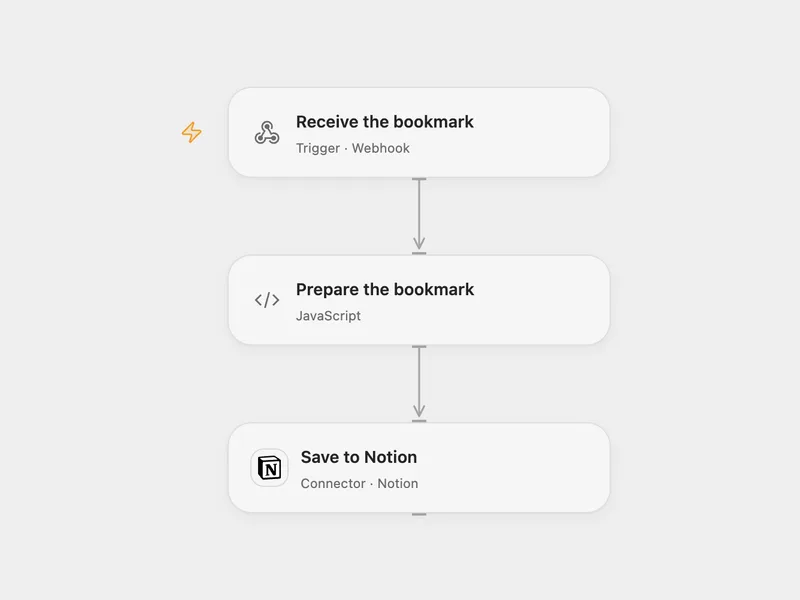
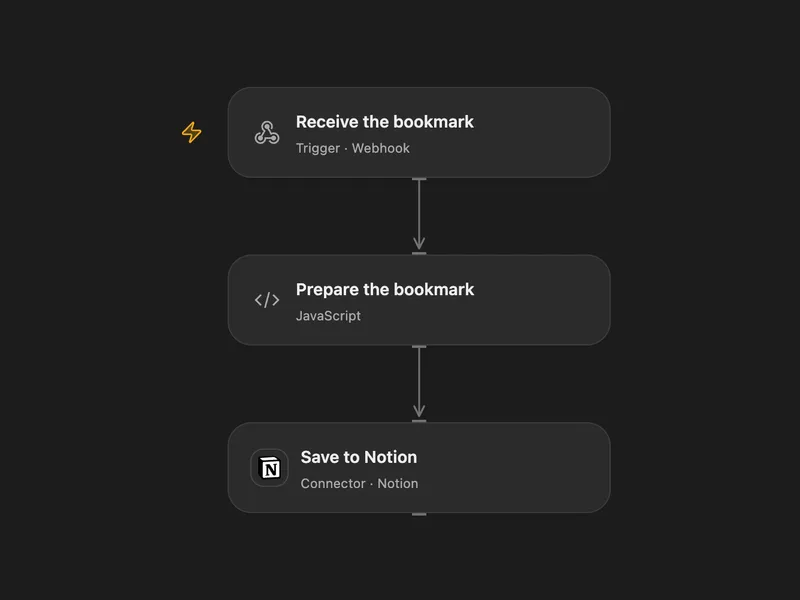
Save a Browser Bookmark to Notion
Send the current browser page URL to a webhook and save it as a Notion database page.
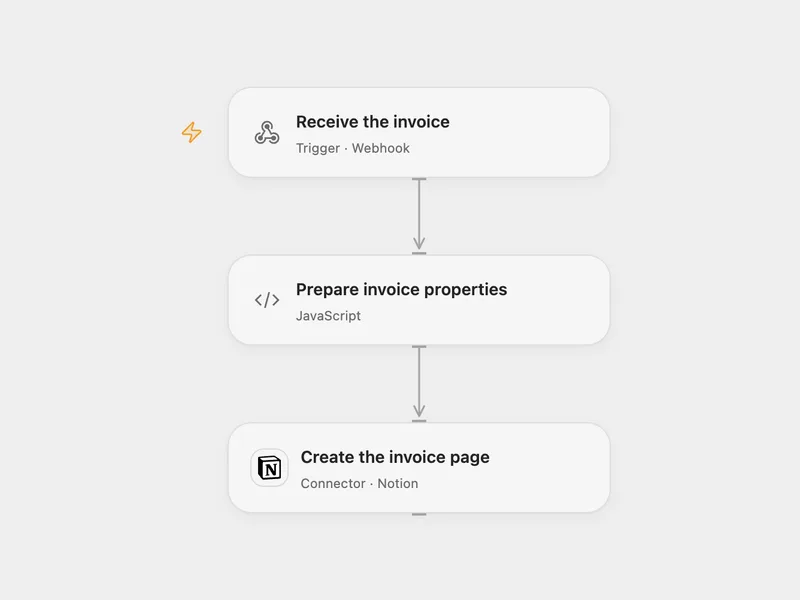
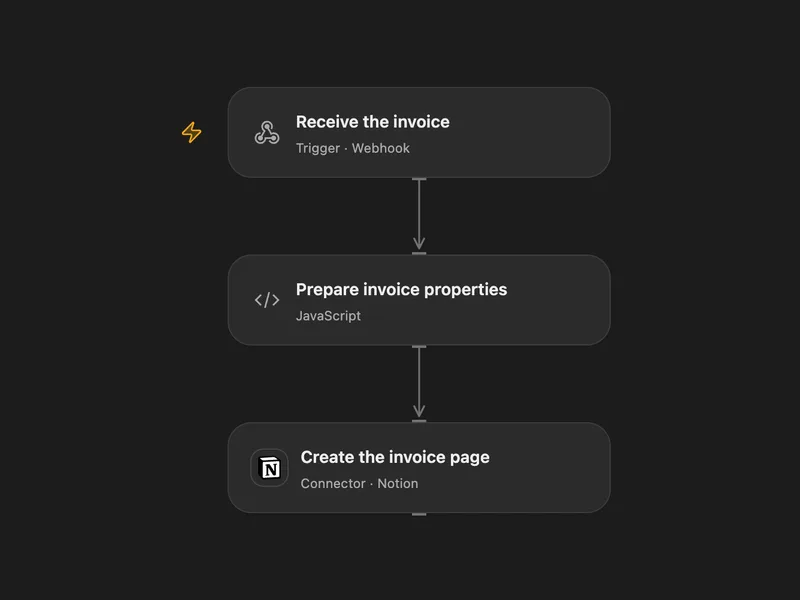
Clockify Invoice to Notion
Create a Notion database page when a Clockify invoice webhook arrives.
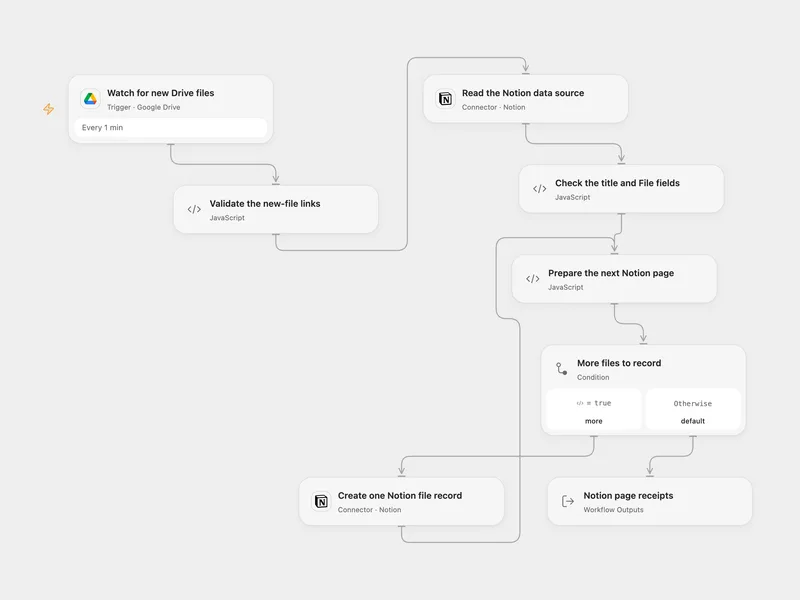
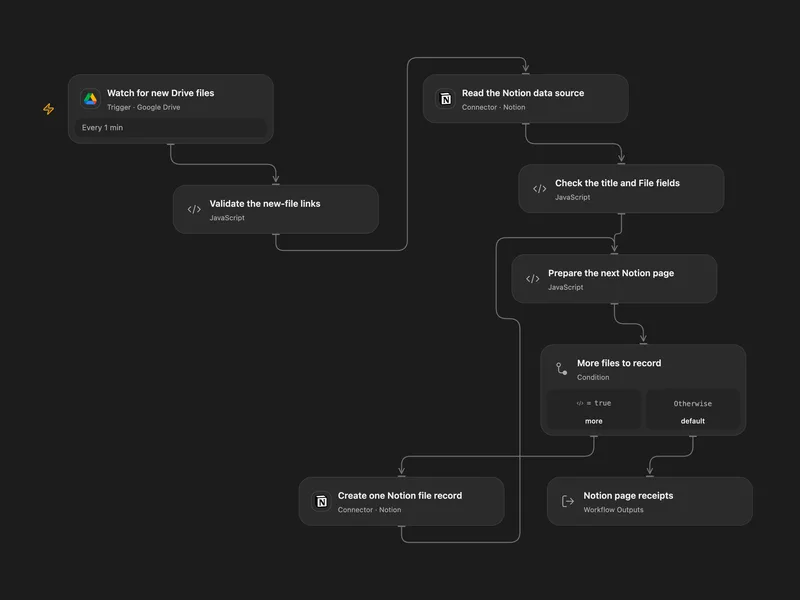
Google Drive New Files to Notion
Record newly created Google Drive files in a Notion data source with their names and original viewer links.
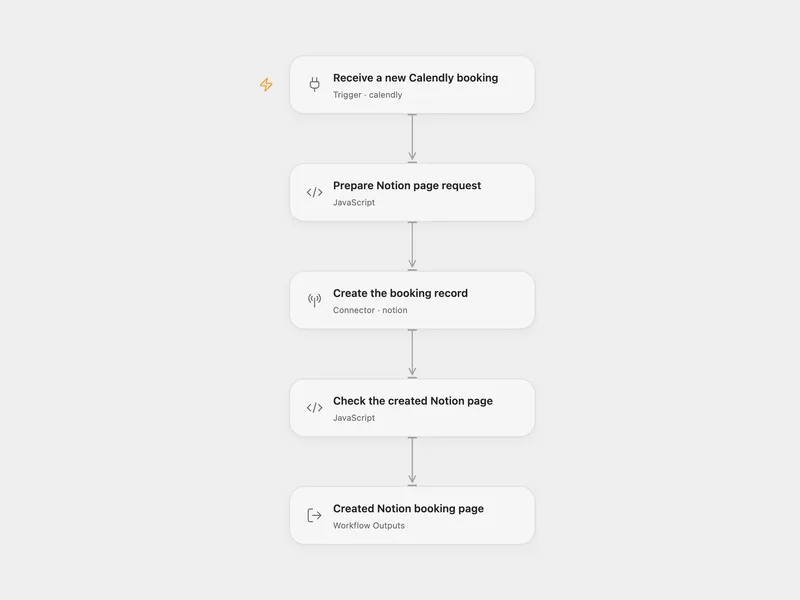
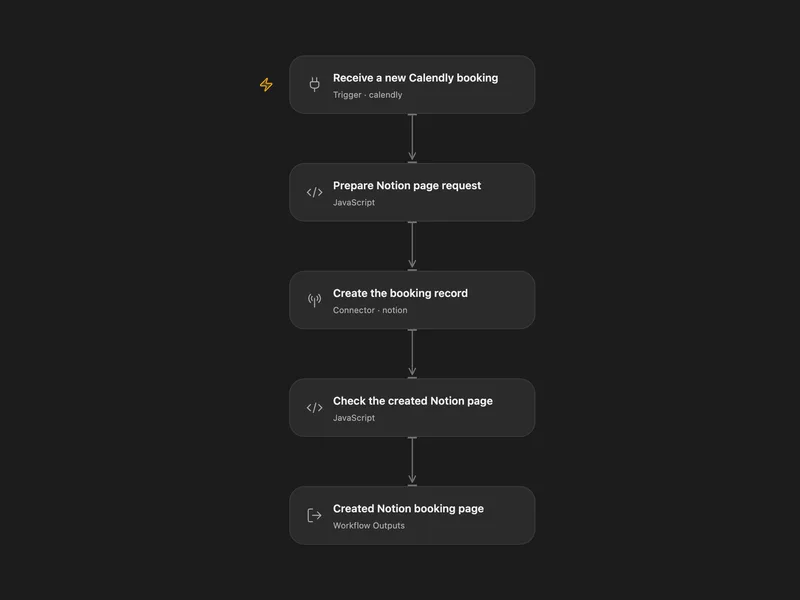
Calendly Booking to Notion
Add each new Calendly booking to Notion with the invitee name, email and a configured status.
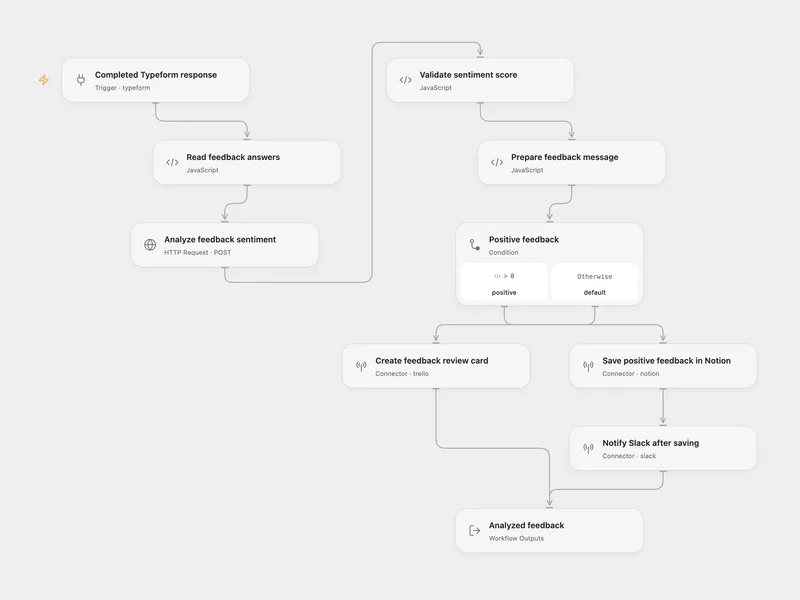
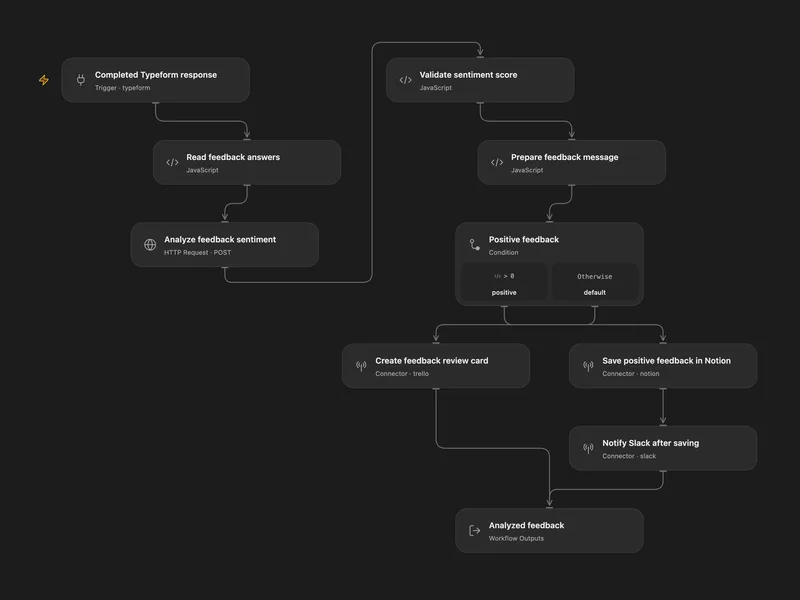
Feedback Sentiment Routing
Save positive Typeform feedback in Notion and notify Slack, or create a Trello card for neutral and negative feedback.
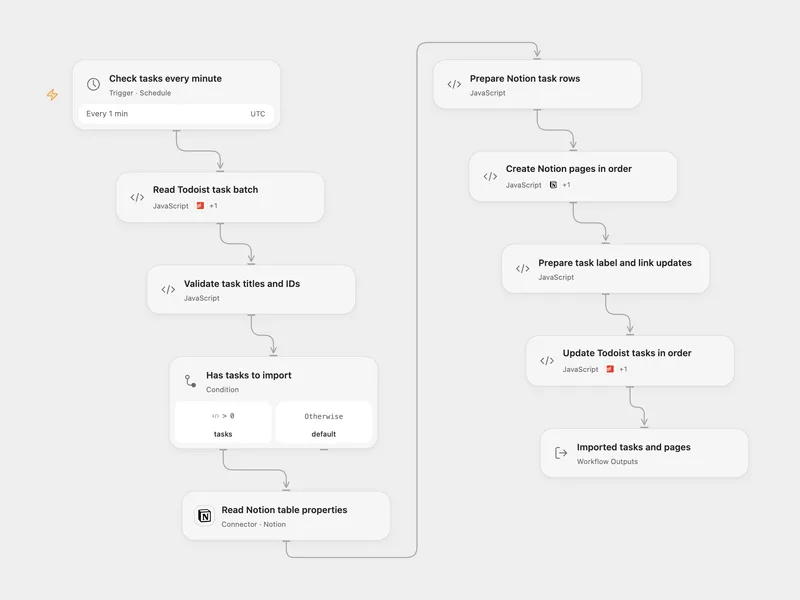
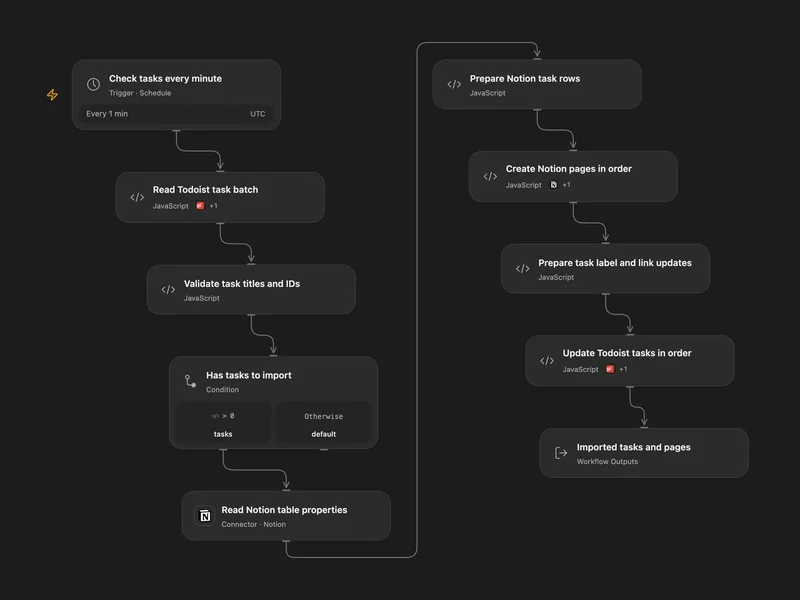
Todoist to Notion Sync
Create Notion rows for labeled Todoist tasks, then add each Notion link to its task and replace the routing label.
すべての操作
Search
Search Notion pages and data sources with optional filter, sort, and pagination controls.
notion.searchGet Page
Get a Notion page together with its first-level child blocks. This is a repo-level aggregate helper over page retrieval plus block-children listing.
notion.get_pageCreate Page
Create a Notion page under a parent page, data source, or workspace-level private area. Use parentId + title for a simple child page under an existing page. Use parent with an official Notion parent payload for advanced cases: { page_id: "..." }, { data_source_id: "..." }, or { workspace: true } for OAuth public integrations. When parent is provided, do not use the top-level title field; provide the page title through properties.title instead. Internal integration secrets usually cannot create workspace-level private pages and should use a parent page or data source.
notion.create_pageUpdate Page
Update a Notion page's properties, title, icon, cover, trash status, or locked state.
notion.update_pageMove Page
Move a Notion page under another page or under a data source through the official page move API.
notion.move_pageAppend Block
Append a single paragraph block to a Notion page. This is a simplified compatibility helper over `append_block_children`.
notion.append_blockRetrieve Page
Retrieve a Notion page's properties and metadata by page ID. This does not include child block content.
notion.retrieve_pageRetrieve Page Markdown
Retrieve a Notion page or block subtree rendered as enhanced Markdown through the official page markdown API.
notion.retrieve_page_markdownUpdate Page Markdown
Update a Notion page's content as enhanced Markdown through the official page markdown API.
notion.update_page_markdownRetrieve Page Property
Retrieve a specific property item from a Notion page by page ID and property ID. Title, rich_text, relation, and people properties return the paginated list response with type property_item.
notion.retrieve_page_propertyList Users
List users in the Notion workspace with pagination.
notion.list_usersRetrieve User
Retrieve a Notion user by user ID.
notion.retrieve_userRetrieve Block
Retrieve a Notion block by block ID.
notion.retrieve_blockList Block Children
List the direct child blocks under a Notion block with pagination.
notion.list_block_childrenAppend Block Children
Append raw Notion child blocks to an existing parent block, using the official block-children append API.
notion.append_block_childrenUpdate Block
Update a Notion block using raw block fields, including block-type payloads and optional trash state.
notion.update_blockDelete Block
Archive a Notion block through the official delete endpoint.
notion.delete_blockCreate Database
Create a Notion database container under a parent page or workspace, optionally with an initial data source.
notion.create_databaseRetrieve Database
Retrieve a Notion database's metadata and schema by database ID.
notion.retrieve_databaseUpdate Database
Update a Notion database container's parent, title, description, icon, cover, inline display, trash status, or locked state.
notion.update_databaseList Views
List saved Notion view references with pagination. Supply databaseId for views in one database, or dataSourceId to include accessible linked views across the workspace. Retrieve each view to inspect its filters, sorts, and layout settings.
notion.list_viewsRetrieve View
Retrieve a saved Notion view's name, layout configuration, filters, sorts, and displayed properties.
notion.retrieve_viewUpdate View
Update a saved Notion view's name, filters, sorts, quick filters, or presentation settings. Omitted fields stay unchanged. Pass null to clear filters or sorts. Configuration type must match the existing view; this action does not change the layout type.
notion.update_viewCreate Data Source
Create a Notion data source under a parent database with a properties schema.
notion.create_data_sourceRetrieve Data Source
Retrieve a Notion data source by data source ID.
notion.retrieve_data_sourceUpdate Data Source
Update a Notion data source's title, icon, properties schema, parent, or trash status.
notion.update_data_sourceQuery Data Source
Query a Notion data source with filters, sorts, pagination, and optional property filtering.
notion.query_data_sourceList Data Source Templates
List templates available on a Notion data source.
notion.list_data_source_templatesList Comments
List unresolved comments on a Notion page or block. Requires the read comments capability.
notion.list_commentsCreate Comment
Create a comment on a page or block through parent, or reply through discussion_id. Requires insert comments; without read comments, only object and id are returned.
notion.create_comment検索条件に一致する操作はありません。
Notion を Open Flow に接続
毎月 20,000 回のアプリ呼び出しが無料(有料サービスは別途課金)