仕事効率化
Enrich Airtable Inventory with Image Research
Research inventory images and update Airtable records with product attributes.
ワークフローをダウンロード

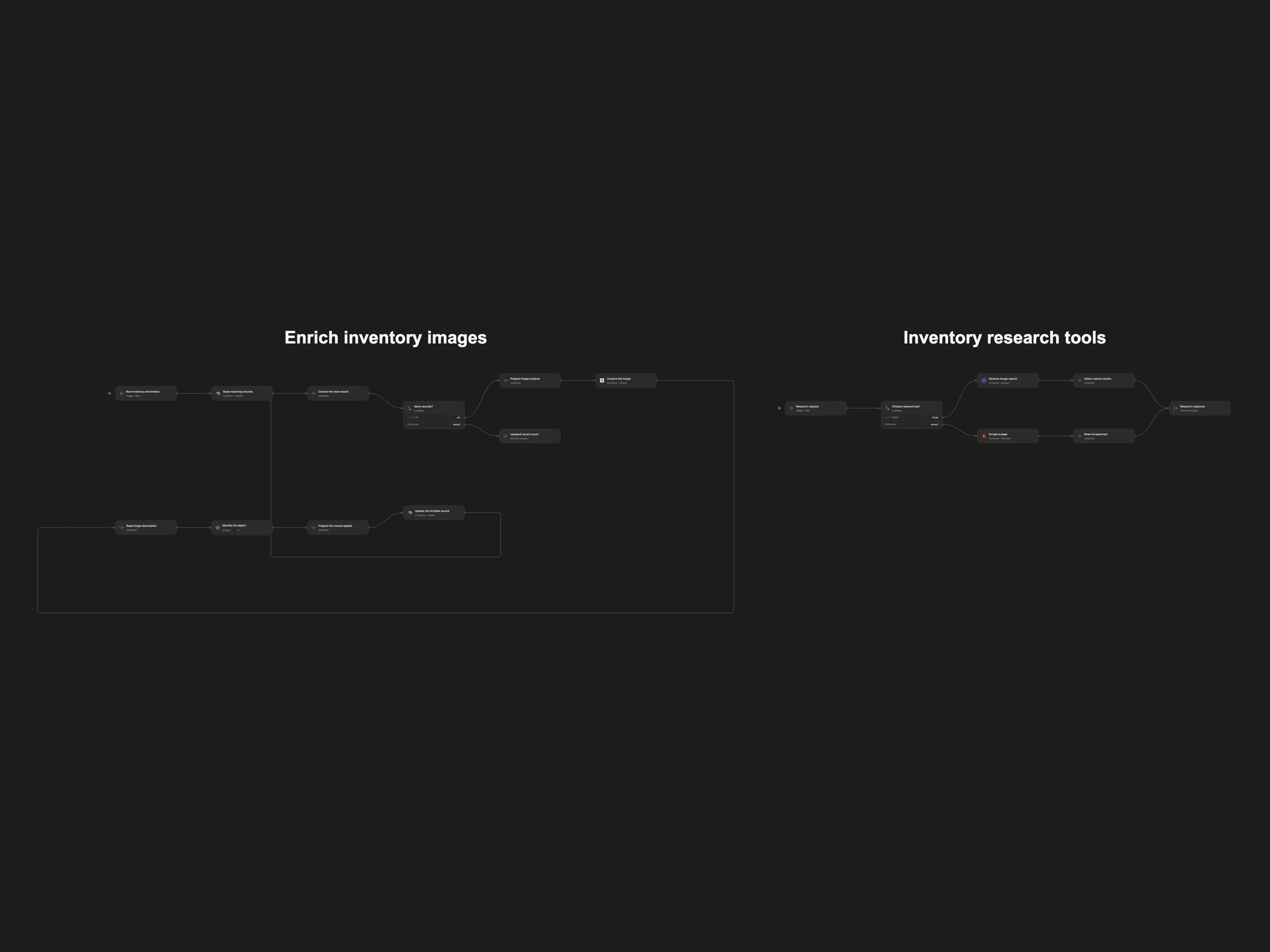
Research inventory images and update Airtable records with product attributes.
Setup and use
Connect Airtable, OpenAI, SerpApi and Firecrawl. Set the same Airtable base and table in Read matching records and Update the Airtable record. Import the Open Flow bundle, publish Inventory research tools, then refresh its two tool interfaces in Identify the object within Enrich inventory images. Configure the AI model.
Behavior
A manual run selects up to 100 records matching AND(Image!="", AI_status=FALSE()). It analyzes the first image’s large thumbnail, optionally researches visually similar images and pages, then updates that same record’s Title, Description, Model, Material, Color, Condition and AI_status. Uncertain attributes should be left blank. The model can be wrong; review the updated records. Each record is processed in order; if a later step fails, earlier updates remain. An unknown update may already have succeeded, so inspect Airtable before retrying.
In n8n
In n8n, configure the Airtable base, table and credentials, OpenAI, SerpApi and Firecrawl credentials, and ensure the workflow tools point to this workflow.
Inspiration & credits
Changes to the source
- Use the OpenAI Responses image input and a bundled research workflow for the agent tools. Open Flow requires worker publication and interface refresh. It confirms each update before proceeding and returns the updated count.
- Replace source-specific base, table and workflow identifiers with configuration placeholders.
Adapted from Inventory image research in Zie619/n8n-workflows. The source export does not identify a separate template author or license.
The collection’s MIT notice is pinned at a later revision. This is the collection notice at that revision; it does not establish a separate original template author’s license. Our changes are listed above; see repository licensing.
MIT License
Copyright (c) 2025 Zie619
Permission is hereby granted, free of charge, to any person obtaining a copy of this software and associated documentation files (the “Software”), to deal in the Software without restriction, including without limitation the rights to use, copy, modify, merge, publish, distribute, sublicense, and/or sell copies of the Software, and to permit persons to whom the Software is furnished to do so, subject to the following conditions:
The above copyright notice and this permission notice shall be included in all copies or substantial portions of the Software.
THE SOFTWARE IS PROVIDED “AS IS”, WITHOUT WARRANTY OF ANY KIND, EXPRESS OR IMPLIED, INCLUDING BUT NOT LIMITED TO THE WARRANTIES OF MERCHANTABILITY, FITNESS FOR A PARTICULAR PURPOSE AND NONINFRINGEMENT. IN NO EVENT SHALL THE AUTHORS OR COPYRIGHT HOLDERS BE LIABLE FOR ANY CLAIM, DAMAGES OR OTHER LIABILITY, WHETHER IN AN ACTION OF CONTRACT, TORT OR OTHERWISE, ARISING FROM, OUT OF OR IN CONNECTION WITH THE SOFTWARE OR THE USE OR OTHER DEALINGS IN THE SOFTWARE.