Connect Google Forms with Open Flow
Read the questions behind survey answers or create a new form using your outline and publishing instructions.
20,000 free app calls per month (paid services billed separately)
What you can do
Google Forms operations read form structure and responses, create forms, apply question updates, and control publishing and response acceptance.
Questions and Answers
Read form structure and list responses or retrieve one selected response.
Form Creation and Publishing
Create forms, apply updates, and choose whether to publish and accept responses.
Templates using Google Forms
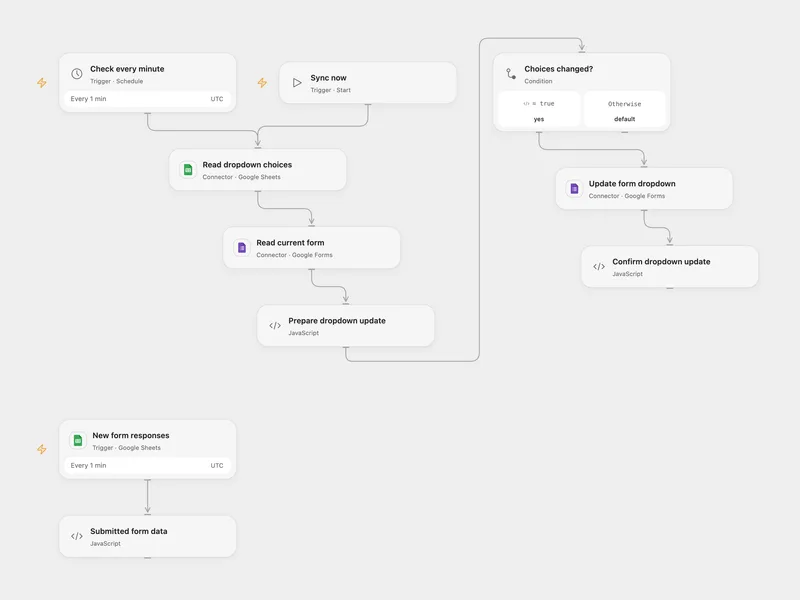
All actions
Create Form
Create a Google Form with a simple title-based input and optionally initialize the description and unpublished state.
googleforms.create_formGet Form
Retrieve the current structure, settings, publish state, and items of a Google Form.
googleforms.get_formBatch Update Form
Apply a batch of Google Forms update requests with optional revision controls and an optional updated form payload.
googleforms.batch_update_formSet Publish Settings
Update whether a Google Form is published and whether it is accepting responses.
googleforms.set_publish_settingsList Responses
List responses for a Google Form with optional filtering and pagination.
googleforms.list_responsesGet Response
Retrieve a single Google Forms response by its response ID.
googleforms.get_responseList Watches
List watches configured for a Google Form.
googleforms.list_watchesNo actions match your search.
Connect Google Forms with Open Flow
20,000 free app calls per month (paid services billed separately)