Connect Google Slides with Open Flow
Read an existing deck or copy a template that preserves its themes and layouts before adapting the content.
20,000 free app calls per month (paid services billed separately)
What you can do
Google Slides operations create blank presentations, read slides and page elements, apply presentation updates, copy templates, and get page thumbnails.
Presentation and Page Inspection
Read a deck or individual page and generate a page thumbnail.
Create and Update Presentations
Create a blank deck, copy a template, or apply slide and content updates.
Templates using Google Slides
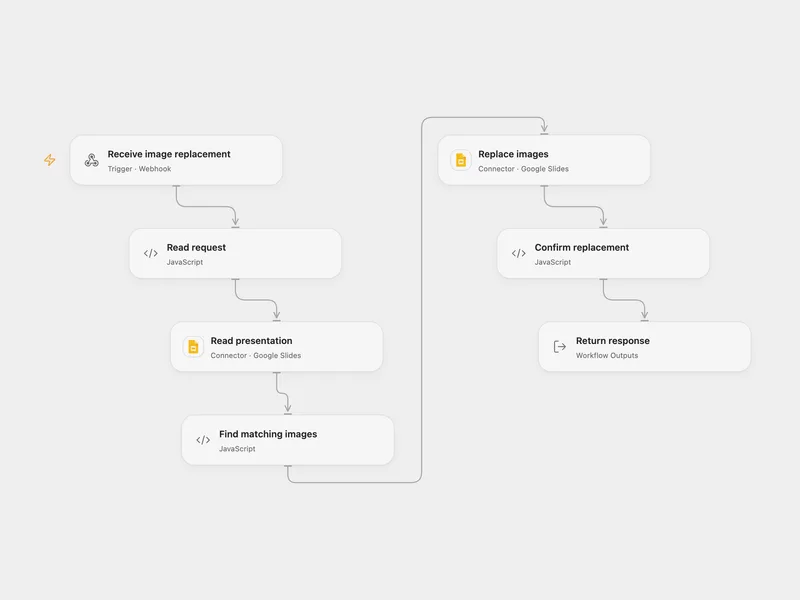
All actions
Create Presentation
Create a blank Google Slides presentation. Optional locale, page size, and presentation ID values are forwarded when provided.
googleslides.create_presentationPresentations Get
Retrieve a Google Slides presentation by presentation ID, or search Google Drive by exact presentation title first and then fetch the presentation.
googleslides.presentations_getPresentations Batch Update
Apply raw Google Slides batchUpdate requests to a presentation.
googleslides.presentations_batch_updatePresentations Pages Get
Retrieve a specific page from a Google Slides presentation, including its page elements and page-specific properties.
googleslides.presentations_pages_getGet Page Thumbnail2
Generate a thumbnail for a Google Slides page. Returns a temporary content URL plus thumbnail dimensions when Google provides them.
googleslides.get_page_thumbnail2Presentations Pages Get Thumbnail
Compatibility alias for get_page_thumbnail2. Generates a thumbnail for a Google Slides page.
googleslides.presentations_pages_get_thumbnailPresentations Copy From Template
Copy an existing Google Slides presentation through Google Drive so the new presentation preserves the original themes, masters, and layouts.
googleslides.presentations_copy_from_templateNo actions match your search.
Connect Google Slides with Open Flow
20,000 free app calls per month (paid services billed separately)