Productivity
Caption an Image with Gemini
Generate a caption for an image and overlay it on the picture.
Download workflow
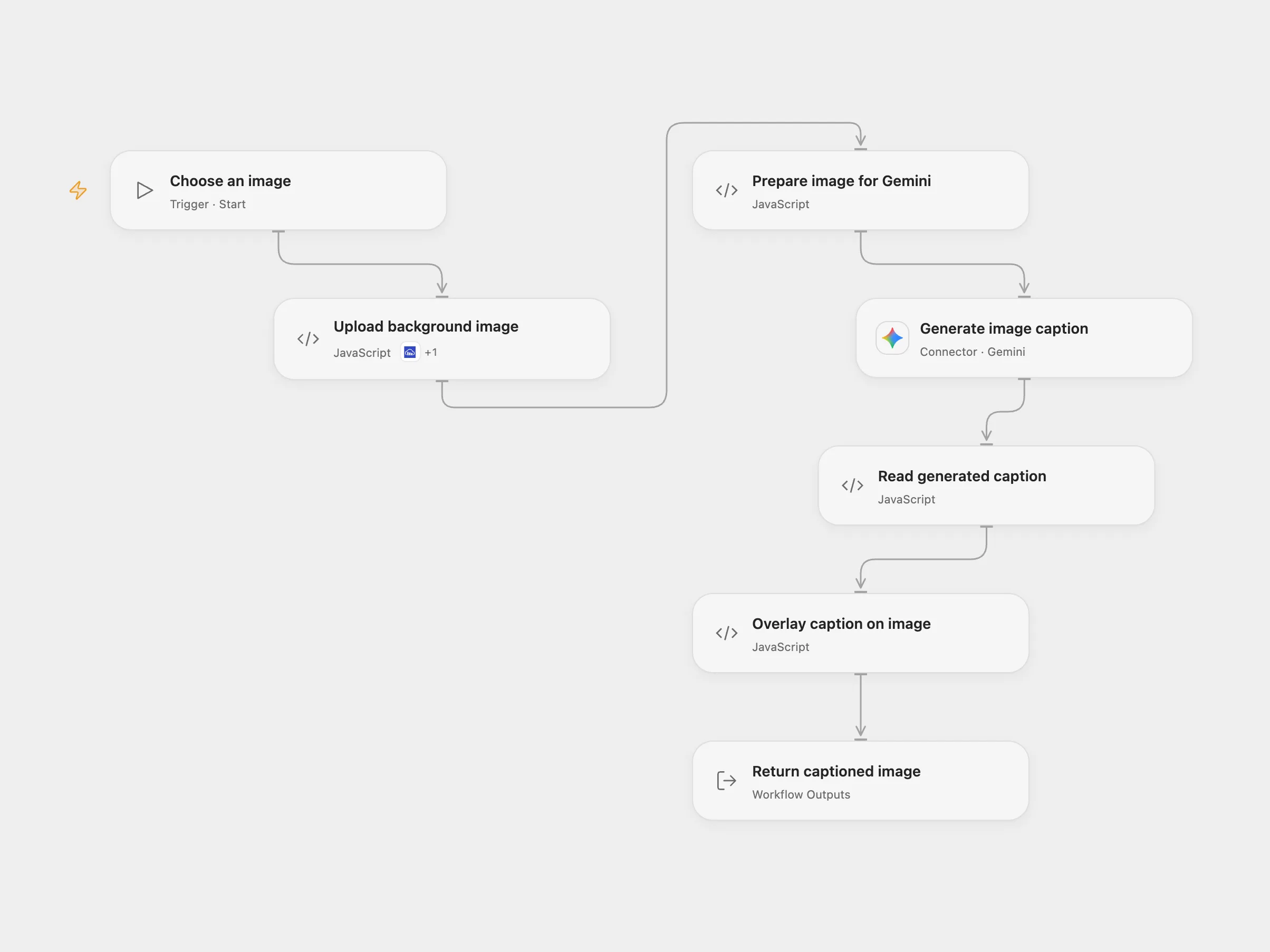
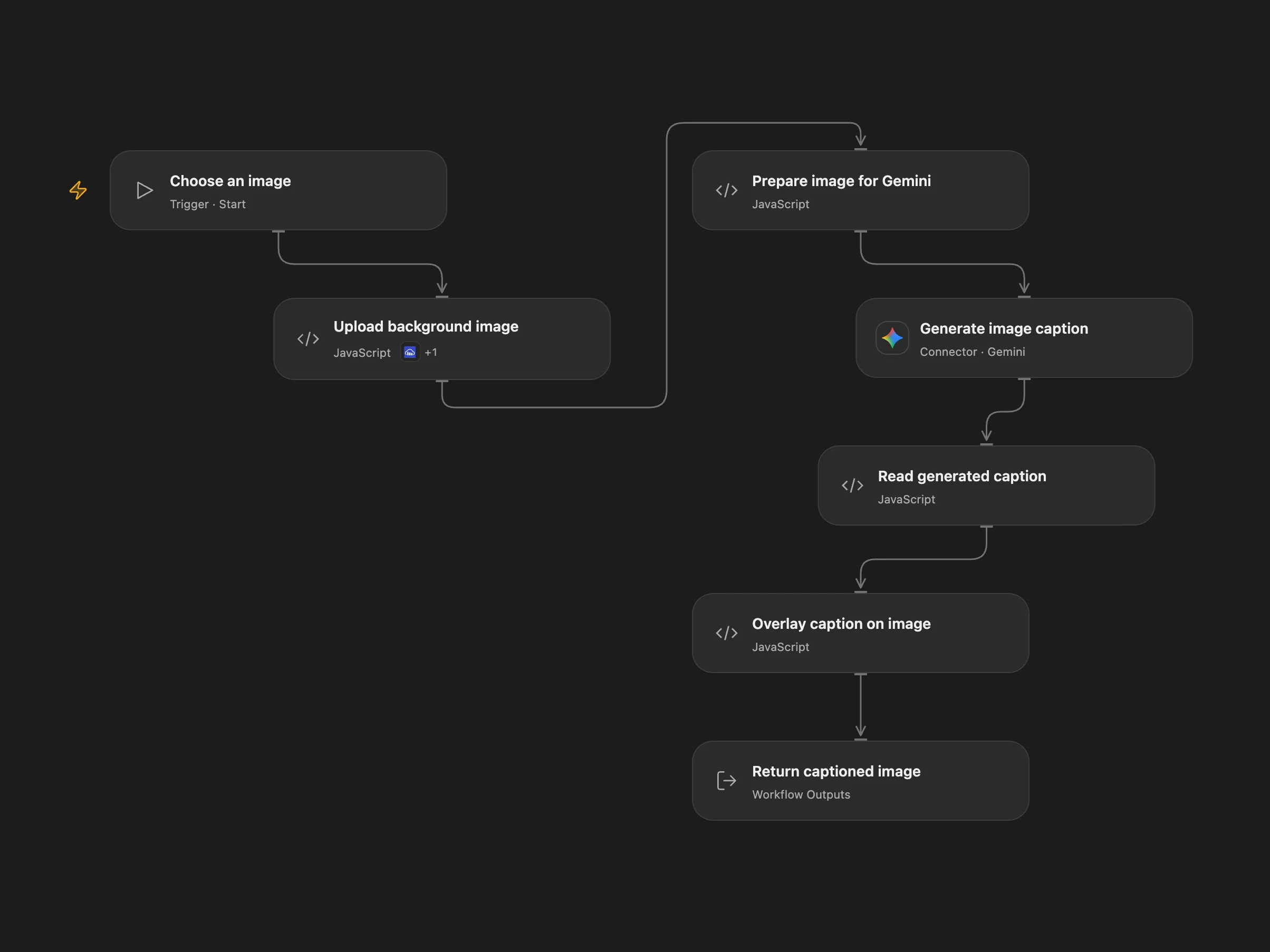
Generate a caption for an image and overlay it on the picture.
Setup
Provide a publicly accessible HTTPS image URL. Connect Cloudinary and Gemini, and enable Provider API access for Gemini. Enable persistent State.
Behavior
The image is resized for Gemini, which generates a title and caption. They are drawn near the bottom of the original image over a translucent dark background. Open Flow returns a JPEG and the caption. Text layout can differ between the two rendering services. Review AI-generated captions before publishing.
Open Flow uploads the background to Cloudinary and retains the asset. The same URL reuses the saved upload; use a new URL if its content changes. If an upload is uncertain, inspect the Cloudinary account and enter the pending key in Upload background image with resolution absent to retry, or confirmed and the verified Cloudinary image URL to continue. Clear the recovery fields afterward. Gemini receives a resized image. Cloudinary text rendering does not support all Unicode characters; an unsupported caption can fail.
In n8n
In n8n set the image URL in Get Image, connect Gemini and make Arial available to the Edit Image node. N8n returns the edited image.
Inspiration & credits
Use a current Gemini model, a configurable image and Cloudinary rendering with upload recovery in Open Flow.
Adapted from Generate an image caption with Gemini in Zie619/n8n-workflows. The source export does not identify a separate template author or license.
The collection’s MIT notice is pinned at a later revision. This is the collection notice at that revision; it does not establish a separate original template author’s license. Our changes are listed above; see repository licensing.
MIT License
Copyright (c) 2025 Zie619
Permission is hereby granted, free of charge, to any person obtaining a copy of this software and associated documentation files (the “Software”), to deal in the Software without restriction, including without limitation the rights to use, copy, modify, merge, publish, distribute, sublicense, and/or sell copies of the Software, and to permit persons to whom the Software is furnished to do so, subject to the following conditions:
The above copyright notice and this permission notice shall be included in all copies or substantial portions of the Software.
THE SOFTWARE IS PROVIDED “AS IS”, WITHOUT WARRANTY OF ANY KIND, EXPRESS OR IMPLIED, INCLUDING BUT NOT LIMITED TO THE WARRANTIES OF MERCHANTABILITY, FITNESS FOR A PARTICULAR PURPOSE AND NONINFRINGEMENT. IN NO EVENT SHALL THE AUTHORS OR COPYRIGHT HOLDERS BE LIABLE FOR ANY CLAIM, DAMAGES OR OTHER LIABILITY, WHETHER IN AN ACTION OF CONTRACT, TORT OR OTHERWISE, ARISING FROM, OUT OF OR IN CONNECTION WITH THE SOFTWARE OR THE USE OR OTHER DEALINGS IN THE SOFTWARE.