Research
Detect Unusual Crop Images
Compare a crop image with prepared class centers and thresholds in Qdrant.
Download workflow
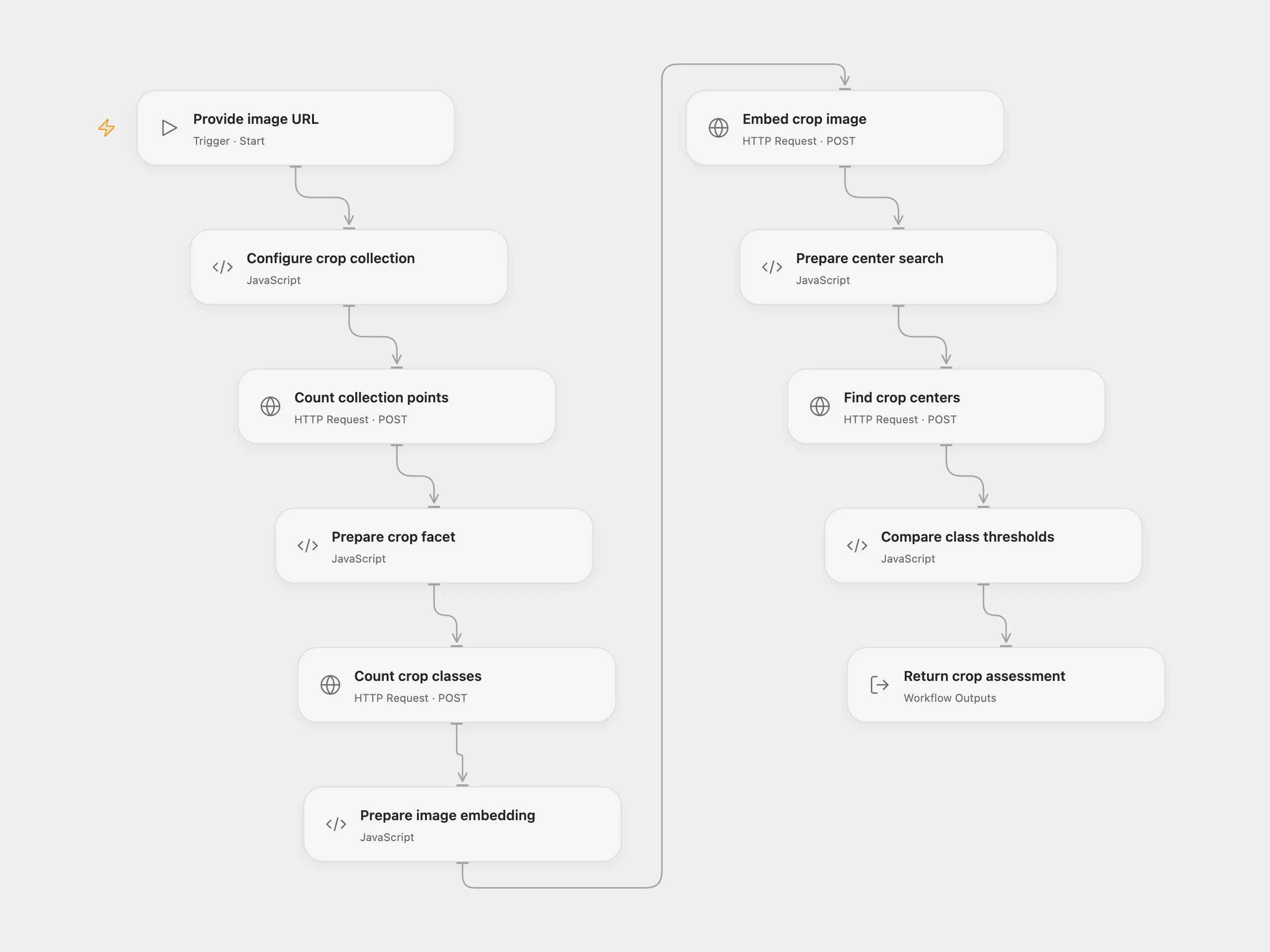
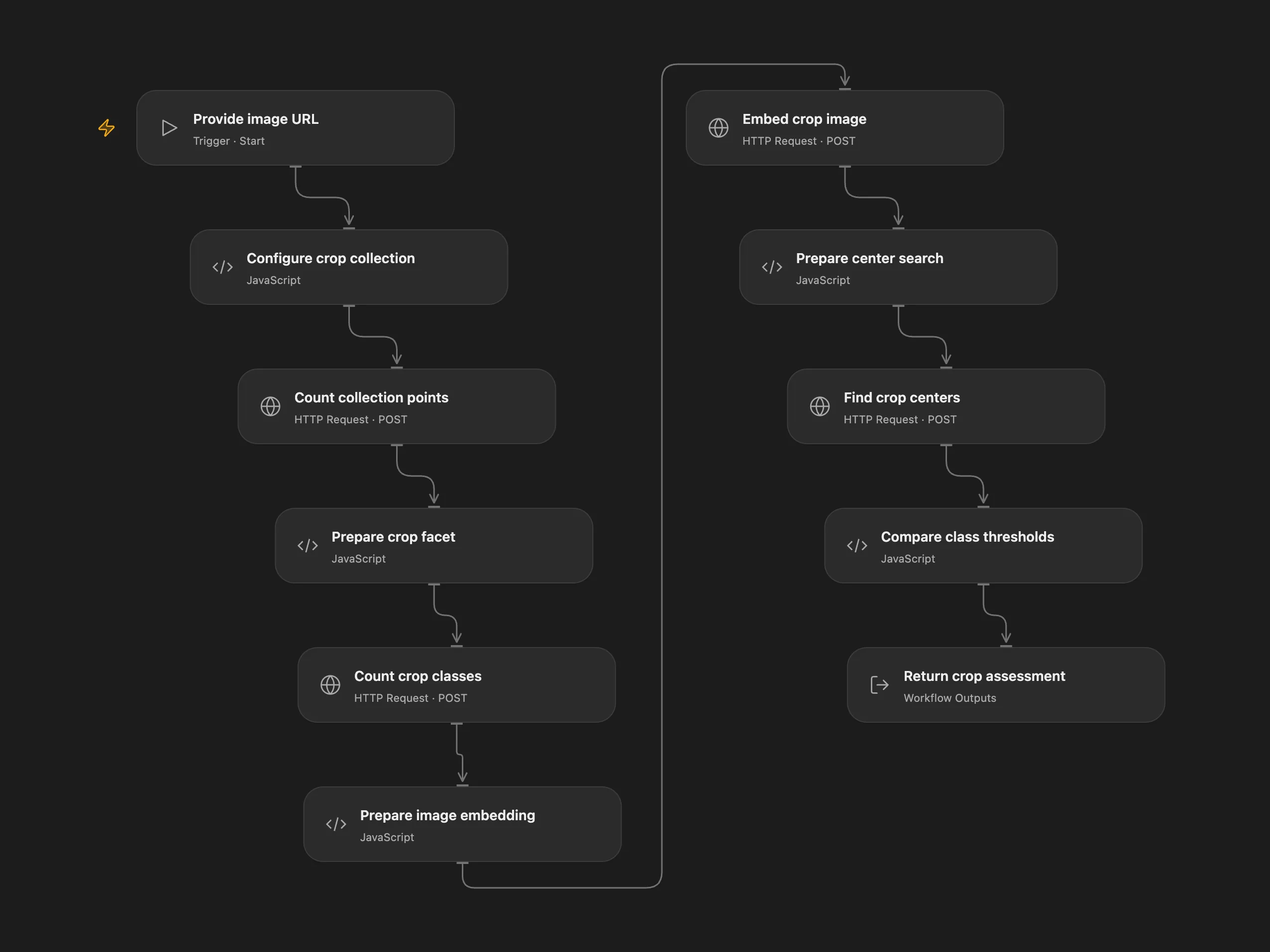
Compare a crop image with prepared class centers and thresholds in Qdrant.
Setup and use
Prepare a Qdrant collection with the named vector voyage, one or more crop center points marked is_medoid, and a numeric is_medoid_cluster_threshold plus crop_name on each center. The collection must use embeddings compatible with Voyage multimodal-3. Set the Qdrant host and collection in Configure crop collection, and configure the QDRANT_API_KEY and VOYAGE_API_KEY secrets.
The image URL is sent to Voyage. The collection and thresholds must already exist; this workflow does not create them.
Behavior
The workflow counts crop classes, embeds the image and compares each returned center with its own threshold. It reports the highest-scoring qualifying crop or an undefined-crop alert. This is a similarity-based indication and should be reviewed before making decisions. An empty collection or missing thresholds requires configuration.
In n8n
In n8n configure the same collection in Variables for medoids and connect Qdrant and Voyage credentials. Run the Open Flow workflow with a publicly accessible HTTP image URL, or call the n8n sub-workflow with an input object containing query.imageURL.
Inspiration & credits
Adapted from Anomaly detection tool (crops dataset) in enescingoz/awesome-n8n-templates.
Source collection notice: © 2024–2026 Enes Cingoz, CC BY 4.0. The source export does not identify a separate template author or license. See repository licensing for the scope of OOMOL contributions and third-party material.