Flows and nodes
Separate a workflow definition, its canvas presentation, and the Runs created from it.
A Flow is a top-level resource with a stable identity. It has an editable Draft, published versions, and its own lifecycle. Account-owned tags organize Flows without changing their execution definition.
Nodes
Nodes provide entry points, tasks, constants, decisions, waiting, and workflow outputs. Each node has an identity independent of its name. Renaming a node preserves its references; deleting and recreating it creates a different identity.
Each execution node owns its configuration. Copying a Code node must preserve independent editing even if the implementation reuses a module internally.
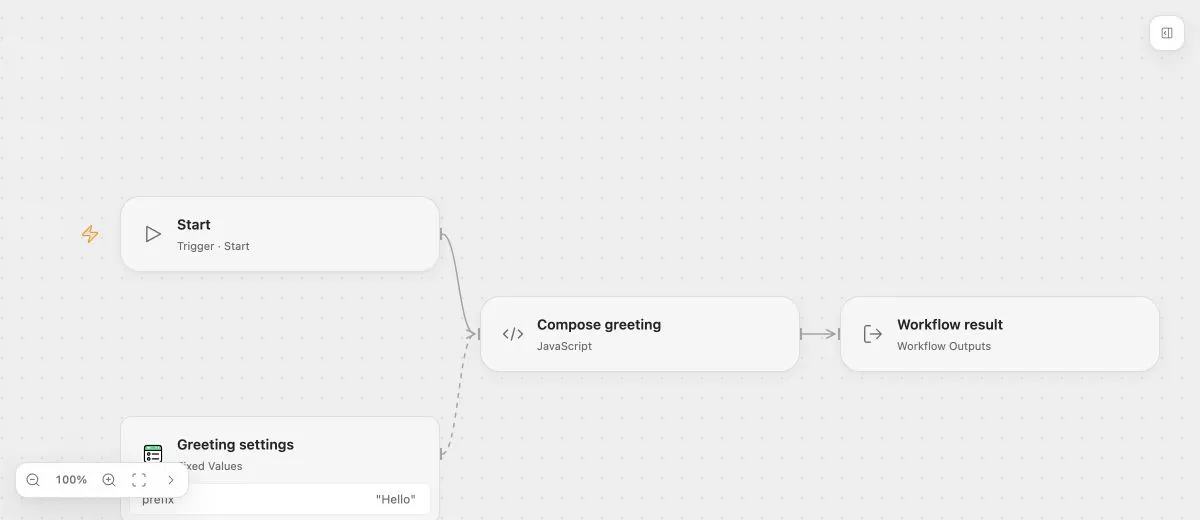
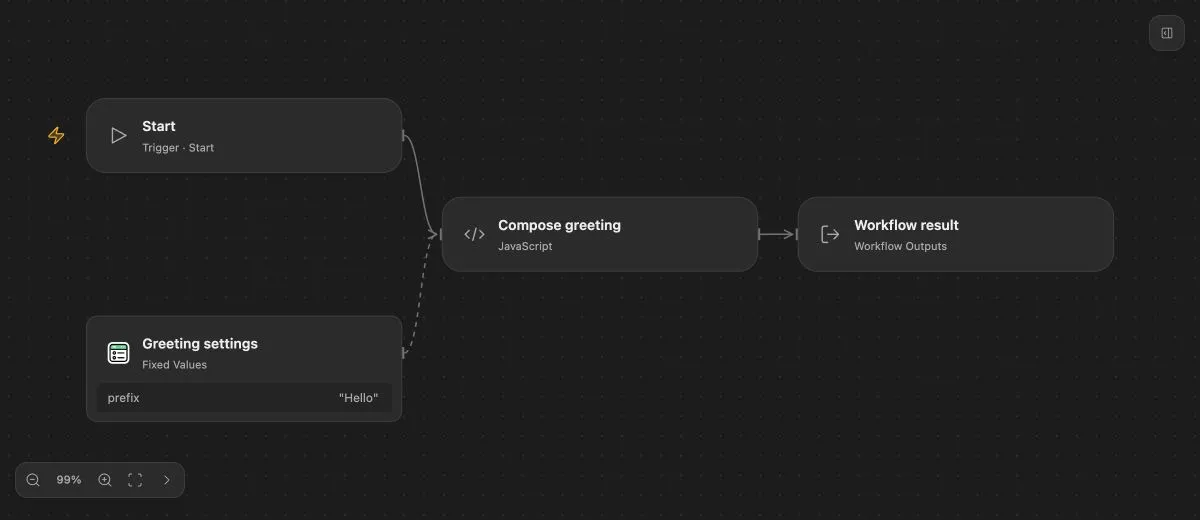
- Input
- {"name":"Ada"}
- Expected result
- {"message":"Hello, Ada!"}
- Before running
- An Open Flow deployment is needed to execute or import this example. The preview itself runs offline.
Execution graph
Execution edges connect nodes and selected branches. Data bindings independently connect named inputs to fixed values or available sources. See inputs and outputs and execution behavior.
Presentation
Canvas positions, viewport, and comments are stored separately from execution semantics. Moving a node or adding a note does not change its business behavior. A publication fixes the corresponding presentation snapshot for historical viewing.
The documentation Preview allows temporary movement and layout restoration. Those changes are local to the viewer and are never saved to the supplied workflow file.
Workflow files
A .openflow.json file carries the execution definition and optional presentation. Import creates an unpublished Draft with new Flow and Revision identities. External Connection references and supported variable or event-source bindings are cleared by import; select the correct deployment resources afterward.
Business values in code, prompts, and literal JSON remain. Review an exported file before sharing it. See the workflow file contract.