Test and publish
Check a Draft, inspect a Run, and activate a fixed production version.
A Draft is editable. Production execution uses the current Live publication. Testing and publication make different checks, so use the result of each operation to decide what is ready.
Validate the graph
Run the workflow check to find missing bindings, invalid schemas, unavailable outputs, and other graph diagnostics. A valid graph establishes deterministic compatibility with the selected Engine Contract. It does not prove that an external account, model service, or callback endpoint is ready.
Full checks and publication validate the complete graph. A Draft Run validates the scope reachable from its selected Trigger and its dependencies; an unrelated incomplete branch need not prevent that test.
Test one entry
Select the Trigger to test and supply representative inputs. Inspect the resulting Run, including selected branches, node inputs, business outputs, pending Waits, and failures.
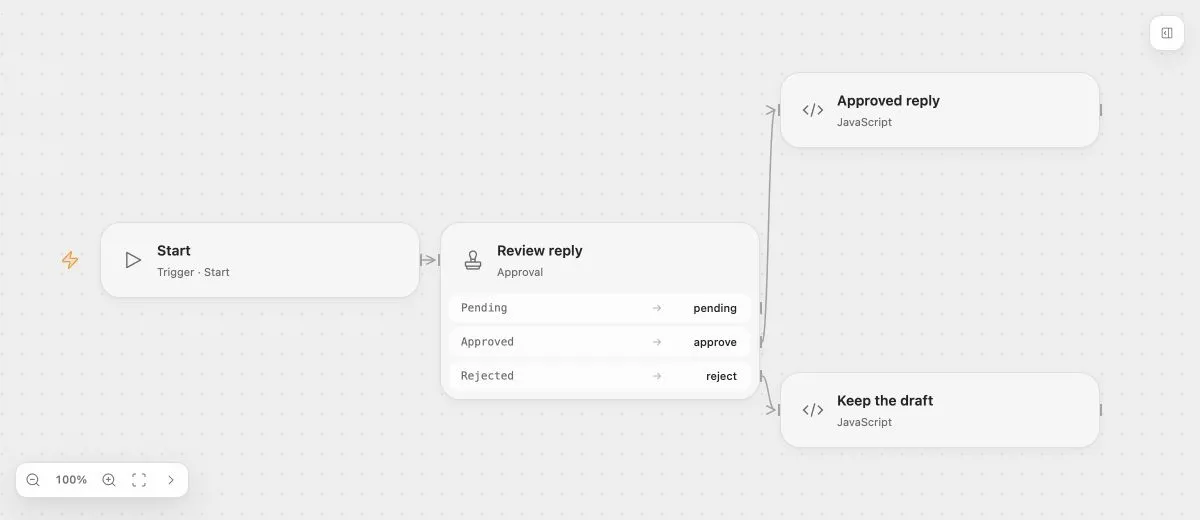
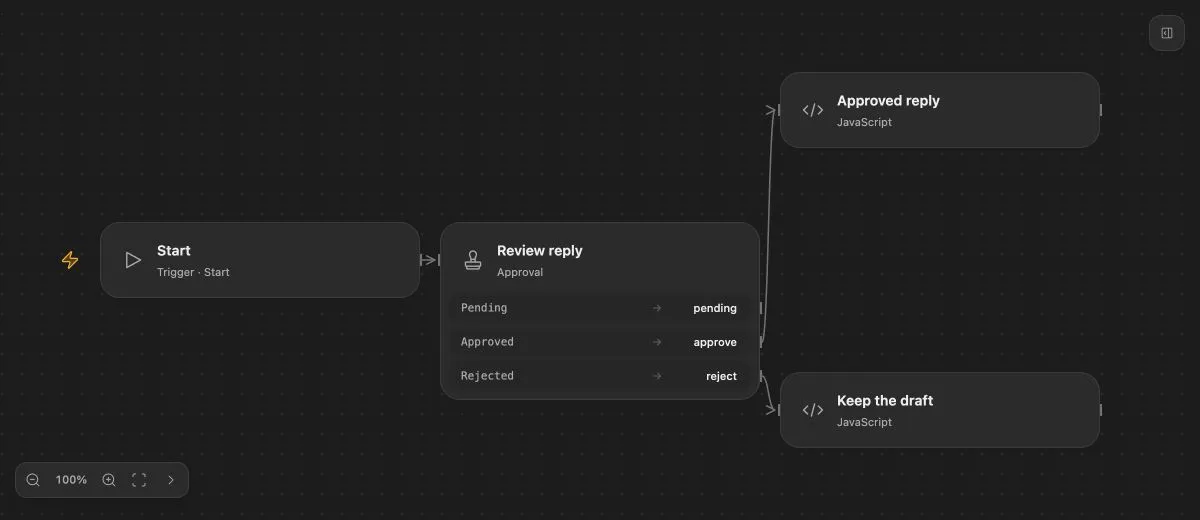
- Input
- The proposed reply is "Your replacement is ready to ship."
- Expected result
- Approve continues to Approved reply; reject continues to Keep the draft.
- Before running
- An Open Flow deployment is needed to execute or import this example. The preview itself runs offline.
The approval example demonstrates a branch that remains blocked until a human decides. The preview does not submit a decision. In an actual Run, approve or reject its pending Approval through an authorized Run interface.
Publish a version
Publication can prepare external resources, such as Trigger subscriptions. Only a fully successful publication switches Live and activates its bindings. Preparation failure leaves the previous Live version in place.
Draft edits made afterward affect future Draft tests. They do not change the fixed Revision, permissions, or inputs of an already accepted Run.
Enable automatic execution
Publish and enable the Flow, then verify the actual automatic entry: a scheduled occurrence, HTTP request, poll result, or provider event. Disabling the Flow blocks new production admission; it does not cancel accepted Runs.
Explicit Live Run calls use a Start entry. Other Triggers admit Live Runs through their managed mechanisms. Draft tests can simulate any Trigger.
Inspect failures before retrying
A failed Task may already have caused an external operation. An indeterminate outcome means that execution could not be confirmed. Check the external system before repeating the work.
Rollback creates a new publication pointing to an earlier definition. It does not undo external side effects or rewrite completed Runs. See errors and retries.