Workflow Outputs
Declare and return the business result of a workflow independently of node logs.
Use Outputs to define the values that a successful workflow returns to its caller. A Code or Connector result remains a node result until it is mapped to the workflow interface.
Define fields and sources
A Flow has at most one Outputs node. Define its named fields through config.outputDefs, and supply each field through node.add.inputs or input.set.
{
  "op": "node.add", "as": "outputs", "type": "outputs", "name": "Workflow result",
  "config": {
    "outputDefs": { "message": { "schema": { "type": "string" }, "nullable": false } }
  },
  "inputs": { "message": { "kind": "output", "node": "$greet", "port": "message" } }
}
Here $greet refers to a Code node created earlier in the same edit batch. Connect its execution path to Outputs separately. Definitions have no defaults.
Execution behavior
Outputs is an execution sink. It waits for its predecessors under the normal join rules and computes its declared fields from the selected paths. It has no downstream execution edges or data ports.
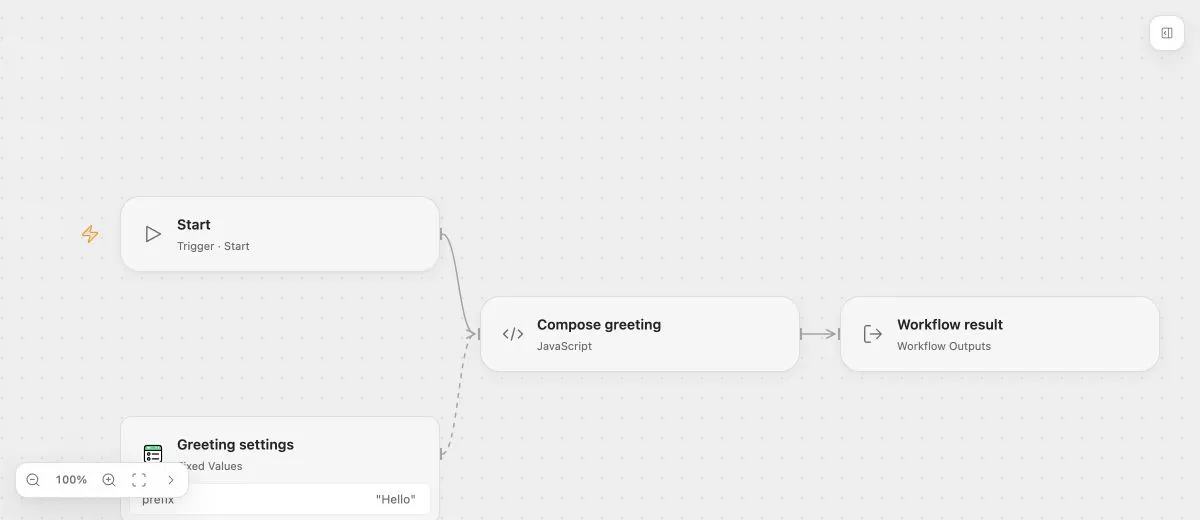
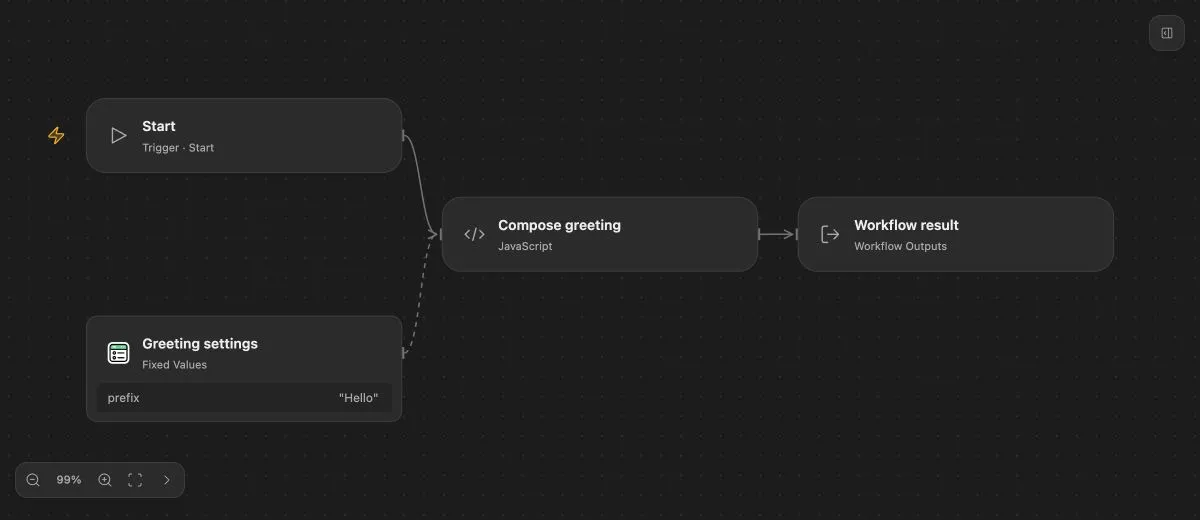
- Input
- {"name":"Ada"}
- Expected result
- {"message":"Hello, Ada!"}
- Before running
- An Open Flow deployment is needed to execute or import this example. The preview itself runs offline.
The successful result is retained separately from node logs. Call Workflow receives those business outputs. An executed empty Outputs node produces an empty object; a Flow without Outputs declares no business result.
HTTP responses
A Webhook can return the workflow’s outputs after complete Run success. That mode differs from Webhook Response, which can reply earlier while the Run continues. A skipped Outputs node cannot supply a dynamic workflow-output HTTP response.