Comment
Explain a workflow on the canvas without changing its execution.
Canvas comments belong to Presentation. Use them to explain the purpose of a branch, record a business assumption, or describe a section of a larger graph.
Comments and nodes
A comment is not an executable node. It has no data ports, execution edges, retries, or runtime inputs. Adding, moving, or editing a comment does not change the workflow’s business execution.
Keep important runtime requirements in node configuration or workflow documentation. A note saying that approval is required does not enforce an Approval path.
Published views
Publication fixes its corresponding presentation snapshot. Historical views retain that layout and commentary without rewriting the current Draft presentation.
The documentation Preview lets you inspect a real workflow and move nodes temporarily. It does not persist your changes.
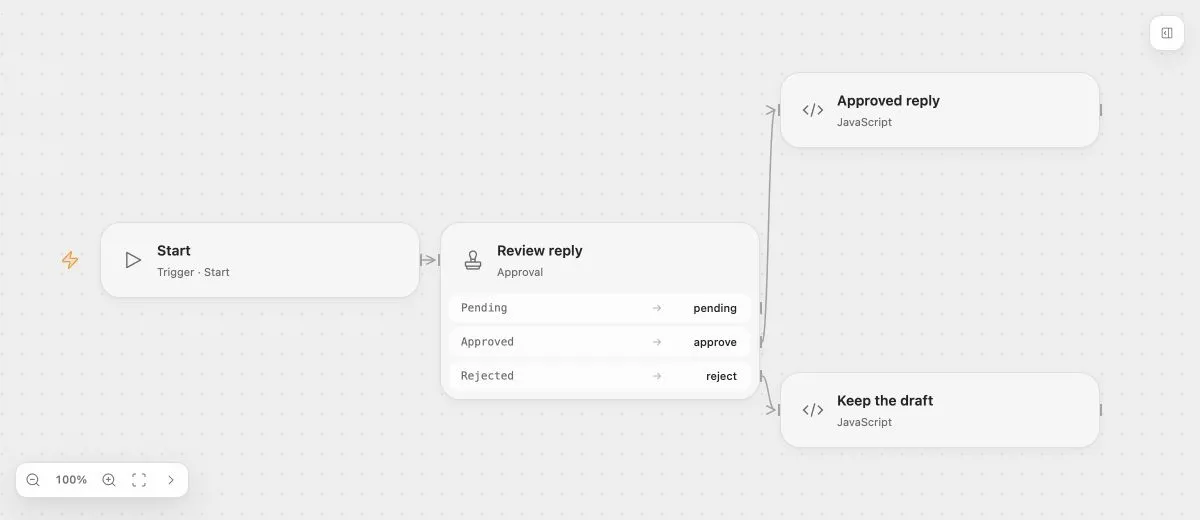
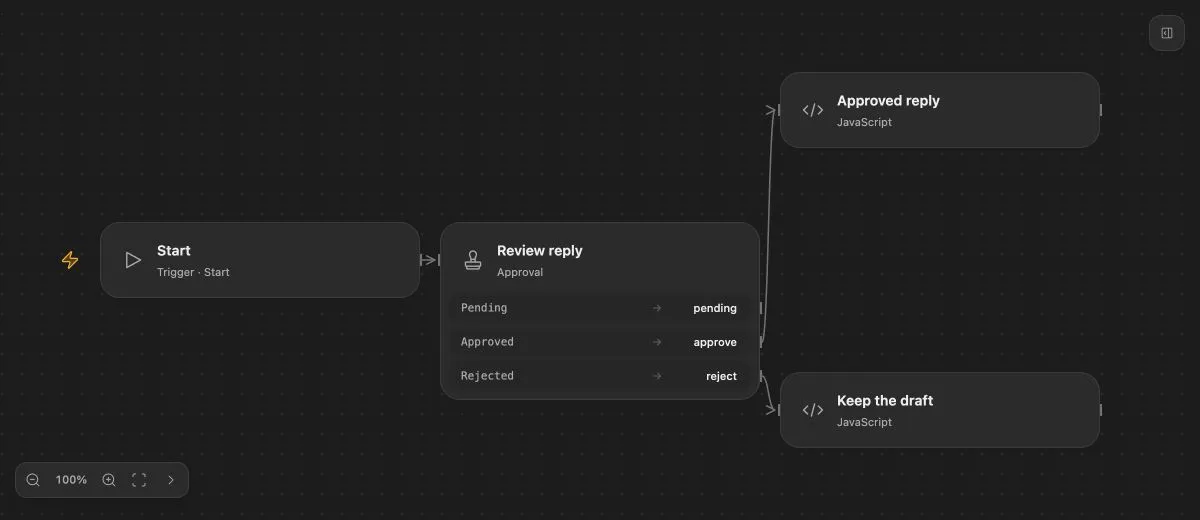
- Input
- The proposed reply is "Your replacement is ready to ship."
- Expected result
- Approve continues to Approved reply; reject continues to Keep the draft.
- Before running
- An Open Flow deployment is needed to execute or import this example. The preview itself runs offline.
For an enforced human decision, use Approval. For a branch that pauses and later continues, use Wait.