Gmail: New Message Received
Choose Gmail’s named event in the Triggers tab and process new mail.
In Add Node, open Triggers, choose Gmail from the app list, and select New Message Received. That event is the item added to the canvas. Its account, fields, and outputs come from the selected catalog definition.
Select the event
Choose the Gmail account and set sender, label, read-status, or Gmail search filters. This example checks for new mail every five minutes.
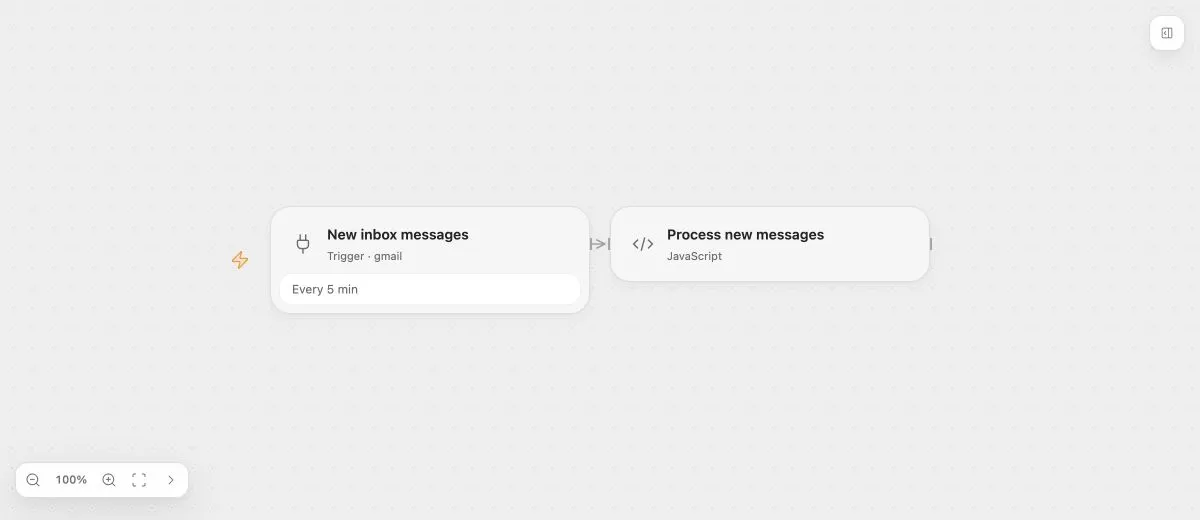
- Input
- Choose the Gmail account and configure the selected event’s query fields.
- Expected result
- A matching new Gmail message can create a Run after the Flow is published and enabled.
- Before running
- Authorize the Gmail account, check the event configuration and background service, then publish and enable the Flow.
For CLI/MCP authoring, the same catalog event uses the following request. Here poll describes its detection mechanism, not a separate option in Add Node:
{
  "op": "node.add", "as": "inbox", "type": "poll", "name": "New inbox messages",
  "config": {
    "key": "gmail.on_message_received",
    "connectionId": "CONNECTION_ID",
    "schedule": [{ "type": "every", "unit": "minute", "value": 5 }]
  }
}
Configuration and event outputs
The event configuration is resolved before a Run exists. Use the static input sources its current schema supports; it cannot read downstream results from the Run it will start.
The Beta 77 event definition provides these configuration fields:
| Field | Default | Purpose |
|---|---|---|
labelNamesOrIds |
[] |
Match messages carrying all listed labels, by name or ID. |
readStatus |
All |
Select Read, Unread, or All. |
search |
"" |
Filter using Gmail search syntax, including subject queries. |
sender |
"" |
Match a sender address or name. |
includeDrafts |
false |
Include draft messages. |
includeSpamAndTrash |
false |
Include messages in spam and trash. |
maxMessagesPerPoll |
25 |
Maximum messages per check, from 1 to 100. |
The output port is events, an array of mail events. Bind downstream inputs to this port. Each item contains:
| Field | Type | Content |
|---|---|---|
messageId, threadId |
string | Message and thread IDs. |
historyId |
string or null | Gmail history ID. |
labelIds |
string[] | Message label IDs. |
subject, sender, to |
string | Subject, sender, and recipient. |
messageTimestamp |
string | Message timestamp. |
Publish and verify
Authorize the Gmail account, review the configuration, then publish and enable the Flow. The deployment performs the event checks and retains delivery progress. A matching new email can then create a Run.
Test with a real message and inspect that Run. Draft simulation does not prove that account access or background polling is ready. After changing the account or scope, the deployment must stop using the obsolete binding. The event worker’s recovery follows the deployment contract rather than ordinary Task retry settings.