Condition
Select named execution branches using explicit comparisons of fixed or available data.
Use Condition for rules such as a status check, threshold, empty value, or exact category match. It does not call a model.
Define branches
Each branch has a name and a when expression. Expressions can be combined using all or any. Set match to first for the first matching branch or all for every matching branch.
{
  "op": "node.add", "as": "route", "type": "condition", "name": "Route a ticket",
  "config": {
    "match": "first",
    "branches": [{
      "name": "priority",
      "when": {
        "left": { "kind": "value", "value": "priority" },
        "operator": "==",
        "right": { "kind": "value", "value": "priority" }
      }
    }]
  }
}
Operands can select supported upstream outputs or Variables instead of a fixed value. Read the schema for operators and operand requirements.
Connect branch paths
Use a named branch when connecting an execution edge:
{ "op": "edge.connect", "source": "$route", "branch": "priority", "target": "$escalate" }otherwise is selected when no branch matches. With match: "all", more than one branch can continue; their downstream join still follows normal predecessor rules.
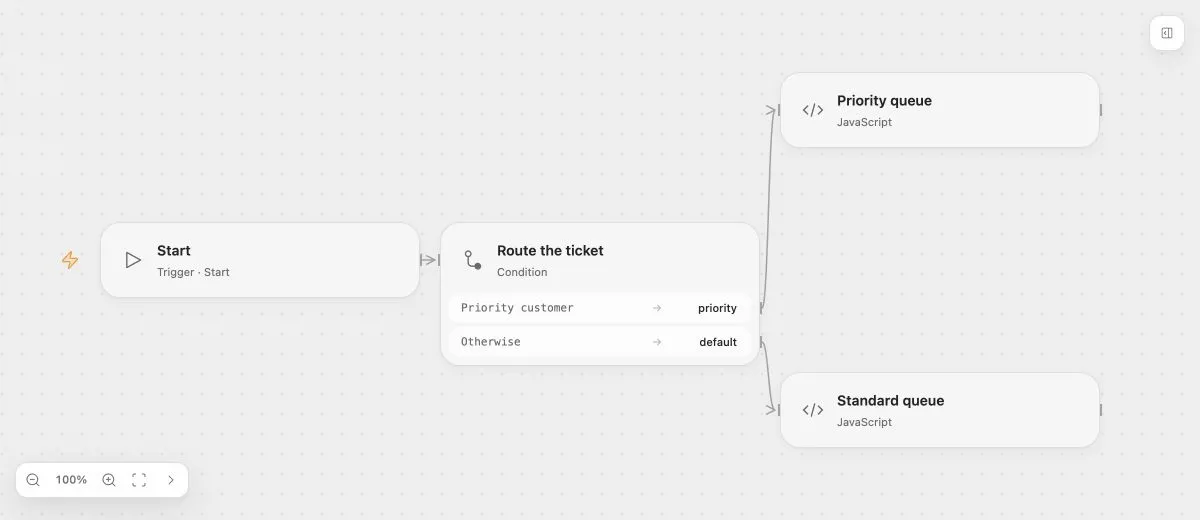
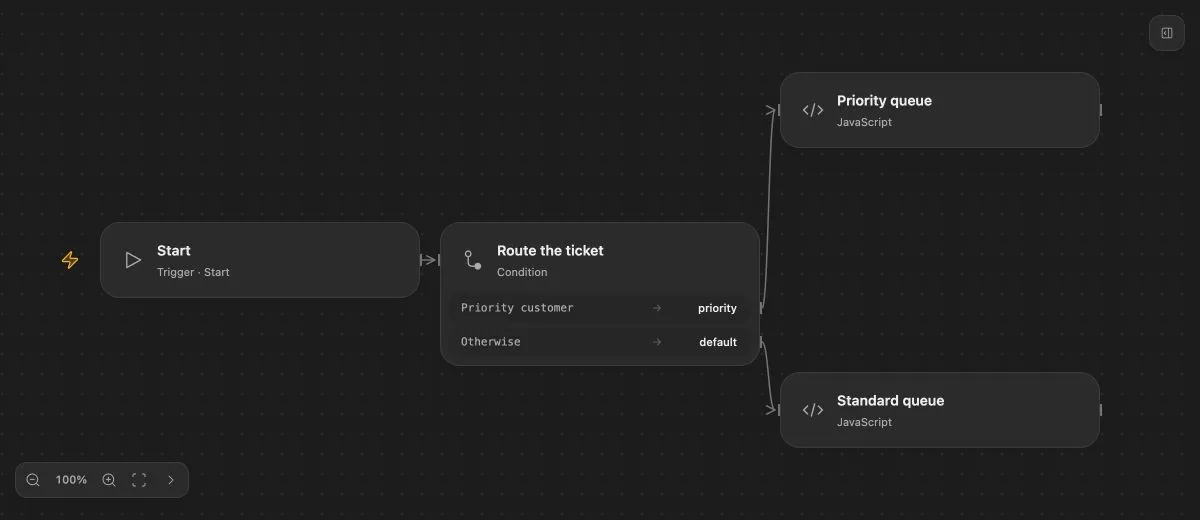
- Input
- The compared customer tier is "priority".
- Expected result
- Priority queue is selected. Changing the tier to another value selects Standard queue.
- Before running
- An Open Flow deployment is needed to execute or import this example. The preview itself runs offline.
Data and control
Condition branch names are execution choices, not data outputs. Bind downstream business data from its actual upstream source. A handled Task’s system error can be compared here without adding an error edge.
For model-generated assessment, use AI Decision and route on its structured result. Condition has no ordinary Task retry or handled-error configuration.