Application actions
Choose an app and a named action from the Blocks tab.
In Add Node, use the Blocks tab to choose an app, then select the specific action you need. The selected action is added directly to the canvas, with fields and response ports from its catalog definition. Choose its authorized account in the node settings.
Discover and select
Search the catalog for the operation you need, then read its schema. Action IDs, fields, and permissions come from that catalog.
The request below illustrates the CLI/MCP interface after discovering an action. Its connector type is an API representation; the panel presents each app’s actual actions.
{
  "op": "node.add", "as": "send", "type": "connector", "name": "Send an update",
  "config": { "action": "DISCOVERED_ACTION_ID", "connectionId": "CONNECTION_ID" },
  "inputs": {
    "to": { "kind": "value", "value": "customer@example.com" },
    "subject": { "kind": "value", "value": "Your support request" },
    "body": { "kind": "value", "value": "Your replacement is ready to ship." }
  }
}
The input names above illustrate an email Action. Replace them with the exact selected Action’s fields. The platform derives its definitions; you do not supply internal executor ports.
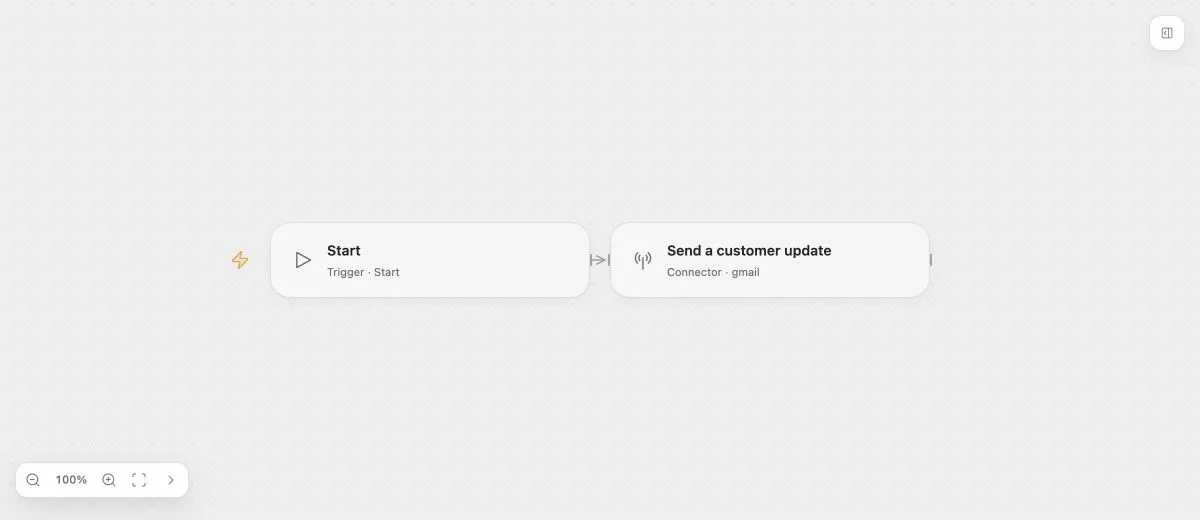
- Input
- To: customer@example.com; subject: "Your support request".
- Expected result
- A successful configured Gmail Action returns its messageId. The preview never sends email.
- Before running
- Select a real Gmail Action from the deployment catalog, refresh its fields, and authorize the sending account before running. The saved example has no Connection selected.
Bind data
Action inputs accept the sources exposed by the node schema, including fixed values and available upstream data. Response ports are derived from the Action contract. Do not assume that every Action returns result, body, or the same array shape.
Changing a label or unrelated field preserves the saved definition snapshot. Reselect or refresh the capability explicitly when you need updated catalog fields.
Account readiness
An omitted account is unconfigured; a selected Connection names a specific account. Explicit account deferral can preserve an incomplete Draft but does not grant permission or make the Action callable. Publication and execution retain their readiness checks.
Connector owns credentials and provider calls. The deployment checks the Flow owner’s authority and declared access. Catalog visibility is not permission to execute an operation.
Connector Tasks support ordinary retries and handled errors. Retrying can repeat an external write, so verify the operation’s idempotency behavior.