Your first workflow
Pass a name through a small workflow and return a greeting without calling an external service.
You need access to an Open Flow deployment and its Workbench. For a local installation, follow the quickstart. The example uses only built-in nodes and local Code execution.
Import the example
Download the workflow file below and import it in the Workbench. Import creates an unpublished Draft with new Flow and Revision identities. It does not copy Runs, publications, account credentials, or permissions.
- Input
- {"name":"Ada"}
- Expected result
- {"message":"Hello, Ada!"}
- Before running
- An Open Flow deployment is needed to execute or import this example. The preview itself runs offline.
Inspect the four nodes
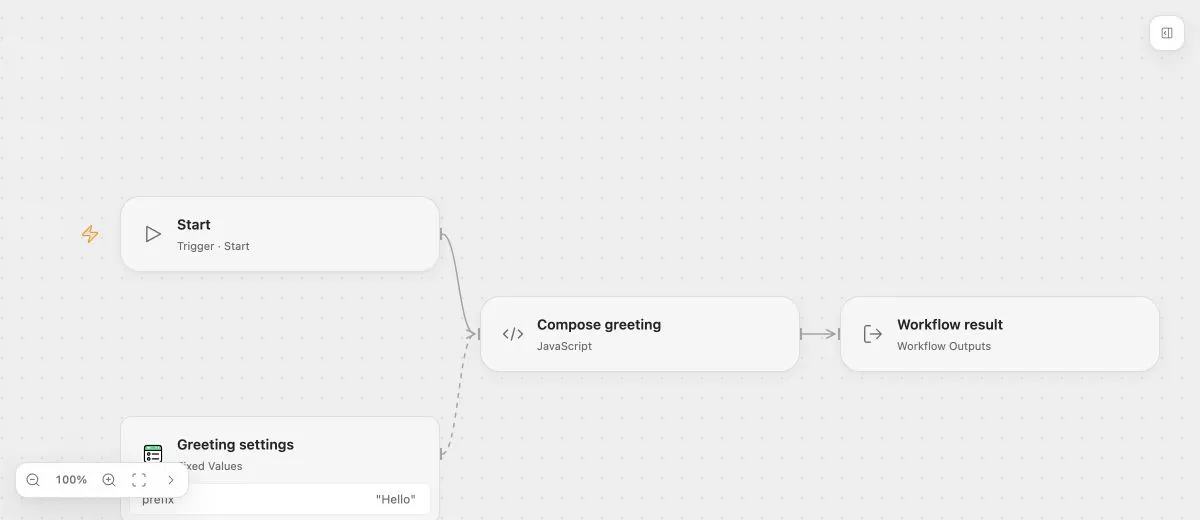
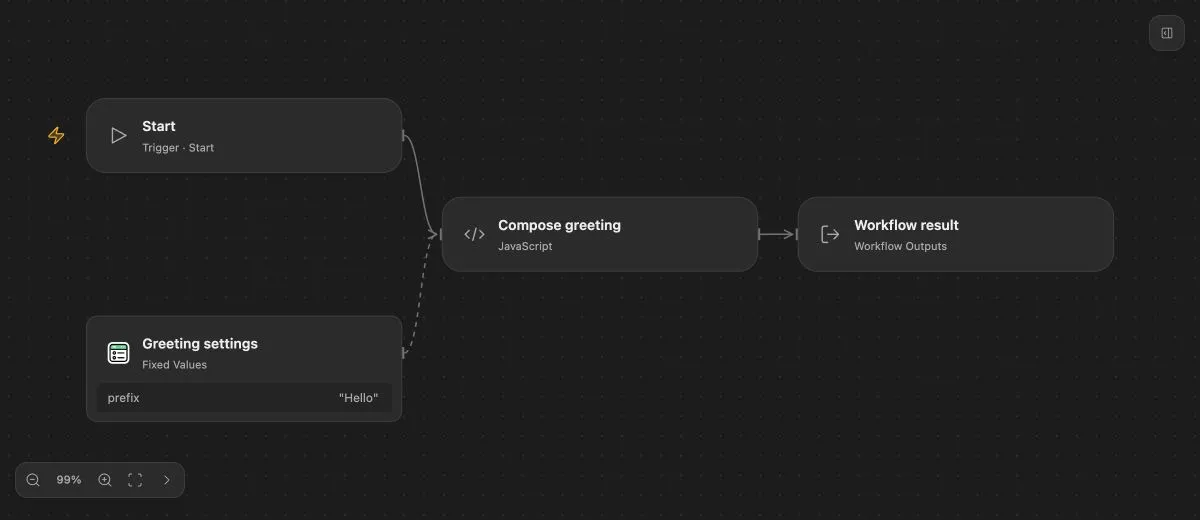
- Start declares a required string parameter named
name. - Greeting settings stores the string
Helloas a reusable Value. - Compose greeting binds
namefrom Start andprefixfrom Value, then returns amessage. - Workflow result maps that message to the Flow’s declared business output.
Select each node in the preview to inspect it. In the Workbench, connect execution paths and bind inputs separately. A line between nodes determines when the target can execute; it does not select an input value.
Run the Draft
Choose Start in the Run menu and provide:
{ "name": "Ada" }The Code node runs this ES module:
export default ({ name, prefix }) => ({
  message: `${prefix}, ${name}!`
});
A successful Run returns:
{ "message": "Hello, Ada!" }Inspect the Run to see node inputs and results. The Flow’s business output comes from Outputs; returning a value from Code alone does not declare a workflow output.
Change and publish
Change the prefix, test the Draft again, and publish when the result is correct. Draft edits do not change the current Live version. A successful publication makes a fixed version available for production Runs.
Continue with testing and publication, or add Condition and Approval to control later work.